21
MUSIC (USB 2.0 ) INPUT
The Music (USB 2.0) Input allows you not only to connect a USB Drive containing mp3 and
WAV format audio files and to replay these files through your digiLiVE console, but also to
record the Main Mix output (including the audio from any mp3/WAV file playing at the time) to
a stereo WAV file.
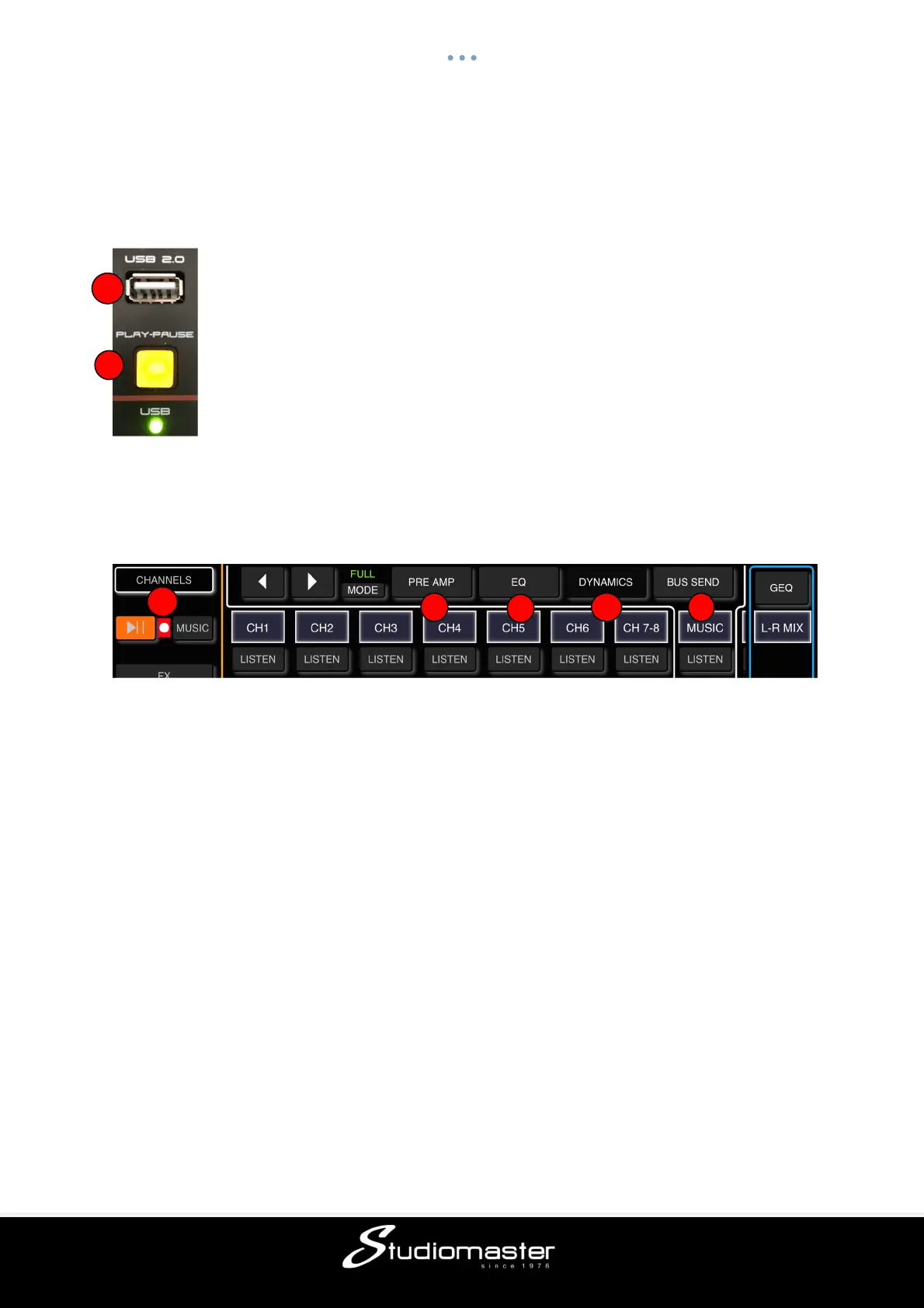
① USB 2.0 Socket
Insert USB Flash or HD Drive. MP3 and WAV files can be replayed from -
and/or a stereo WAV file of the Main Mix can be recorded to - a USB drive
connected here. Updates to digiLiVE firmware via USB are also carried out
using this socket.
② Play/Pause Button
Press this button to start or pause playback.
MUSIC (USB 2.0) INPUT
The Music (USB 2.0) input channel contains three individual modules: Preamp, EQ and Bus
Send (which incorporates Aux and Effects send). Touching a module tab will bring up a sub-
page with further options.
① Preamp
Shows the status of Phase Reverse and Input Delay Time.
② EQ
Shows a parametric EQ graph representing the EQ and HPF (High Pass Filter) settings.
③ Dynamics
Please note that the Dynamics module is completely disabled.
④ Bus Send
Shows send status: the busses being sent to along with its level and Pan value.
⑤ Music Player/Recorder Controls
If a USB drive containing mp3 or WAV files in its root directory is inserted into the Music
channel USB 2.0 connector, touching the Play/Pause button will start or pause playback.
Touching the Music tab opens the Music Player Sub-Page.
5
1
2



 To Next Page