41
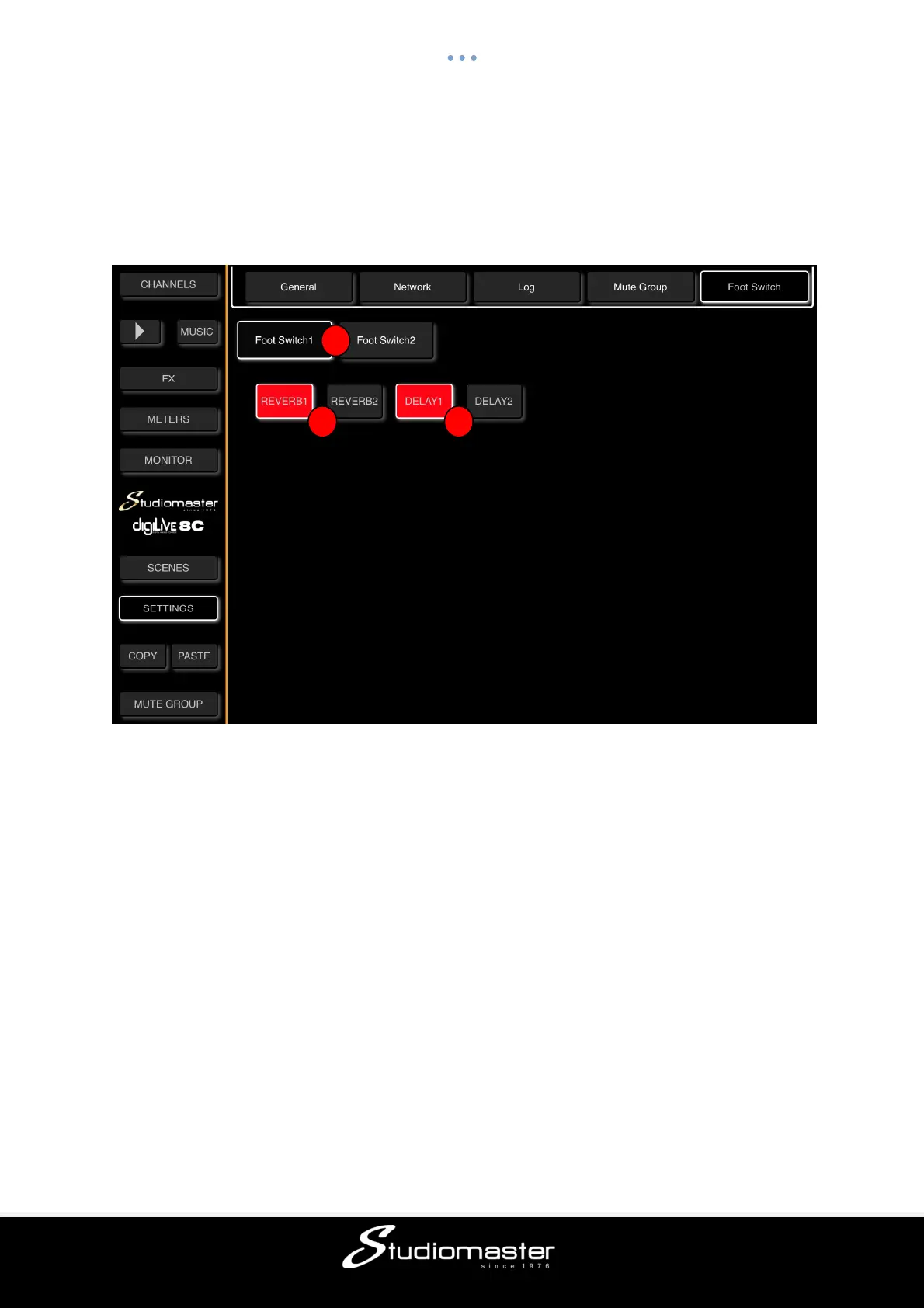
FOOT SWITCH SUB-PAGE
Touch the Foot Switch tab on the Settings Page to open the Foot Switch Sub-Page.
This page allows you to freely assign the Reverb and Delay Effects to either of the digiLiVE’s
two footswitches for muting.
① Foot Switch Select
Touch Foot Switch 1 or Foot Switch 2 Select button to select a Foot Switch for Effects
assigned to (button has a highlit border).
② Reverb Select
Touch either or both these buttons to assign REV 1 and/or REV 2 to the selected Foot Switch
(button turns Red when assigned)
③ Delay Select
Touch either or both these buttons to assign DEL 1 and/or DEL 2 to the selected Foot Switch
(button turns Red when assigned)
Please note that up to four Effects can be assigned to one Foot Switch,
2 3
1



 To Next Page