19
STEREO INPUT (7-8)
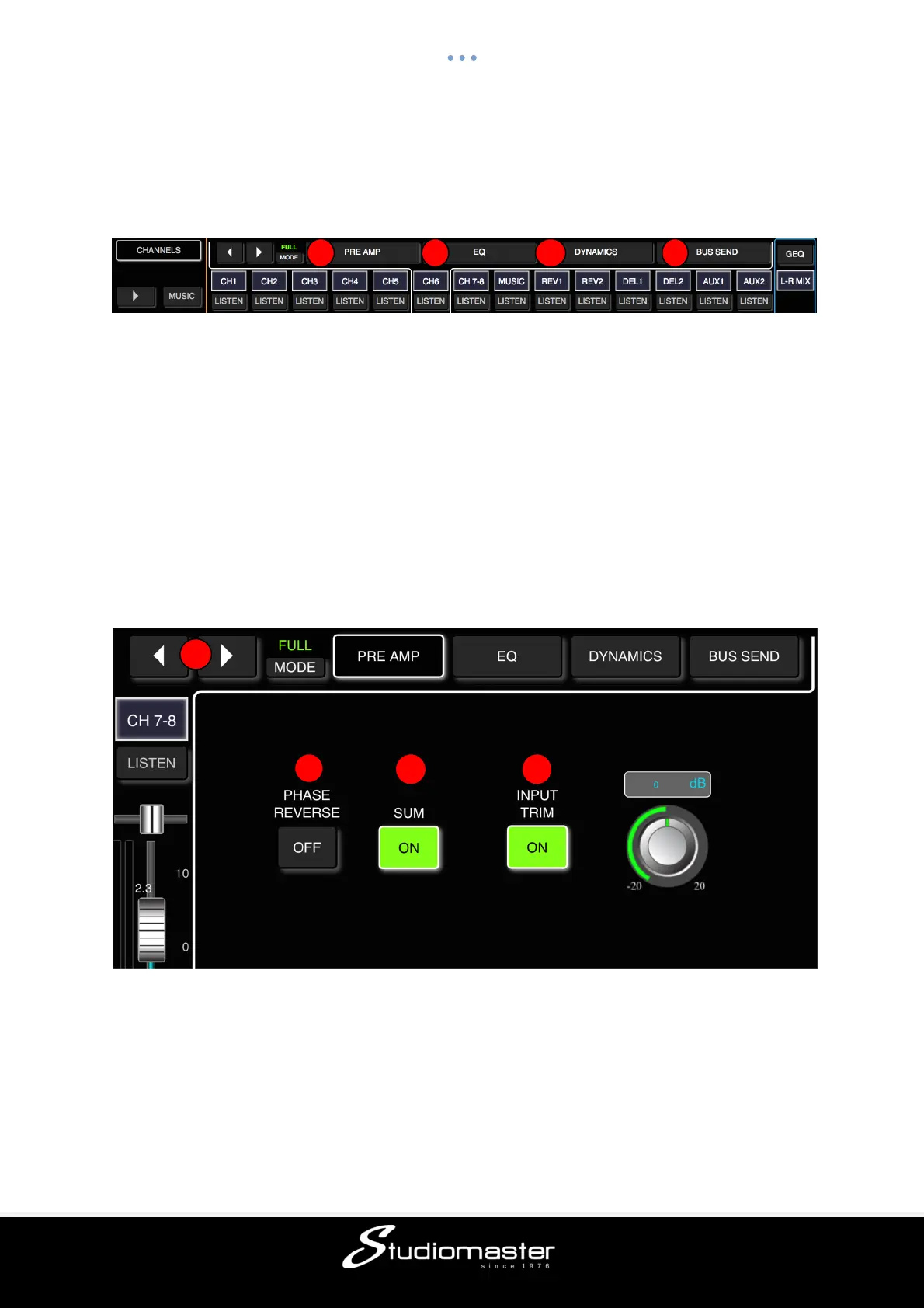
The Stereo Input 7-8 input channel contains four individual modules: Preamp, EQ,
Dynamics and Bus Send (which incorporates Aux and Effects send). Touching a module tab
will bring up a sub-page with further options.
① Preamp
Shows the status of Phase Reverse and Input Delay Time.
② EQ
Shows a parametric EQ graph representing the EQ settings.
③ Dynamics
Shows a gate and compressor graph.
④ Bus Send
Shows send status: the busses being sent to along with its level and Pan value.
Please note that there are differences between the Stereo Input Preamp and EQ modules
and the Preamp and EQ modules of a Mic input.
STEREO INPUT PREAMP SUB-PAGE (Touch Tab to Open)
① Change Input
Press the arrow-buttons to select the previous or next input.
② Phase Reverse
Phase inverts the left side of your stereo signal. In combination with SUM, this can be useful
to cancel out the centre of a stereo recording (usually the vocal track) to create a simple
karaoke effect. Touch the button to enable (button turns green, label changes to “On”), and
touch again to disable (button goes dark, label changes to “Off”). Default is disabled.
1
2
3 4



 To Next Page