40
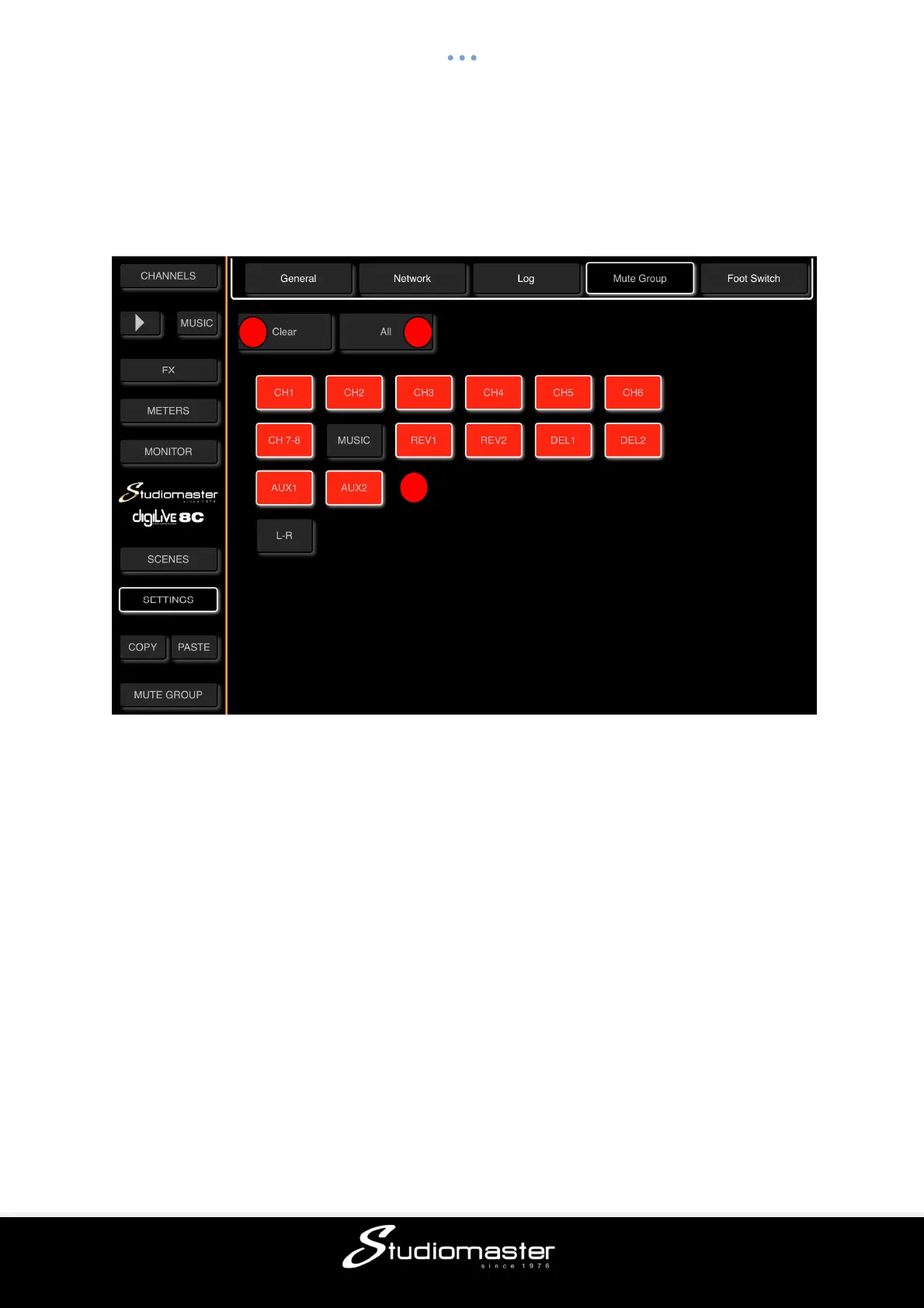
MUTE GROUP SUB-PAGE
Touch the “Mute Group” tab on the Settings Page to open the Mute Group page.
This page is where you add and remove Input, Output and FX Channels to and from the
digiLiVE’s single Mute Group.
① Clear
Touching the Clear button clears all assignments (all buttons turn Dark).
② All
Touching the All button assigns all Channels to the Mute Group (all buttons turn Red).
③ Touching any Channel Red button will remove that Channel from the Mute Group (button
turns dark), and touching any Dark button will add that Channel to the Mute Group (button
turns red).
1 2
3



 To Next Page