22
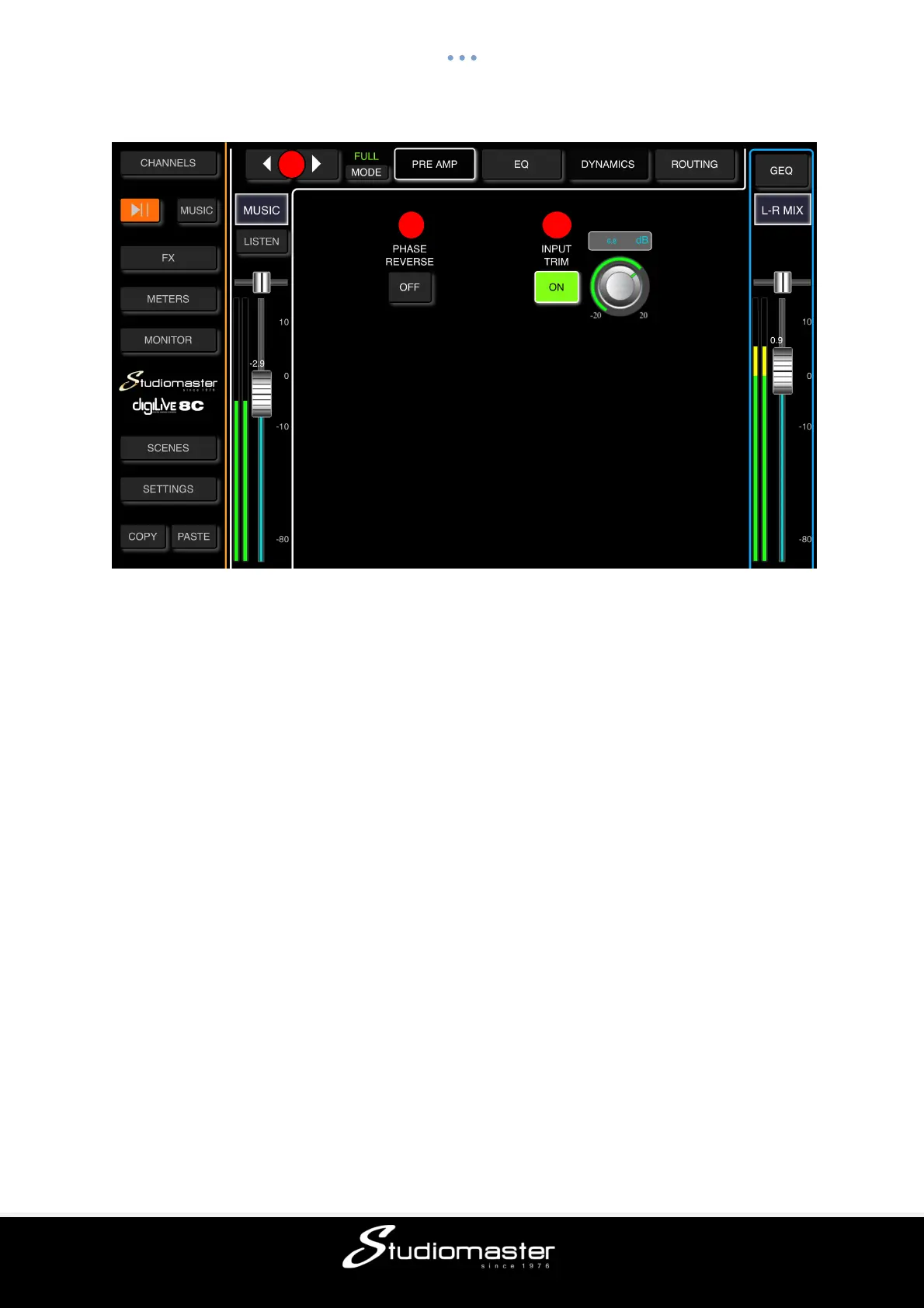
MUSIC (USB 2.0) INPUT PREAMP SUB-PAGE (Touch Tab to Open)
① Change Input
Touch the arrow-buttons to select the previous or next input.
② Phase Reverse
Touch to invert phase (button turns green, label changes to “On”). Touch again for normal
phase (button goes dark, label changes to “Off”). Default is normal phase.
③ Input Trim
Allows digital amplification or attenuation of the input signal. Touch the button to enable
(button turns green, label changes to “On”), and touch again to disable (button goes dark,
label changes to “Off”). Default is disabled. Adjust the Trim using the soft-encoder on the
touch screen. The gain can be adjusted from -20dB to +20dB. Default is 0dB.
MUSIC (USB 2.0) INPUT EQ and BUS SEND MODULES
Both the EQ and Bus Send Music Input modules are identical to the equivalent Mic Input
modules. The Dynamics module is completely disabled on the Music (USB 2.0) input.



 To Next Page