31
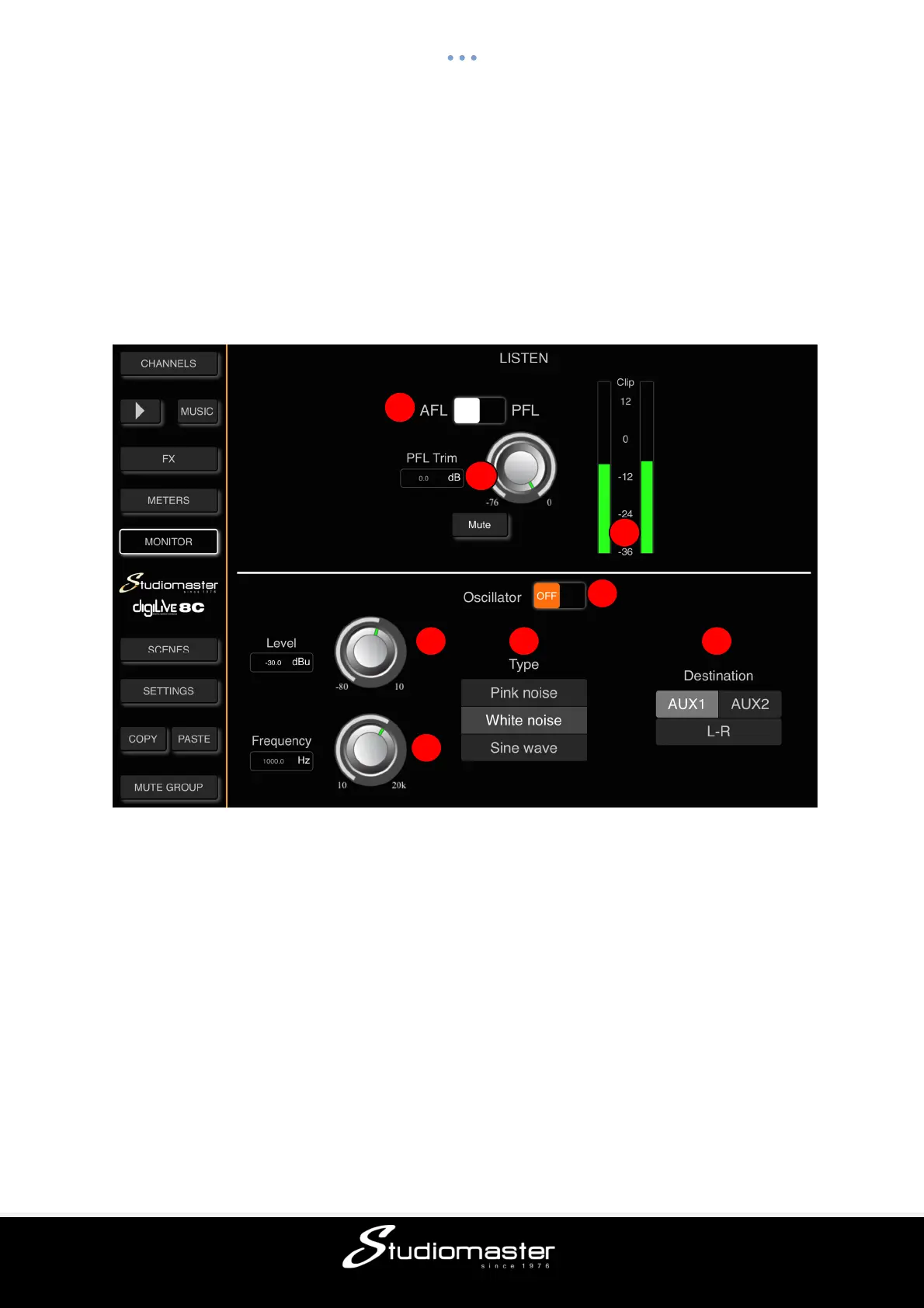
MONITOR PAGE
On the upper right of the digiLiVE 4C and 8C front panel you will find a Headphone jack
connector, together with an analogue rotary potentiometer to control the headphone volume.
The headphone input comes from the stereo Monitor Bus, whose operation is configured on
the Monitor Page. On the same page you will find the controls to configure the operation of
the digiLiVE’s onboard Oscillator.
Touch the Monitor tab in the left-hand menu to open the Monitor Page.
If none of the Input or Output channel Listen buttons are selected on the digiLiVE console,
the Monitor Bus is fed with the L-R Mix output signal. Touching any Listen button mutes the
L-R Mix signal and feeds the monitor bus with the selected channel’s AFL (After-Fader
Listen) or PFL (Pre-Fader Listen) signal. Touch the selected channel’s Listen button to exit
Listen and to unmute the L-R Mix output signal to the Monitor Bus.
LISTEN
① AFL/PFL Select
Touch to switch between AFL and PFL monitor modes. Selecting AFL sends the selected
channel’s post-fader signal, the level of which is controlled by the channel fader and mute
switch, to the Monitor Bus. Selecting PFL feeds the Monitor Bus with the channel’s Pre-
Fader signal, which is not under the control of the channel fader and mute switch. This
means that a channel’s PFL signal may be considerably louder than its AFL signal.
Default is AFL.
1
2
1
2
4



 To Next Page