29
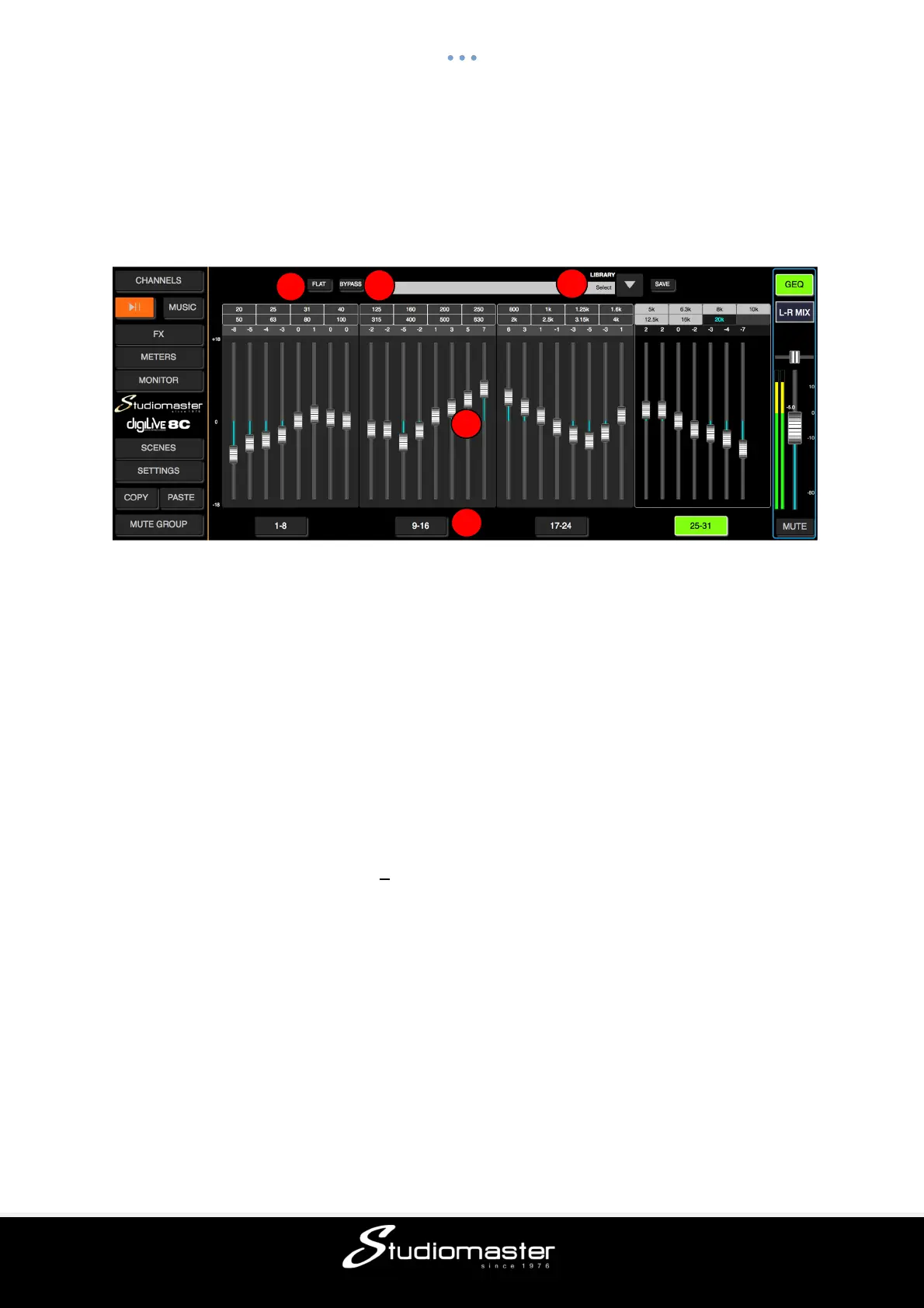
GEQ PAGE
Touch the GEQ button above the L-R Mix fader to activate the GEQ (Graphic Equaliser). The
GEQ button turns yellow and GEQ Page opens. Touch the button again to deactivate the
GEQ. The GEQ button turns black, the GEQ page closes and the Channels page opens.
The faders are arranged in four banks. Only a single bank can be active at any one time.
① Flat
Single-touch this button to set all frequency band Gains to 0dB. Faders will move to the
centre of their respective travel. This cannot be undone.
② Bypass
Single-touch this button to bypass the GEQ (button illuminates). Press again to activate the
GEQ (button goes dark). Default is Bypass.
③ Library
The Library function allows you to save and load up to 16 User Delay presets. Tap the
dropdown button, select a preset from the list and tap OK to load its Delay settings. Tap the
Save button and select the desired Library Slot (1 – 16) from the list to save the current
Delay settings. A soft keyboard pop-up will appear on screen, allowing you to name the
preset. Finally press “Confirm” to save the setting or “Cancel” to abandon.
④ GEQ Display
The left-hand scale shows Gain (+18dB). Above the faders are three rows of numbers,
arranged in four blocks to match their respective fader banks The top row shows the
frequencies of the first four faders in the bank, and the middle row the frequencies of the
second four faders. The last bank (25-31) has only seven faders so its second row contains
only three frequencies. The third row shows the gain value (with reference to the central 0dB
position) of each fader in the bank. The gain value of a fader can be adjusted by dragging
that fader up or down.
⑤ Fader Bank Select button
Single-touch a Fader Bank Select button to select that bank for fader adjustment.
2
3



 To Next Page