7
Safety & Navigation
Information
Emergency
Screen
Finding an
Address
Finding a Point
of Interest
Setting HOME
as a Favorite
4
5
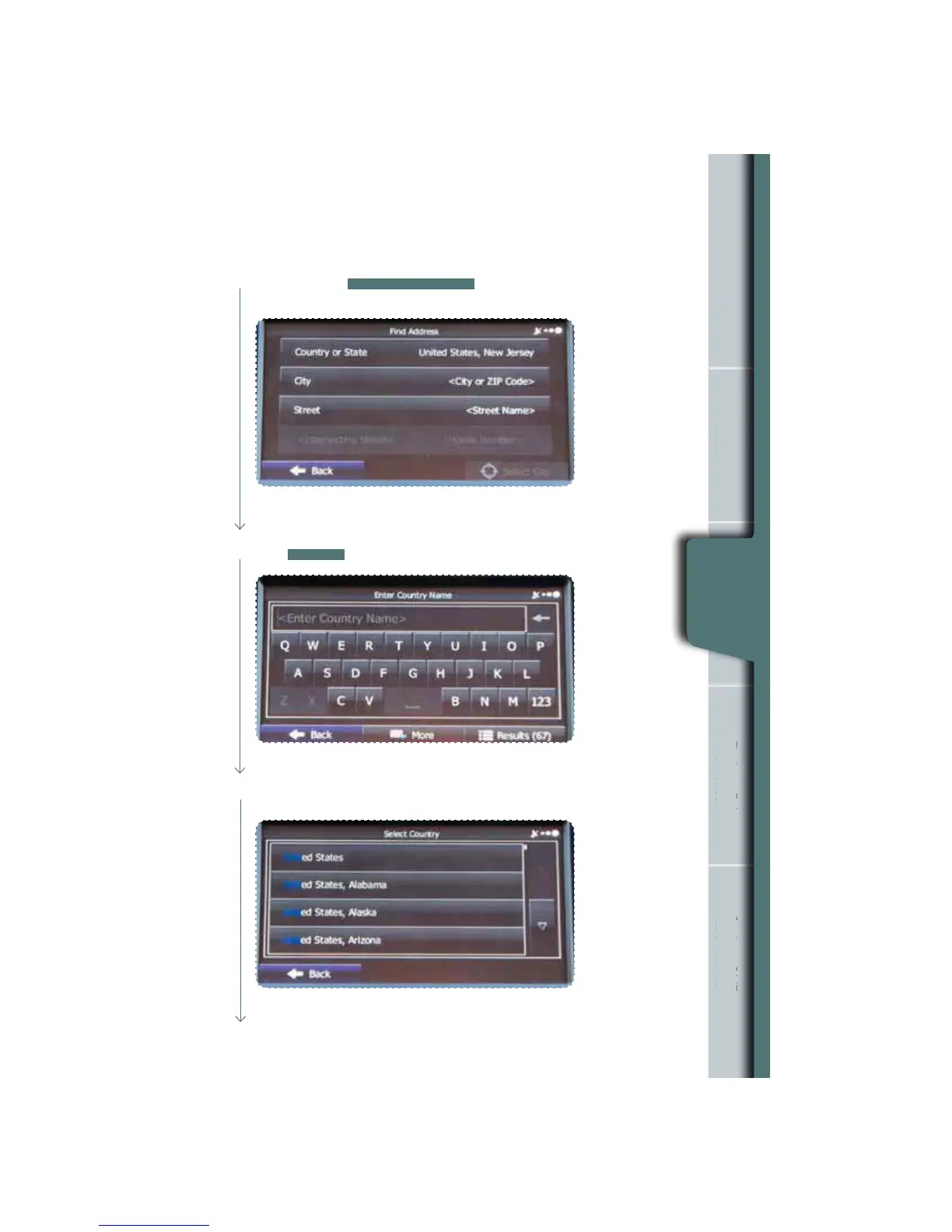
Type United States. As you type, look to the bottom right of the screen and
touch
RESULTS
.
By default, the country and state for your current position are displayed. If
necessary, touch
COUNTRY OR STATE
, a keyboard appears and then
enter the rst few letters of the country name.
n
Information
rgency
Screen
g an
ddres
g a
f Interes
as a Favorit
Finding an
Address
Touch the up/down arrows to the right to scroll up/down until you nd the
country and state. Touch the line with the correct country and state.
6















 To Next Page