Navigation 123
Navigation
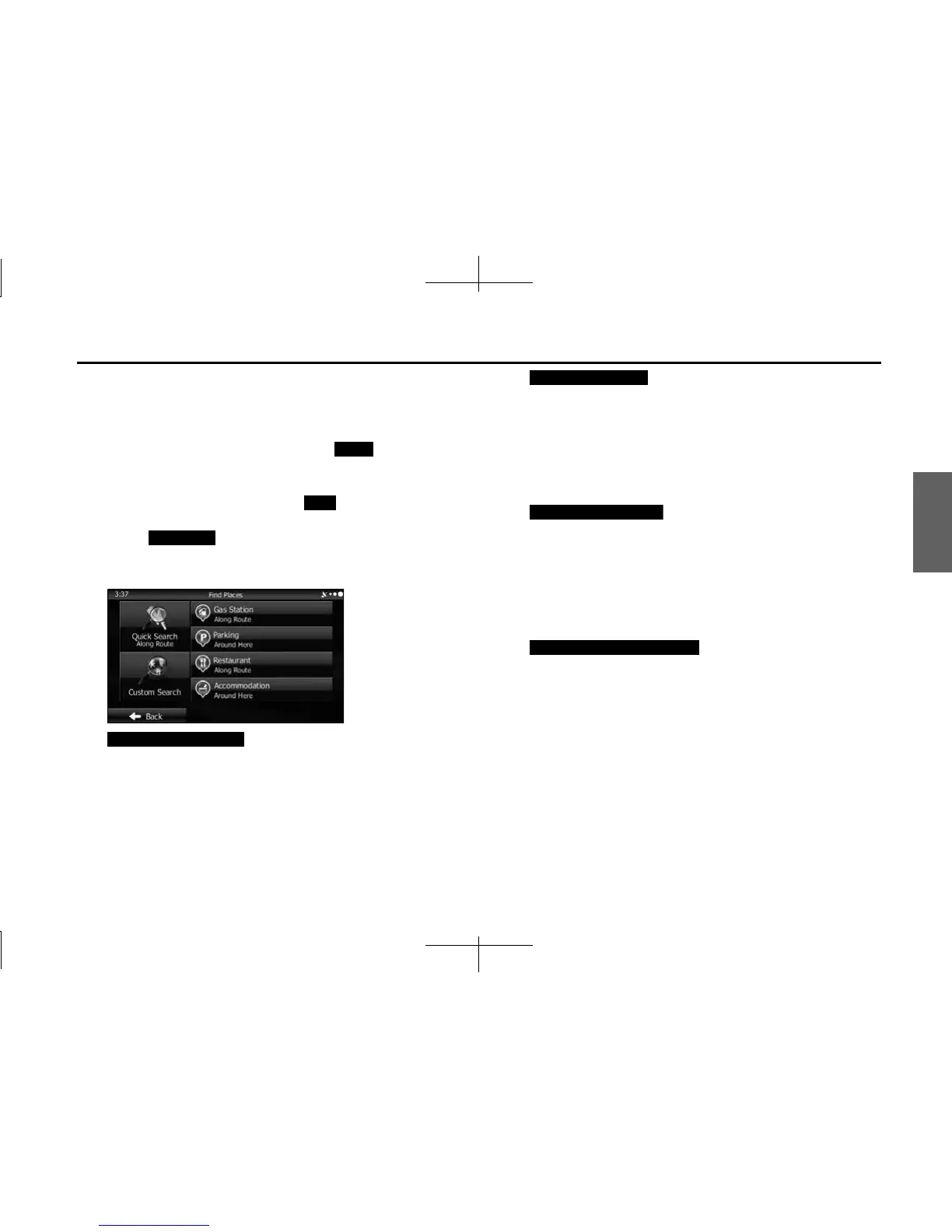
■ Searching for favorite spots using a preset category
By using the preset search function, you can quickly selected popular
spots.
1 If the Map screen is displayed, touch (Menu) to
return to the navigation menu.
2 On the navigation menu, touch (Find).
3 Touch (Find Places).
4 Display preset search categories as follows.
(Gas Station Around Route):
• Searches for gas stations along the route during route
navigation.
• Searches around the current position if navigation is not being
performed (if no destination is set).
• Searches the area around the last confirmed position if the
current position is unavailable (no GPS signal).
(Parking Around Here):
• Searches for parking lots at the destination during route
navigation.
• Searches around the current position if navigation is not being
performed (if no destination is set).
• Searches the area around the last confirmed position if the
current position is unavailable (no GPS signal).
(Restaurant Along Route):
• Searches for restaurants along the route during route
navigation.
• Searches around the current position if navigation is not being
performed (if no destination is set).
• Searches the area around the last confirmed position if the
current position is unavailable (no GPS signal).
(Accommodation Around Here ):
• Searches for accommodation at the destination during route
navigation.
• Searches around the current position if navigation is not being
performed (if no destination is set).
• Searches the area around the last confirmed position if the
current position is unavailable (no GPS signal).
Menu
Find
Find Places
Gas Station Along Route
Parking Around Here
Restaurant Along Route
Accommodation Around Here














 To Next Page