12 Introduction
Before Use
About This Unit
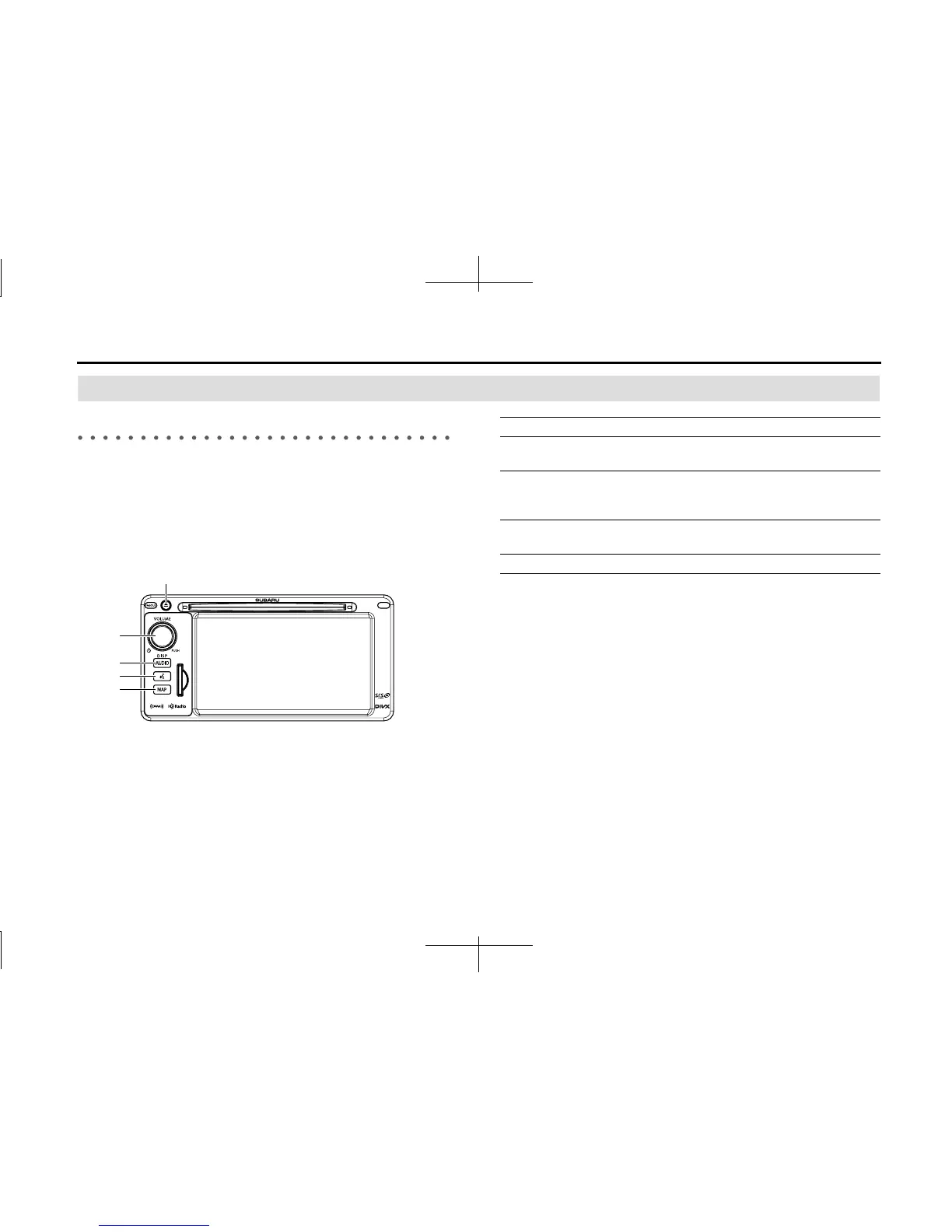
Part Names and Operations
You can operate the unit by pressing the buttons on the panel (panel
buttons) or by directly touching the buttons displayed on the screen
(touch buttons).
■ Panel buttons
Press a panel button to operate it.
(5)
(4)
(1)
(2)
(3)
(1) MAP button Press to display the navigation screen.
(2) Voice recognition
button
Press to use voice recognition control.
(3) AUDIO button Press to use the audio or hands free function.
Press for 1 second or more to adjust the
picture quality or screen brightness.
(4) POWER/VOL button Pressing: Audio Power ON or OFF.
Rotating: Adjust the volume.
(5) EJECT button Press to eject the DISC.














 To Next Page