Introduction 69
Before Use
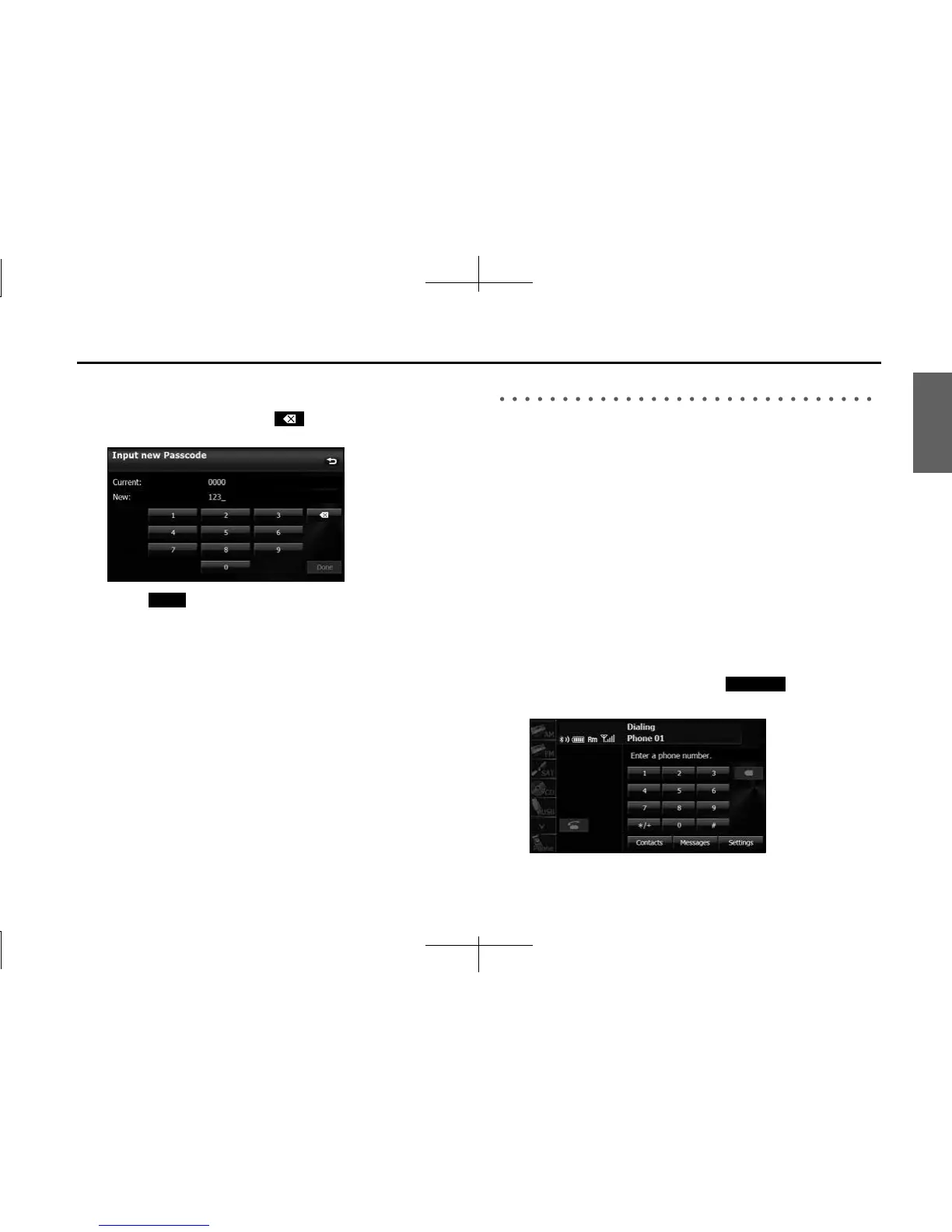
5 Enter a number by touching 1 digit at a time, and enter a
number with 4 to 8 digits.
• If you make a mistake, touch to delete 1 digit at a time.
Touch for 1 second or more to delete the digits continuously.
6
Touch (Done).
Using the messaging function
You can read messages that are received on the cell phone or send
messages that are created on the unit.
3 message types can be used on this unit: SMS (Short Message Service),
MMS (Multimedia Messaging Service) and e-mail.
You can also check received messages through audio playback.
NOTE
• Compatible Profiles:
- HFP (Hands Free Profile) Ver.1.0 or later (Conformed Ver.1.5)
- MAP (Message Access Profile)
• This function cannot be used with cell phones that do not support HFP
(Hands Free Profile) and MAP (Message Access Profile). For details, see the cell
phone's instruction manual.
■ Displaying the Messages screen
1 On the handsfree screen, touch (Messages).
• The Messages screen appears.
Done
Messages














 To Next Page