204 Audio and Visual
Basic Operation
Adjusting the Sound Quality
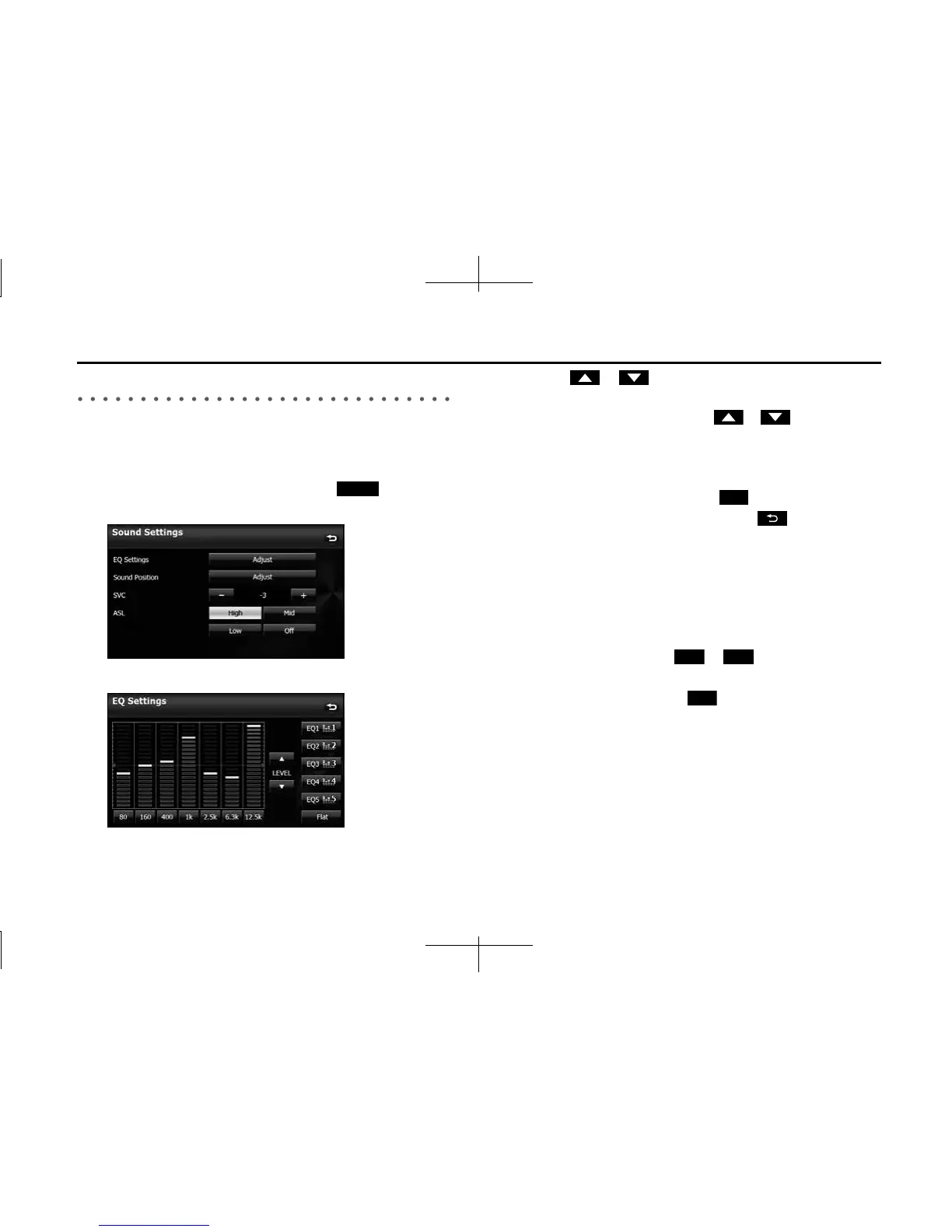
You can adjust the sound quality from the low band to the high band.
■ Adjusting the sound quality
1 On the Sound Settings screen, touch (Adjust) in
EQ Settings.
2 Touch the sound band that you want to adjust.
3 Touch or .
• When you touch and hold, the value changes continuously but
stops at the center value. Touch or again to restart.
• You can also adjust to the desired level by touching the screen.
• The maximum adjustment is +10 and the minimum
adjustment is -10.
• To reset the sound quality, touch (Flat).
• After completing the adjustment, touch to save the
adjusted settings and return to the previous screen.
■ Saving the sound quality
You can save the adjusted sound quality settings.
1 Adjust the sound quality.
2 Touch any button from to for 2 seconds or
more.
• Values cannot be saved for (Flat).
Adjust
Flat
EQ1 EQ5
Flat














 To Next Page