138 Navigation
Navigation
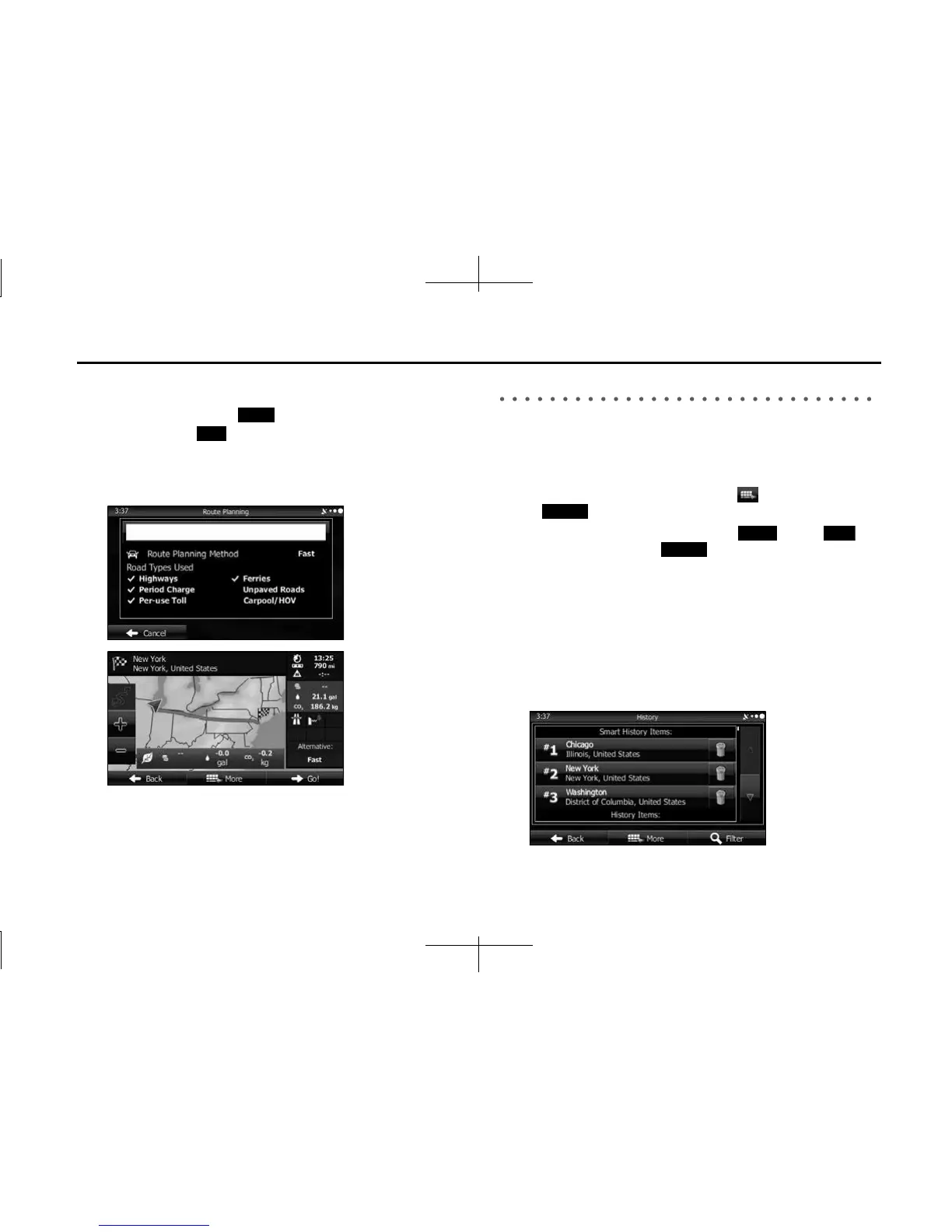
5 After a summary of the route plan is displayed, the entire
route is displayed on the map. The route is researched
automatically. Touch (More) to change the route
plan, or touch (Go!) to start navigation. (When the
countdown is displayed in the “Go!” button, guidance
begins automatically after 10 seconds even if you do not
touch the button.)
Selecting a Recent Destination from History
Destinations that have been set previously are displayed in the History
list.
1 Use the History function as follows.
• If the Map screen is displayed, touch and then touch
(History). (Only when registered to the Quick Menu.)
• If the Map screen is displayed, touch (Menu),
(Find) and then touch (History).
2 A list of recently entered destinations is displayed. A
History search displays three destination on the top page
based on previously entered routes (destinations with
the highest likelihood of use). Other destinations are
displayed based on the time they were entered in the
past. If necessary, scroll through the list to display older
entries and select the destination.
More
Go!
History
Menu
Find
History














 To Next Page