226 Audio and Visual
Audio Operations
Using the CD Player
Using the CD Player
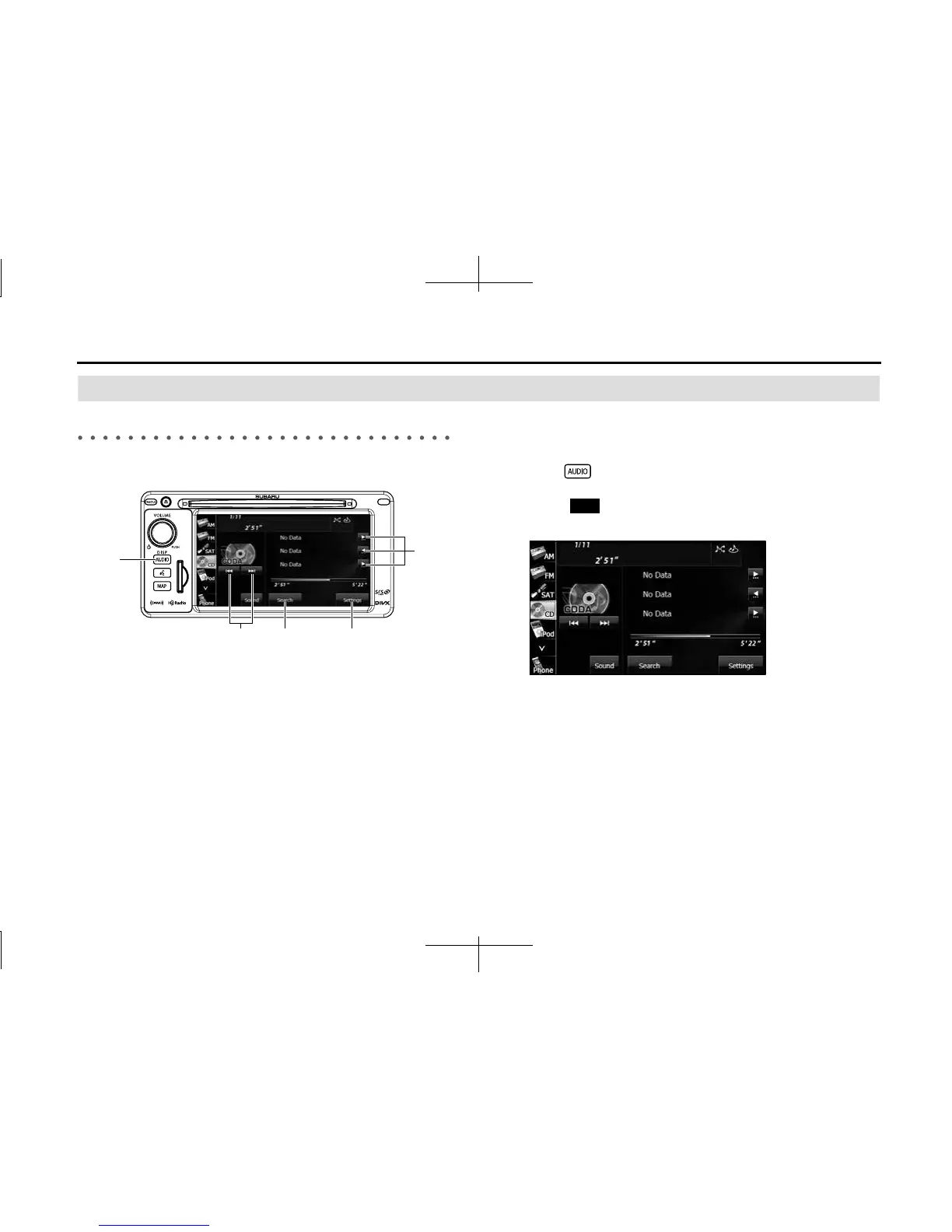
(1) Title information scroll buttons
*
(2) Settings button
(3) Search button
(4) Track up/down and fast forward (fast reverse) buttons
(5) AUDIO button
* It will be displayed if the length of the information is too long and it
cannot be displayed.
NOTE
Some of the functions may not be available when vehicle is in motion.
■ Listening to a CD
Insert a CD into the disc slot, and it will start playing.
1 Press .
2 Touch (CD).
• The playback starts.
NOTE
• Playback may be intermittent when there is a scratch on the CD or when the
recorded side is dirty.
• If track titles and other data are recorded in the CD-Text format, they can be
displayed.
• It may not be possible to display the CD-Text of CD-R/RW discs.
• If no CD-Text data exist in the disc, “No Data” appears in the section where the
track titles and other data are displayed.
(2)(3)(4)
(5)
(1)
CD














 To Next Page