144 Navigation
Navigation
Changing the Route
When navigation has already begun, you can change the
route being navigated by using one of the following
methods. The methods are explained in the following section.
Selecting a new destination after the route has
been set: new route, waypoint, and final
destination
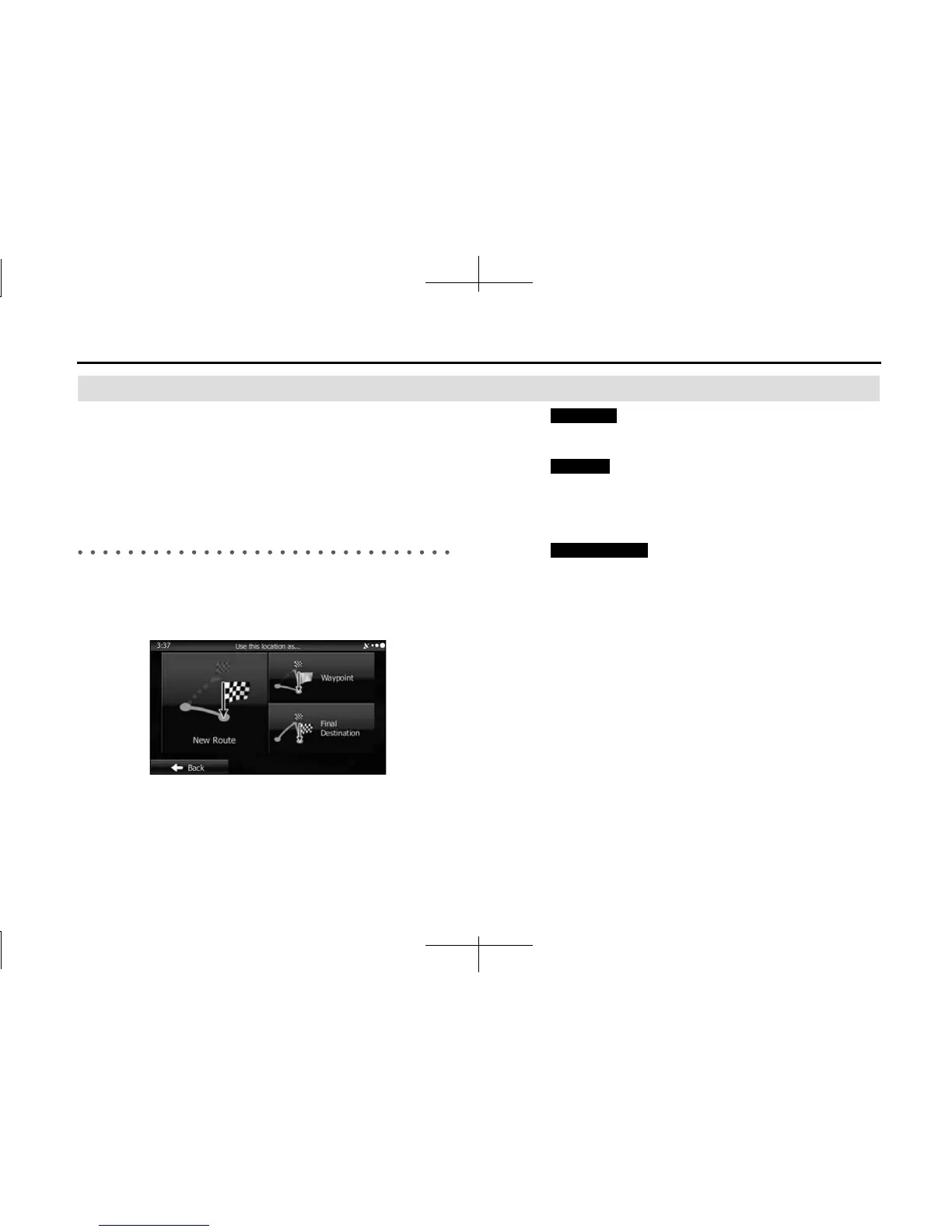
If a recommended route is already available, and a new destination has
been selected using the method described in the previous section, the
start new route, add a new waypoint (midway point), and add the
destination you selected as the final destination buttons are displayed.
• Touch (New Route) to create a new route at the
position you selected. Previous destinations and waypoints are
deleted.
• Touch (Waypoint) to add the position you selected as a
new waypoint for the current route. Other destinations for the route
are already enabled. Note: Waypoints are set so that the optimum
route is maintained between destinations. You can use the route
editing function to set the position for waypoints on the route.
• Touch (Final Destination) to add the destination
you selected as the final destination for the current route. Other
destinations for the route are already enabled. Up to now, the
position marked as the final destination becomes the final waypoint.
New Route
Waypoint
Final Destination














 To Next Page