Navigation 137
Navigation
Selecting a Frequently Used Destination (Smart
History)
Destinations that have been set previously are displayed in the History
list. The two most recent destinations are displayed on the destination
menu allowing you to select them easily. Smart History uses conditions
such as the current time, date, and position, and displays a position in
response to the user's navigation habits. The more you use the
navigation system, the more accurate the anticipated destination
becomes.
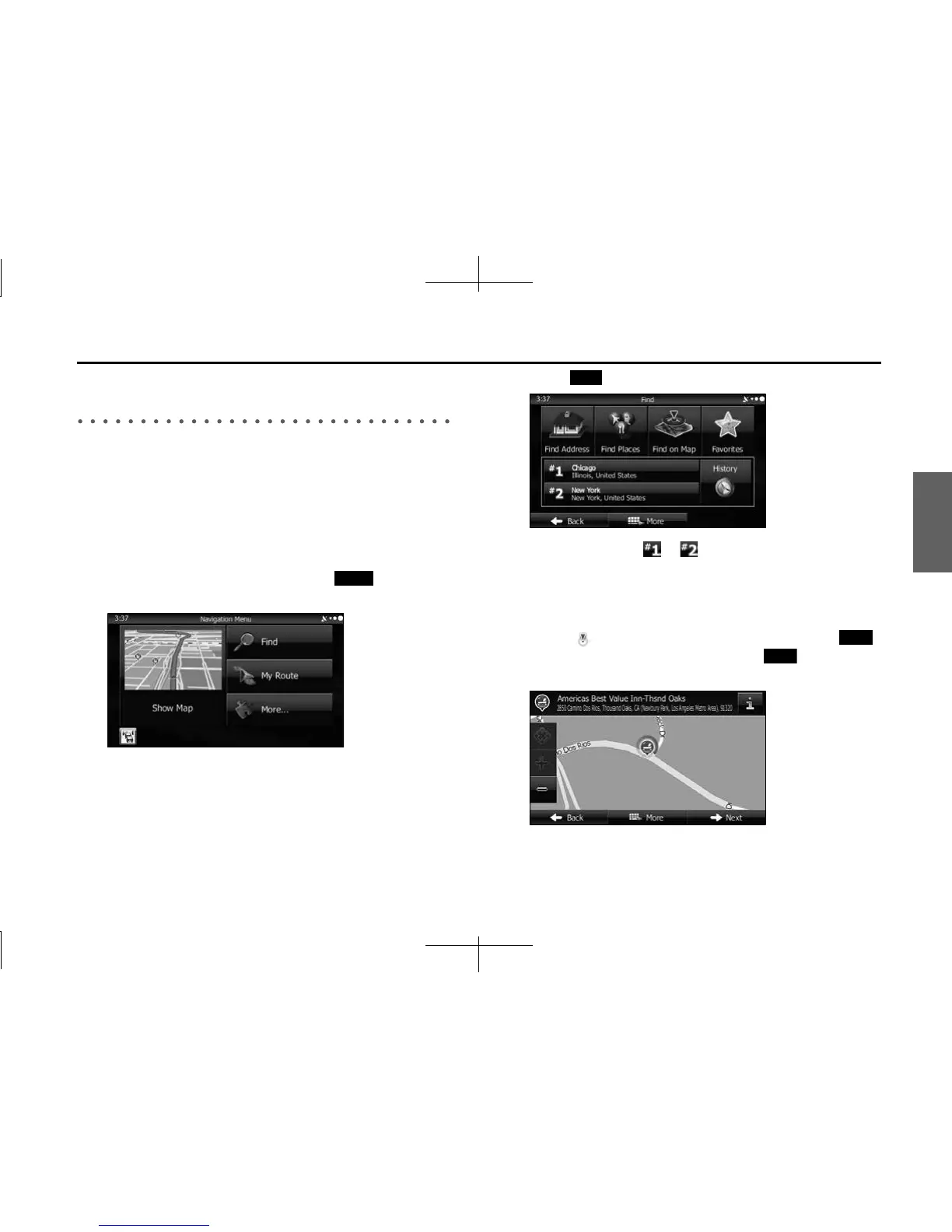
1 If the Map screen is displayed, touch (Menu) to
return to the navigation menu.
2 Touch (Find) on the navigation menu.
3 Touch destination or in the History field.
4 The map is displayed in full-screen mode with the
selected point at the center. If necessary, you can touch
another point on the map to change the destination. The
cursor ( ) is displayed at the new position. Touch
(Next) to set the destination, or touch (Back) to
select another destination.
Menu
Find
Next
Back














 To Next Page