216 Audio and Visual
Audio Operations
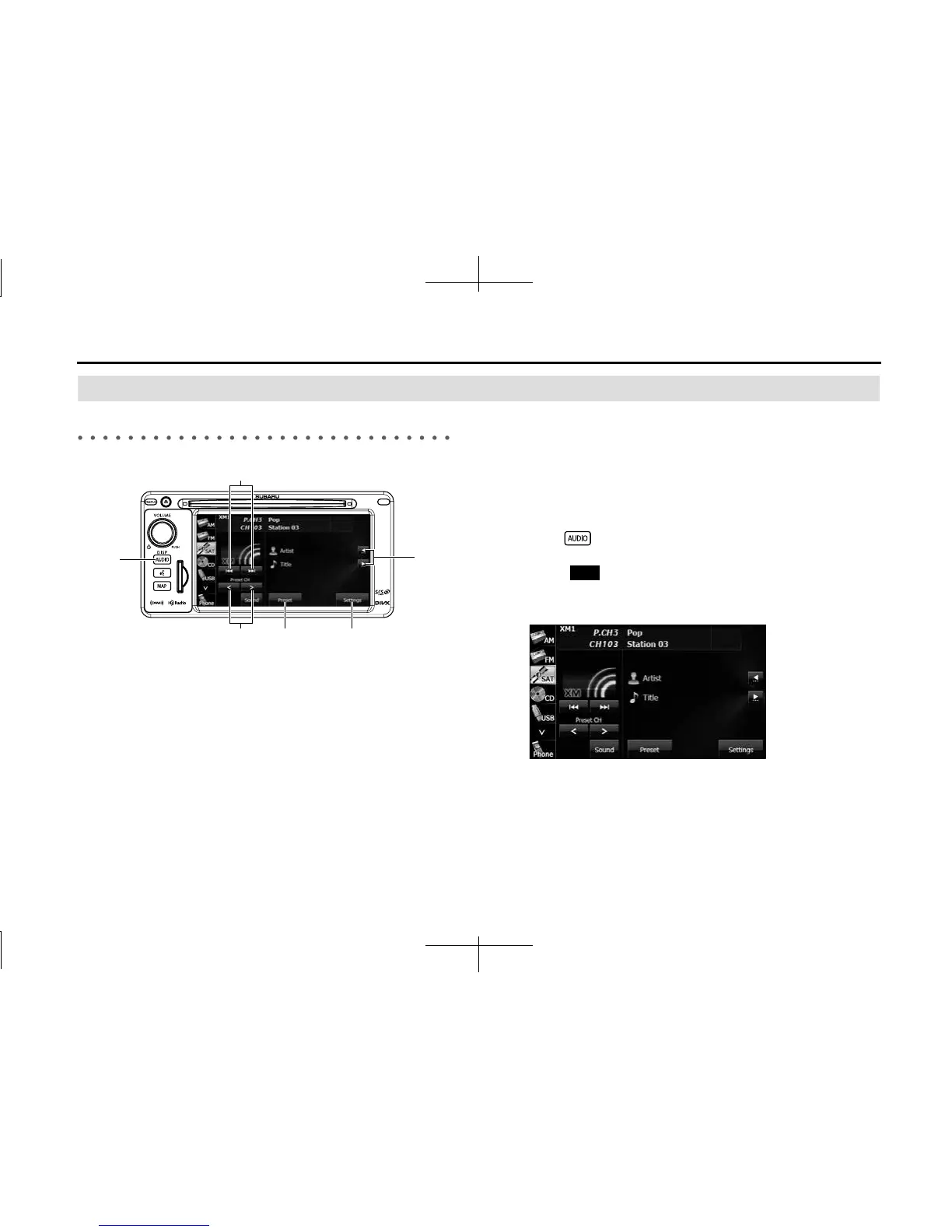
Using the SAT Radio
Using the SAT Radio
(1) Title information scroll buttons
*
(2) Settings button
(3) Preset button
(4) Preset CH up/down buttons
(5) AUDIO button
(6) Channel up/down buttons
* It will be displayed if the length of the information is too long and it
cannot be displayed.
■ Listening to the SAT radio
The SAT radio (XM satellite radio) has more than 100 channels, including
music, news and leisure programs. You can select the channel that you
want from different categories such as dance or rock, or you can select
a channel by directly entering its number. The SAT radio can be
received by using a paid-for subscription service.
1 Press .
2
Touch (SAT).
• In SAT radio mode, the title and artists information for the
currently playing track is displayed.
(1)
(2)(3)(4)
(5)
(6)
SAT














 To Next Page