224 Audio and Visual
Audio Operations
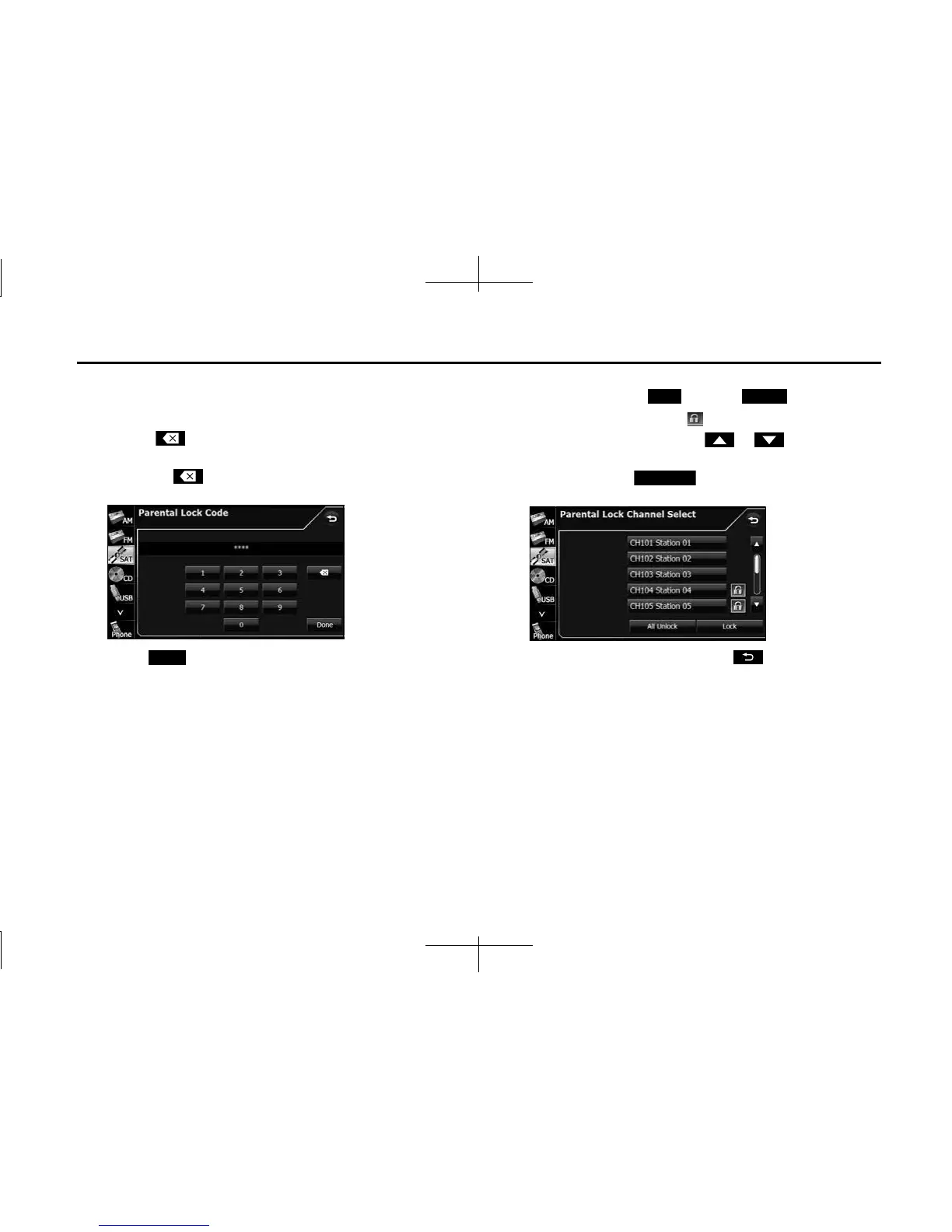
3 Enter the 4-digit parental lock code.
• When setting for the first time, enter any code that you want to
use.
• Touch to delete 1 digit from the entered number. Touch
for 1 second or more to delete the digits continuously.
• Touching 10 times continuously clears the parental lock
code.
4 Touch (Done).
• If the code is correct, the setting screen appears.
• If an incorrect code is entered, “Incorrect code. Please try again.”
appears and the number is cleared.
5 Select the channel with the settings that you want to
change, and touch (Lock) or (Unlock).
• If the channel is restricted, appears.
• If there are more pages, touch or to scroll the
pages.
• When you touch (All Unlock), the all restricted
channels are canceled.
• After configuring the setting, touch to save the setting
and return to the initial screen.
• If you have locked the currently listening channel, the channel
buttons to the next receivable (unlocked) channel.
Done
Lock Unlock
All Unlock














 To Next Page