Audio and Visual 265
How to Operate Portable Audio Devices
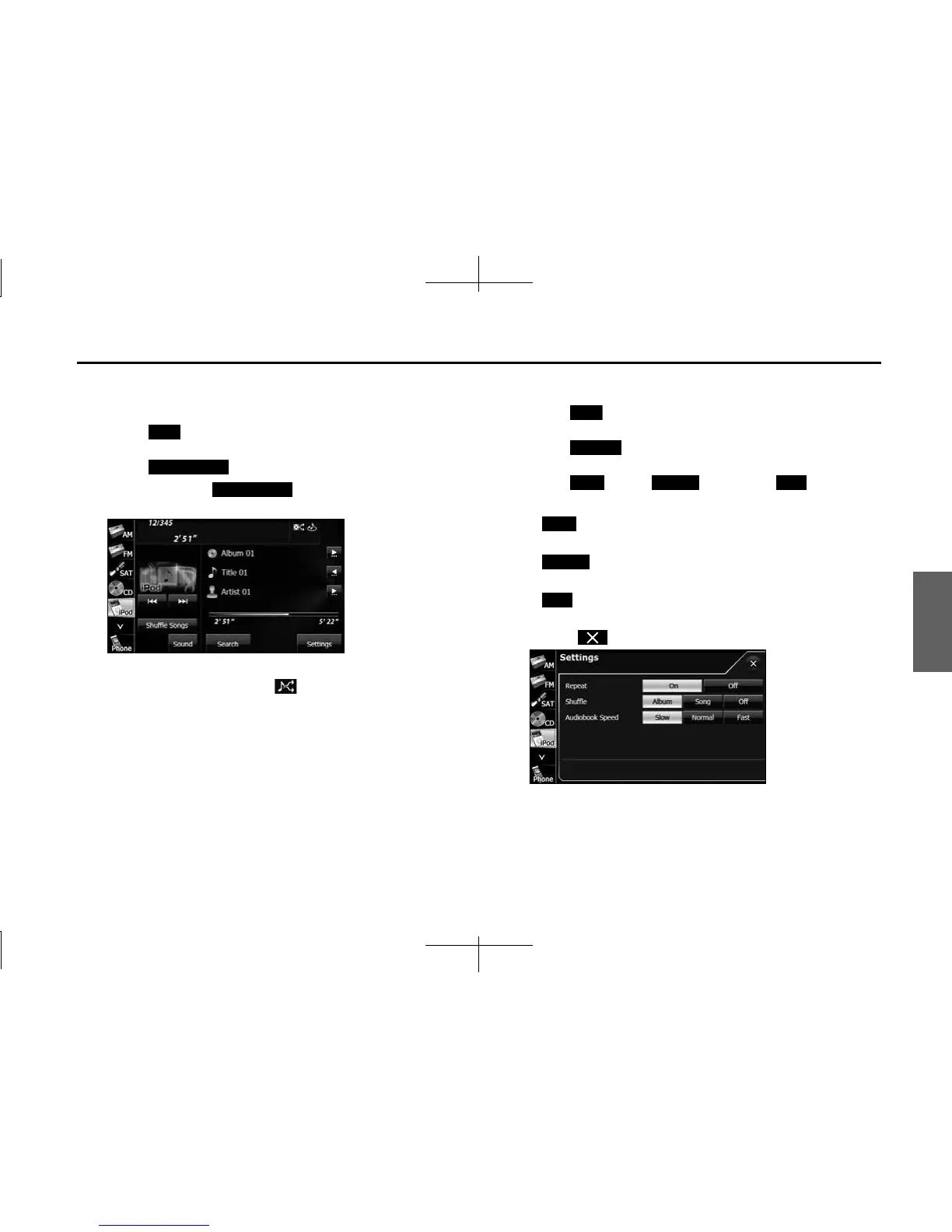
■ Playing the Shuffle Songs
You can play all the music files randomly.
1 Touch .
2 Touch (Shuffle Songs).
• When you touch (Shuffle Songs), random
playback is continued until you cancel it.
NOTE
When the all random function is selected, is displayed in the top right of the
screen as confirmation that the function is on.
■ Changing the audiobook playback speed
1 Touch .
2 Touch (Settings).
3 Touch (Slow), (Normal) or (Fast) in
Audiobook Speed.
• (Slow):
Slow down the reading speed of the audiobook.
• (Normal):
Set the reading speed of the audiobook to normal.
• (Fast):
Speed up the reading speed of the audiobook.
• Touch to return to the previous screen.
iPod
Shue Songs
Shue Songs
iPod
Settings
Slow Normal Fast
Slow
Normal
Fast














 To Next Page