Introduction 35
Before Use
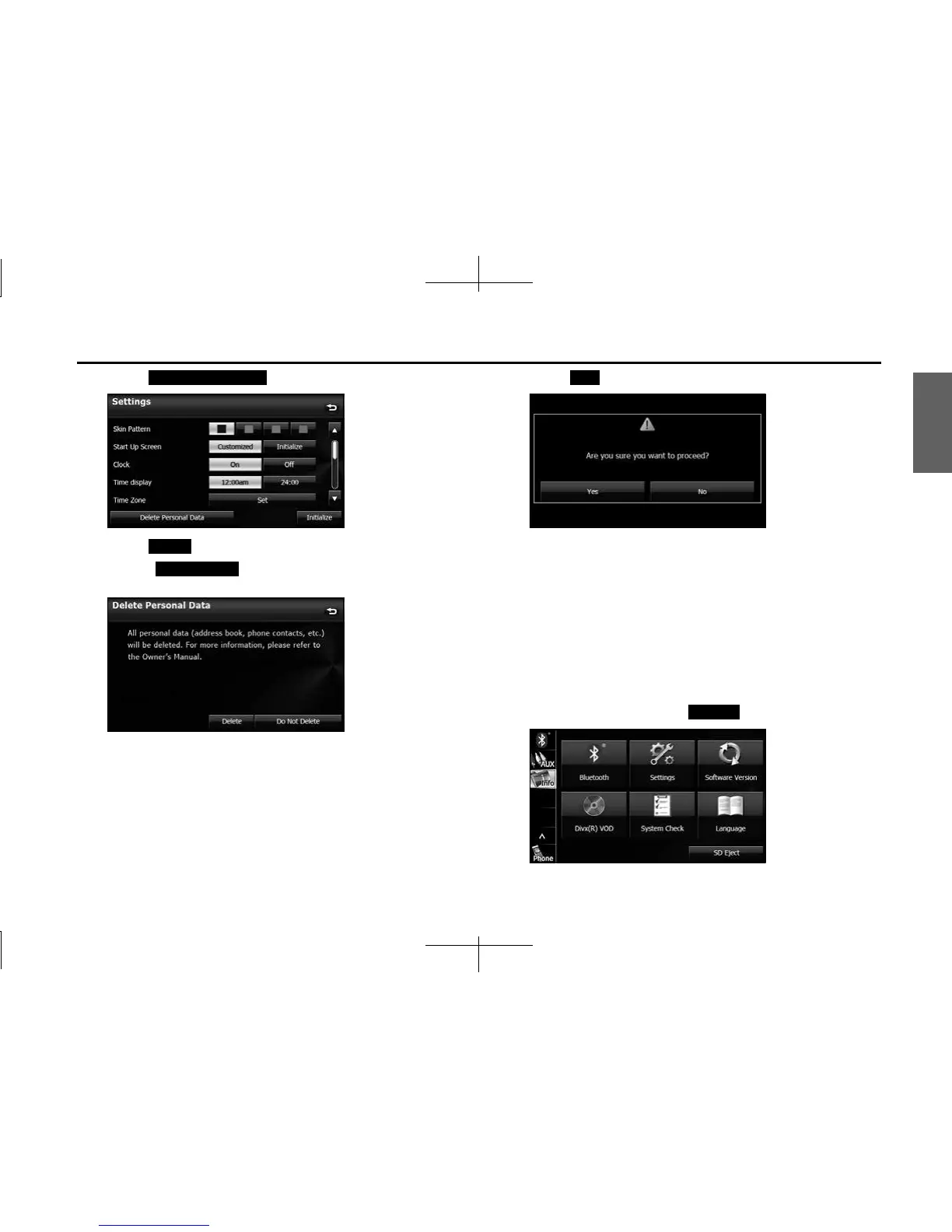
3 Touch (Delete Personal Data).
4 Touch (Delete).
• Touch (Do Not Delete) to cancel the Delete
Personal Data.
5 Touch ( Yes).
NOTE
Once the information (data) is initialized (deleted), it cannot be restored. Be very
careful when performing initialization.
■ Initializing Settings menu
You can delete the contents (Skin Pattern, Start Up Screen, Clock, Time
Display, Time Zone, Link to Day/Night View, Voice Recognition, Guide
Tone) set in the Settings screen and return them to this Unit's initial
settings.
1 On the Info screen, touch (Settings).
Delete Personal Data
Delete
Do Not Delete
Yes
Settings














 To Next Page