Introduction 61
Before Use
Deleting the phone book data
You can delete the phone book data by selecting 1 number from a
phone book, or by deleting all the phone book data.
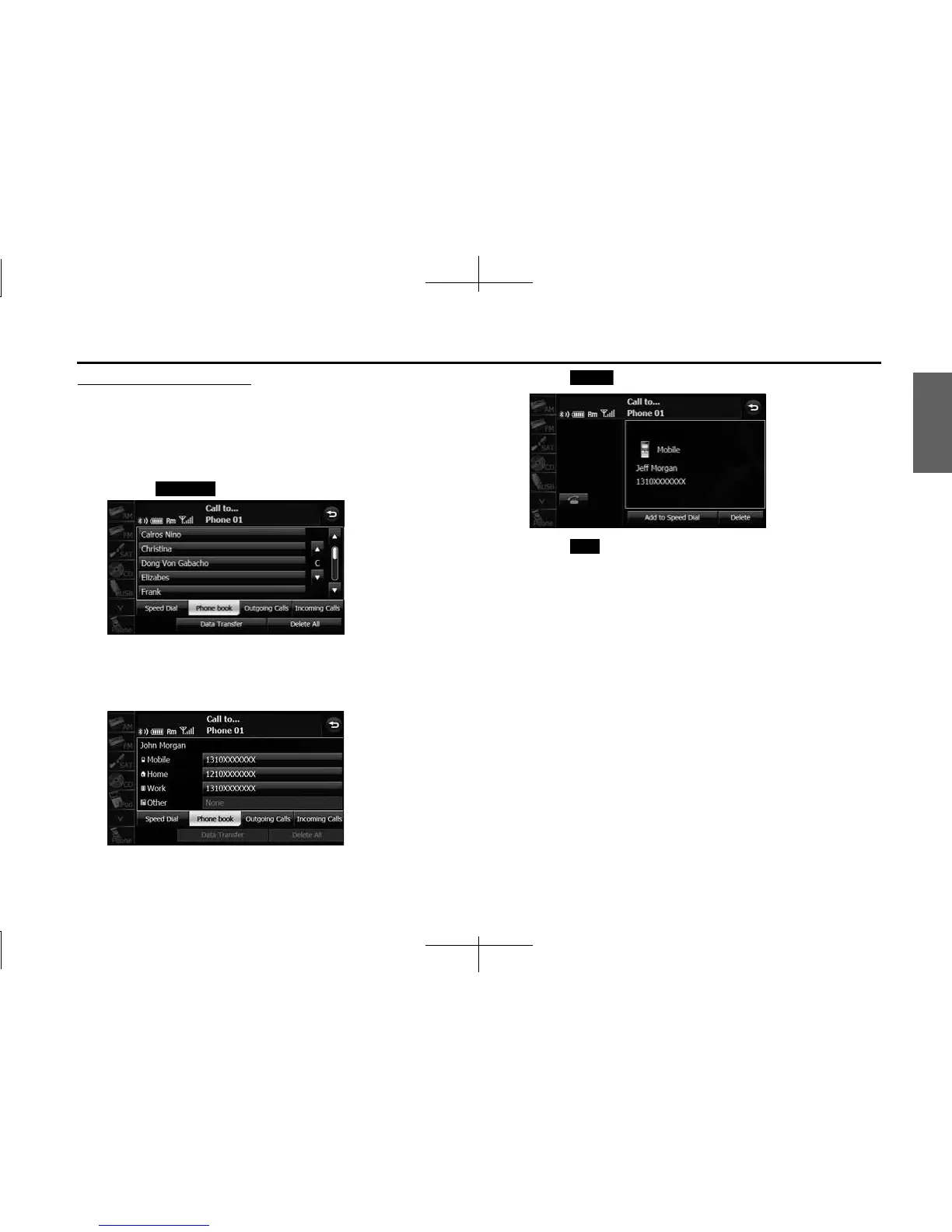
1 On the phone book screen, touch the data item that you
want to delete.
• Touch (Delete All) to delete all the phone book data.
• If 2 or more telephone numbers are registered for the selected
person (name or telephone number), the telephone number
selection screen appears. Touch the telephone number.
<Telephone number selection screen>
2 Touch (Delete).
3 Touch ( Yes).
NOTE
• When transferring the ownership of your vehicle, initialize your personal data.
(See Page 34.)
• When “Auto Phonebook Transfer” setting is “On”, the phone book data will be
automatically transferred if your cell phone is reconnected even after deleting
the phone book data.
Delete All
Delete
Yes














 To Next Page