CheckPoint Pharma and CheckPoint
e
Operation and Maintenance Manual
SUEZ © 2018 48 of 112 DLM 97200-03 EN Rev. A
Using the Sensor with Power Conduit
To use the CheckPoint Pharma or CheckPoint
e
TOC Sensor online with power conduit, the Sensor
requires a hardware configuration, and conduit must be installed. This section includes instructions
for a certified electrician to configure the hardware for use with power conduit.
This procedure should ONLY be performed by a certified electrician. The
following step-by-step instructions are intended to be provided to the
electrician as a guideline for converting the CheckPoint for use with power
conduit, and to provide CheckPoint with conduit-specific electrical
requirements.
Install an external circuit breaker and overcurrent protection if you use power
conduit.
1. If the power cord is attached, remove it.
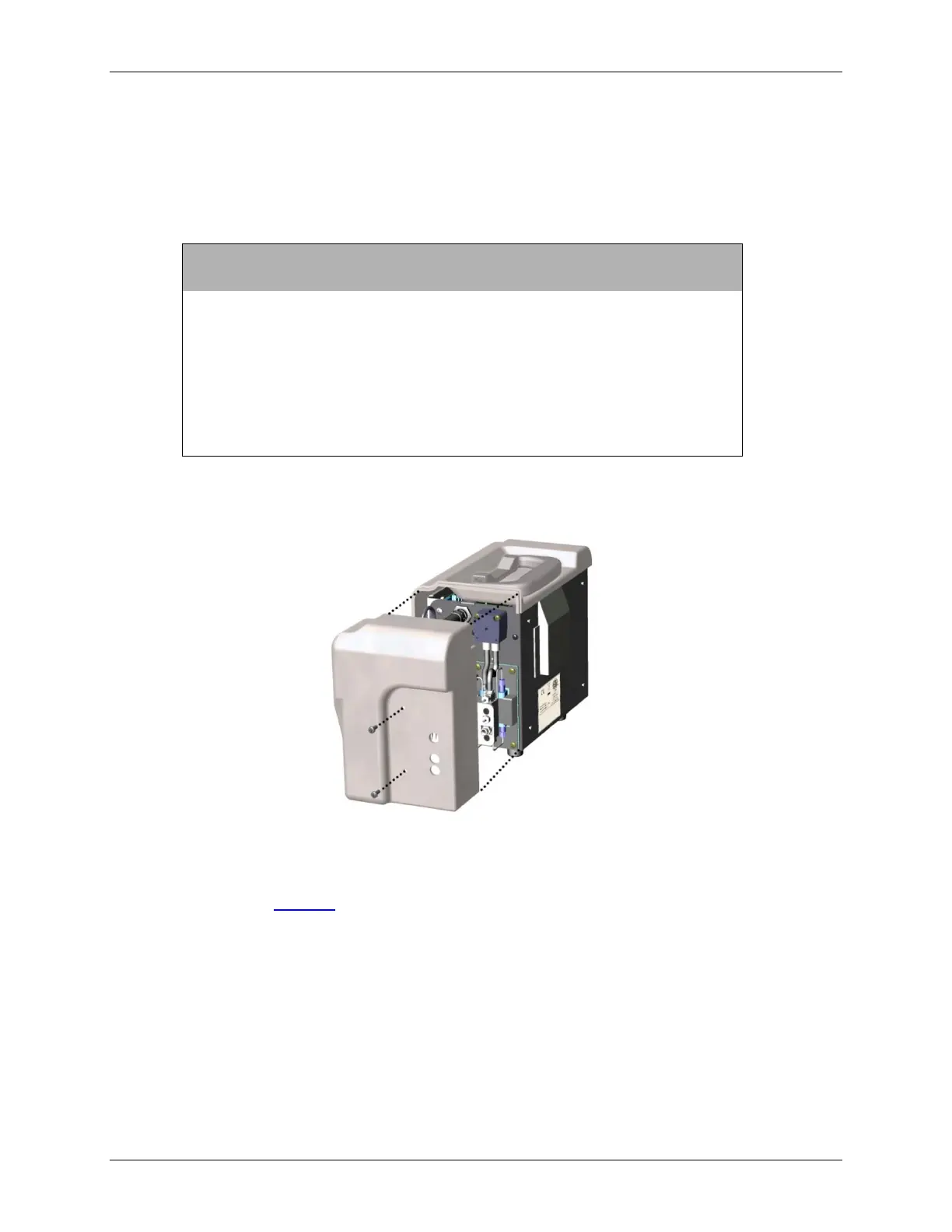
2. Remove the fluidics cover by loosening the two screws.
Figure 4: Fluidics Cover and Screw Locations
3. Remove the main cover by loosening the four screws (two on front, two on top; top screws are
longer as shown in Figure 5: Cover Screw Sizes and Locations).



 To Next Page