CheckPoint Pharma and CheckPoint
e
Operation and Maintenance Manual
SUEZ © 2018 89 of 112 DLM 97200-03 EN Rev. A
To replace the UV lamp:
1. If the Sensor is taking measurements, press the button to stop analysis.
2. Power off the Sensor by pressing the button for three seconds. Then, turn off the breaker,
unplug the power cord, and remove the battery, if present.
3. Stop the flow of sample water to the Sensor.
4. Disconnect the sample inlet and waste lines.
5. Remove the fluidics cover.
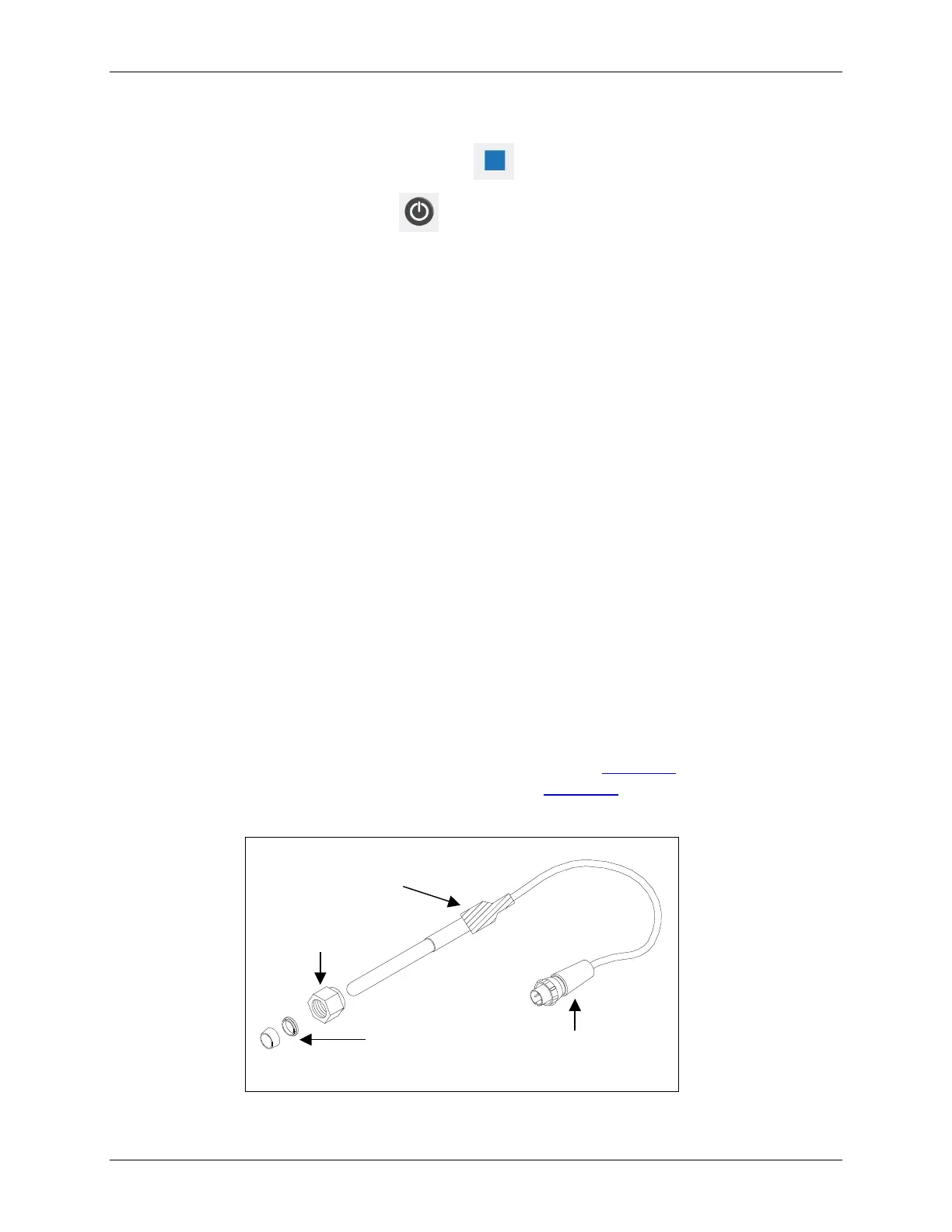
6. Locate the UV lamp enclosure. The UV enclosure has a brass nut and a gray wire with a black
connector extending from the nut.
7. Disconnect the black power connector from the power supply by turning the connector and then
carefully pulling the two halves of the plug apart.
8. Loosen the brass nut on the UV enclosure. The nut should only be finger-tight; do not use a
wrench.
9. Slowly slide the UV lamp out of the enclosure.
10. Put on the glove provided with the new UV lamp, to avoid leaving fingerprints on the quartz
window of the lamp. Remove the new lamp from the packet and the nut and ferrules from the zip-
top bag.
11. Slide the nut up the lamp housing (toward the connector cord), and then slide the ferrules up the
lamp housing, until they are level with the black heat shrink tubing. Be careful when inserting the
lamp into the Sensor as the nut and ferrules may slide off. Refer to Figure 34: Relative
Positioning of Components in the UV Lamp Assembly and Figure 35: UV Lamp Ferrule
Orientation Detail for proper orientation of the ferrules.



 To Next Page