SummaCut cutter User’s Manual
Setup 1-20
1.6 Tool Installation
SAFETY WARNING: The SummaCut cutters use razor-sharp knives. To avoid serious
injury, use caution when installing, removing or otherwise handling the knife!
1.6.1 Knife installation
A knife has been pre-installed in the cutter.
For safety reasons, the knife depth has been set to zero. Simply turn out the knife
(see XXX yellow arrow clockwise) to start cutting. Below is the complete description
of the knife removal and knife installation.
¾ Removing the drag knife
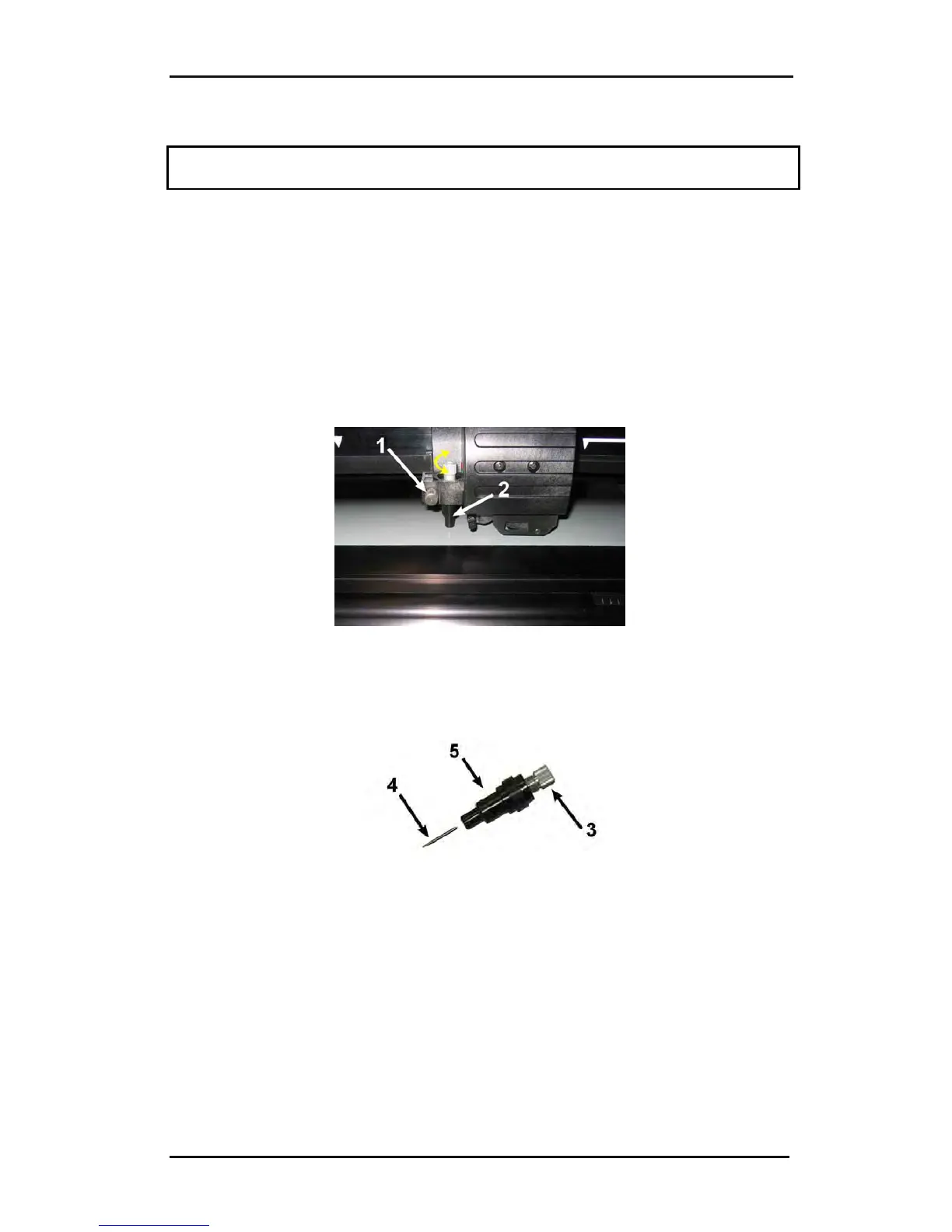
1. Loosen the head clamp screw (1), swing the clamp arm back and remove the knife
holder from the clamp (2).
FIG 1-22
1-22 REMOVING THE DRAG KNIFE HOLDER FROM THE CLAMP
2. Turn the knurled adjustment knob (3) clockwise to push the knife (4) out of the
holder (5).
FIG 1-23
1-23 REMOVING THE KNIFE FROM THE STANDARD DRAG KNIFE HOLDER
3. Carefully pull the knife from the holder.



 To Next Page