SummaCut cutter User’s Manual
Detailed Operation 4-11
4.3.21 Media Sensor
The media sensor detects whether media is loaded and also detect the end of the
media. The sensor prevents damage to the cutting strip and knife tip. The sensor can
be activated or deactivated with this menu.
The cutter will stop, during the loading procedure or while it is cutting, if the rear
sensor detects the end of the media.
Press
, then use or to activate (ON) or deactivate (OFF). Press to
confirm or
to cancel.
The default setting for the media sensor is ON.
4.3.22 Sensor Setup
The media sensor setup option is a useful routine for checking whether the media
sensor is functioning properly and whether the switching levels of the sensor is
correctly set.
1. Press
.
2. Put a piece of media half on the sensor and under the two outer pinch rollers and
press.
.
3. There are five levels of sensitivity to choose from, use
or to change the
sensitivity level
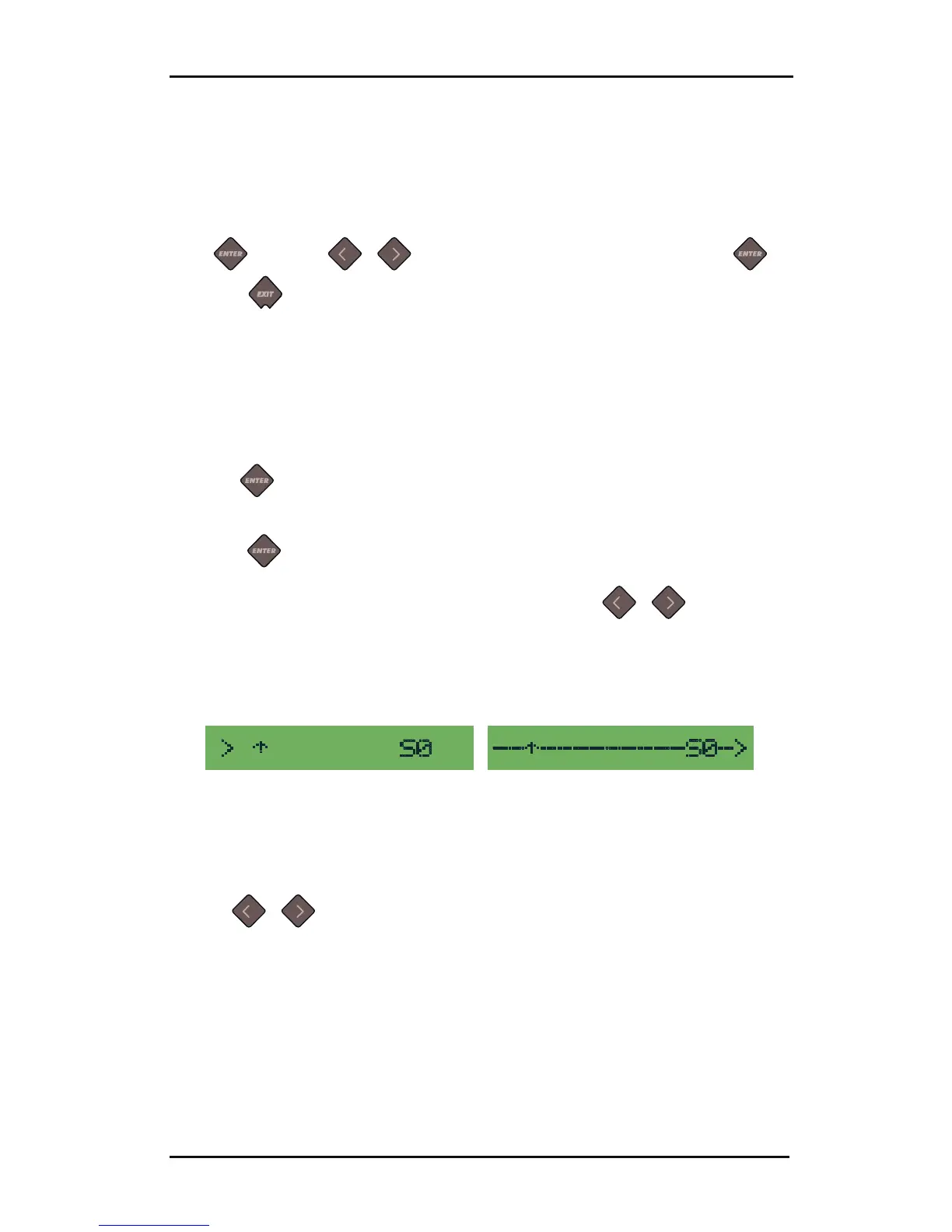
After choosing a sensitivity level, the S value will change on the LCD. When the sensor
is covered then the length of the arrow will reach (completely) at the right side of the
LCD. When the senor is uncovered, then the length of the arrow will be (almost) 0.
Sensor uncovered Sensor covered
FIG 4-4
4-4 SENSOR SETUP
The black arrow pointing upwards on the LCD is the trigger level at which the cutter
decides whether there is media in the machine or not.
4. Use
or to change the trigger level if necessary.
Ideally there would be 1 or 2 spaces between arrow pointing sideways and arrow
pointing upwards when the sensor is uncovered, the arrow reaching completely to the
right when it is covered.



 To Next Page