SummaCut cutter User’s Manual
Contour Cutting 3-8
3.3.2 OPOS XY
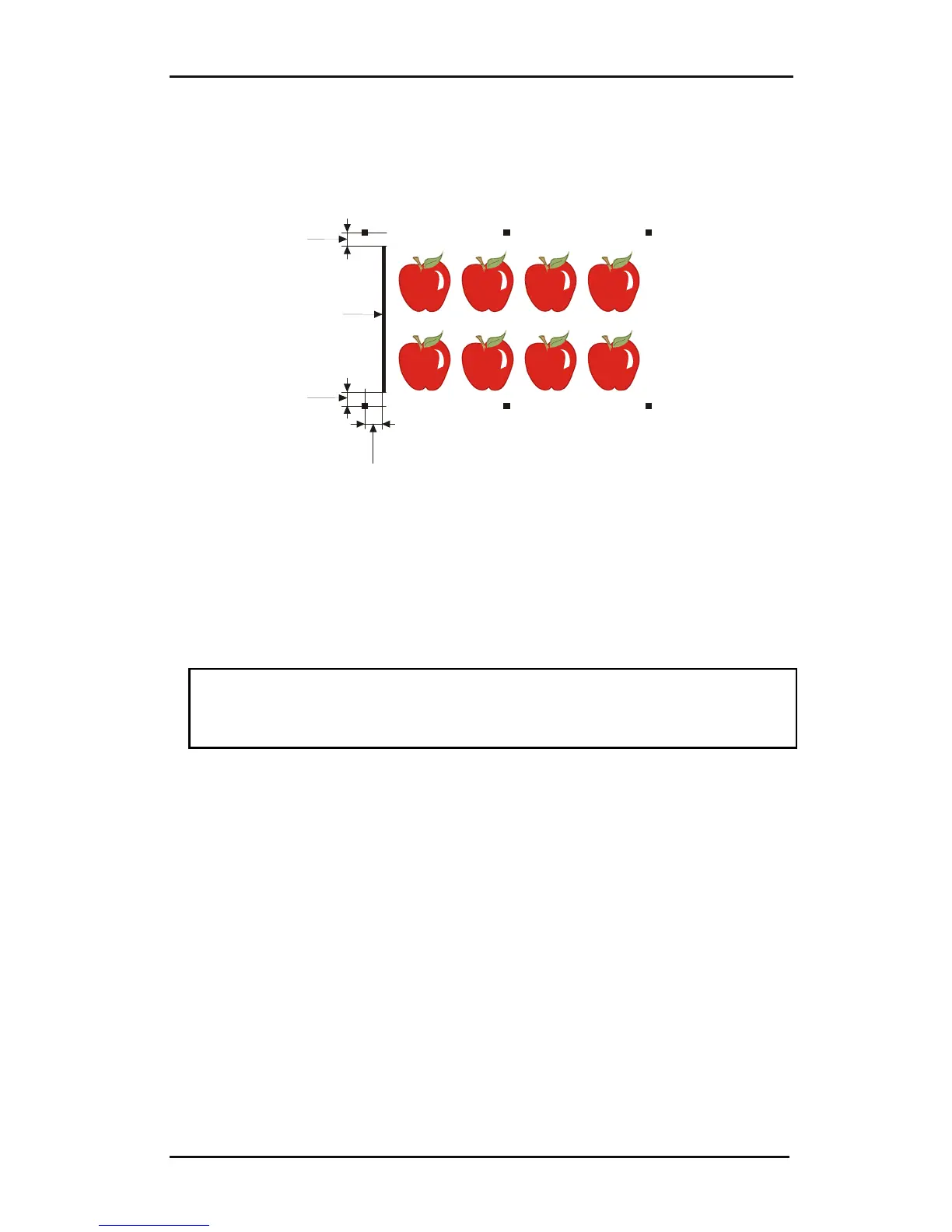
There exists a function in OPOS to compensate for curved printing errors in the Y axis
also. This is called OPOS XY. An extra line needs to be printed with the design to be
able to use the OPOS XY functionality.
2
1
2
3
The line may be added between or above the front Y markers. The distance between
the centre of the markers and the line should not be more then 20mm( distance 1).
The left and right margin between line and marker should be 10mm for optimal
sensing (distance 2). The line itself should be 1mm thick. It is not necessary to have a
white area between the extra line and the rest of the design.
When OPOS XY is enabled, then the OPOS sensor will measure points along the
extra line. The number of measuring points will be calculated by the cutter and will
depend on the width of the design.
NOTE: The default setting for OPOS is OPOSX. If the OPOS XY functionality is
needed, then the user must set change the setting ‘alignment mode’ in the Opos
Setup to OPOS XY by hand on the control panel (see section Error! Reference
source not found.) or via the cutting software.



 To Next Page