Basic Operation 2-1
2 Basic Operation
2.1 LCD AND CONTROL PANEL
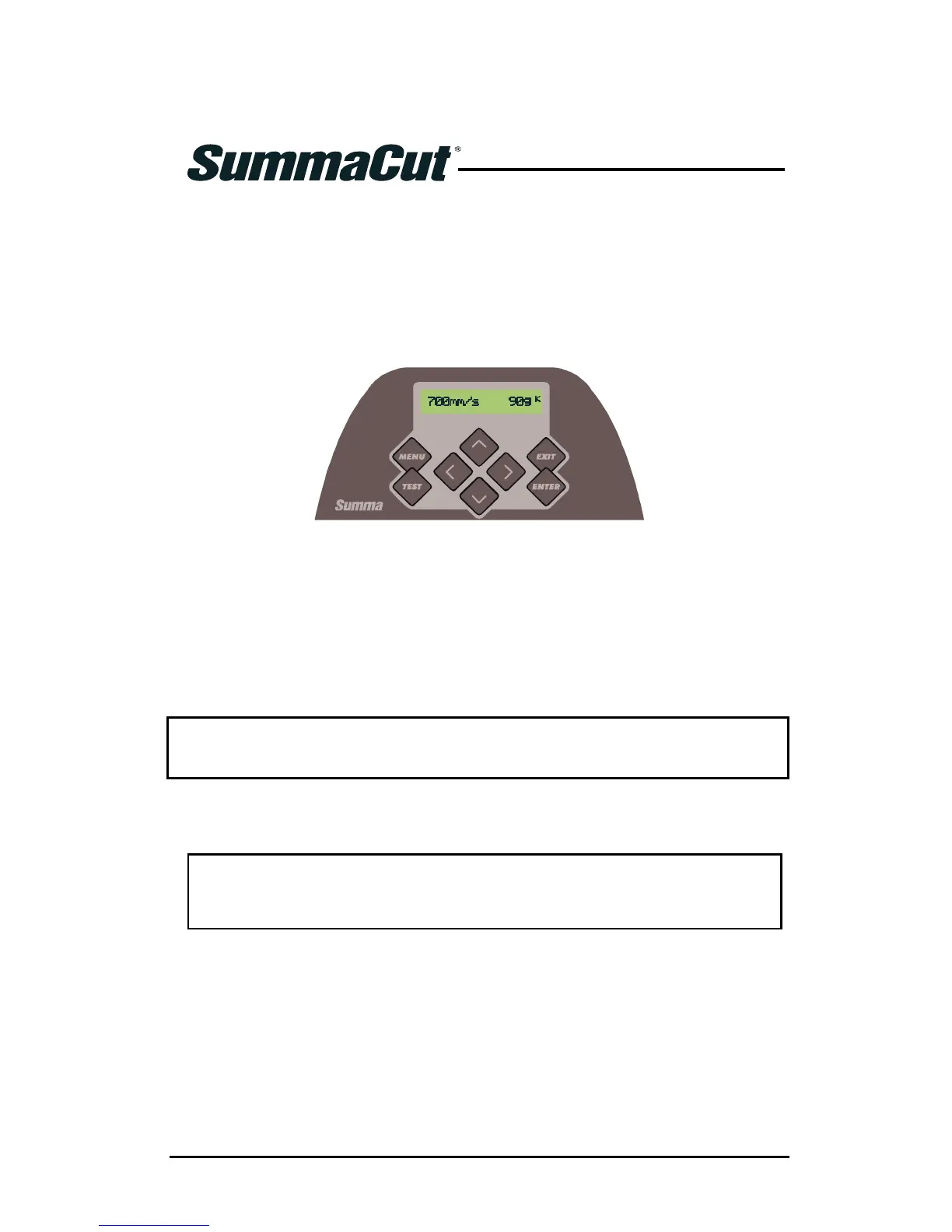
The liquid crystal display (LCD) contains one line of 16 characters. The LCD provides
cutter status information during operations and displays menu options for the
configuration of the cutter.
FIG 2-1
2-1 TOUCH SCREEN
The liquid crystal display (LCD) contains one line of 16 characters. The LCD provides
cutter status information during operations and displays menu options for the
configuration of the cutter.
The various menu and submenu items are always presented in a loop, which means
that, when the last menu or submenu item is displayed, pressing the appropriate key
will automatically take you back to the first item of the same menu or submenu.
NOTE: A parameter or parameter value preceded with an asterisk (*) is the current
selected parameter or parameter value. If a menu is left with a value on the LCD
which is not preceded by an asterisk, then this will not be the saved value.
Each keystroke can initiate an internal test or movement of head or media.
WARNING
KEEP FINGERS AND OTHER BODY PARTS AWAY FROM THE CUTTING
AREA. THERE ARE HAZARDOUS MOVING PARTS.



 To Next Page