Chapter 2 Servicing the Main Logic Board and Components 57
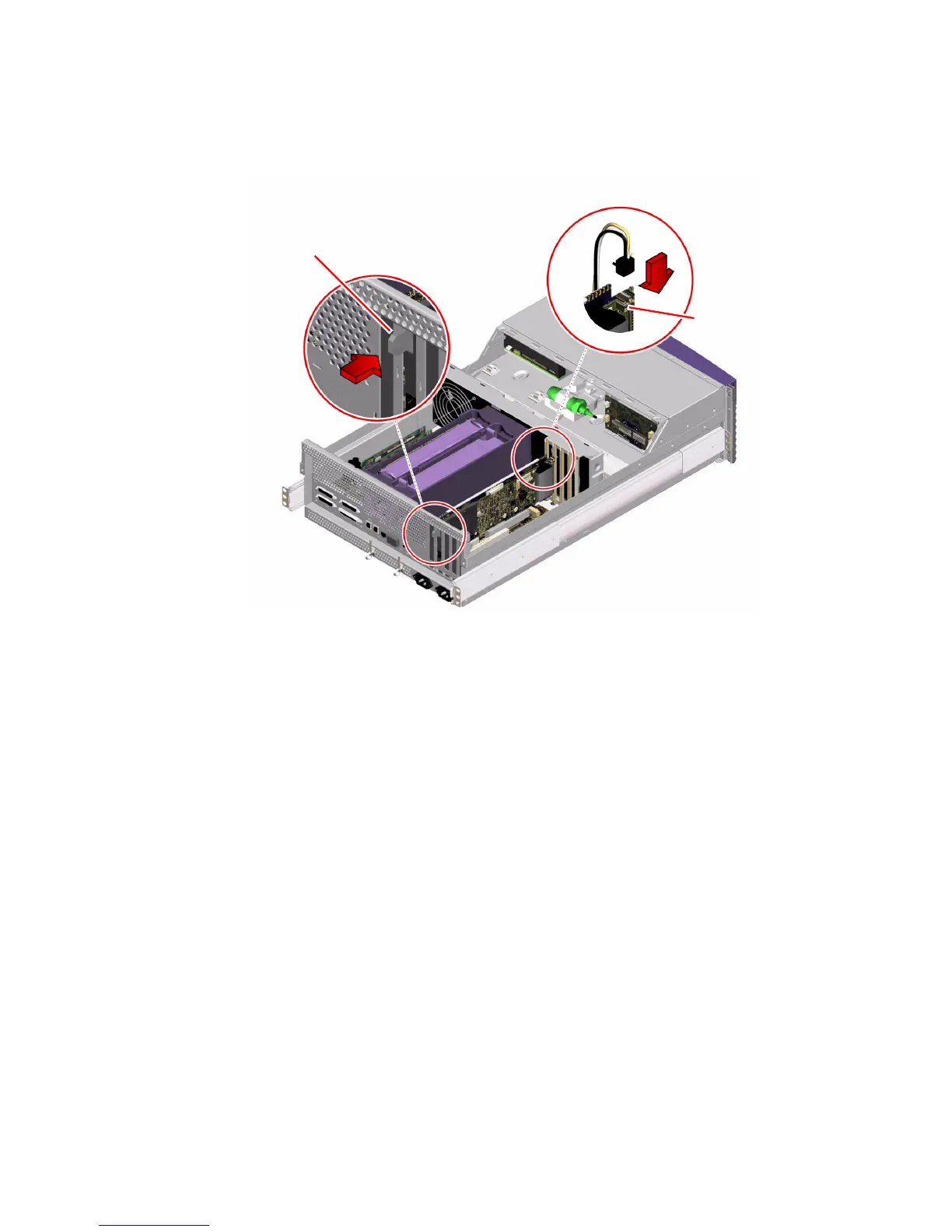
4. Connect the I
2
C cable to the RSC card’s internal connector.
a. Align the release clip on the I
2
C cable connector with the tab on the top of the
RSC card’s internal connector.
b. Slide the I
2
C cable connector into the RSC card connector until it catches.
5. Connect the Ethernet and/or modem cable to the faceplate of the RSC card.
6. Reconnect the AC power cord(s) to the back of the system.
What Next
To reassemble the system, complete this task:
■ “How to Replace the System Cover” on page 33
Modem x-jack connector
I
2
C connector













 To Next Page