Chapter 1 Preparing for Installation 9
Data Port and Cabling Notes
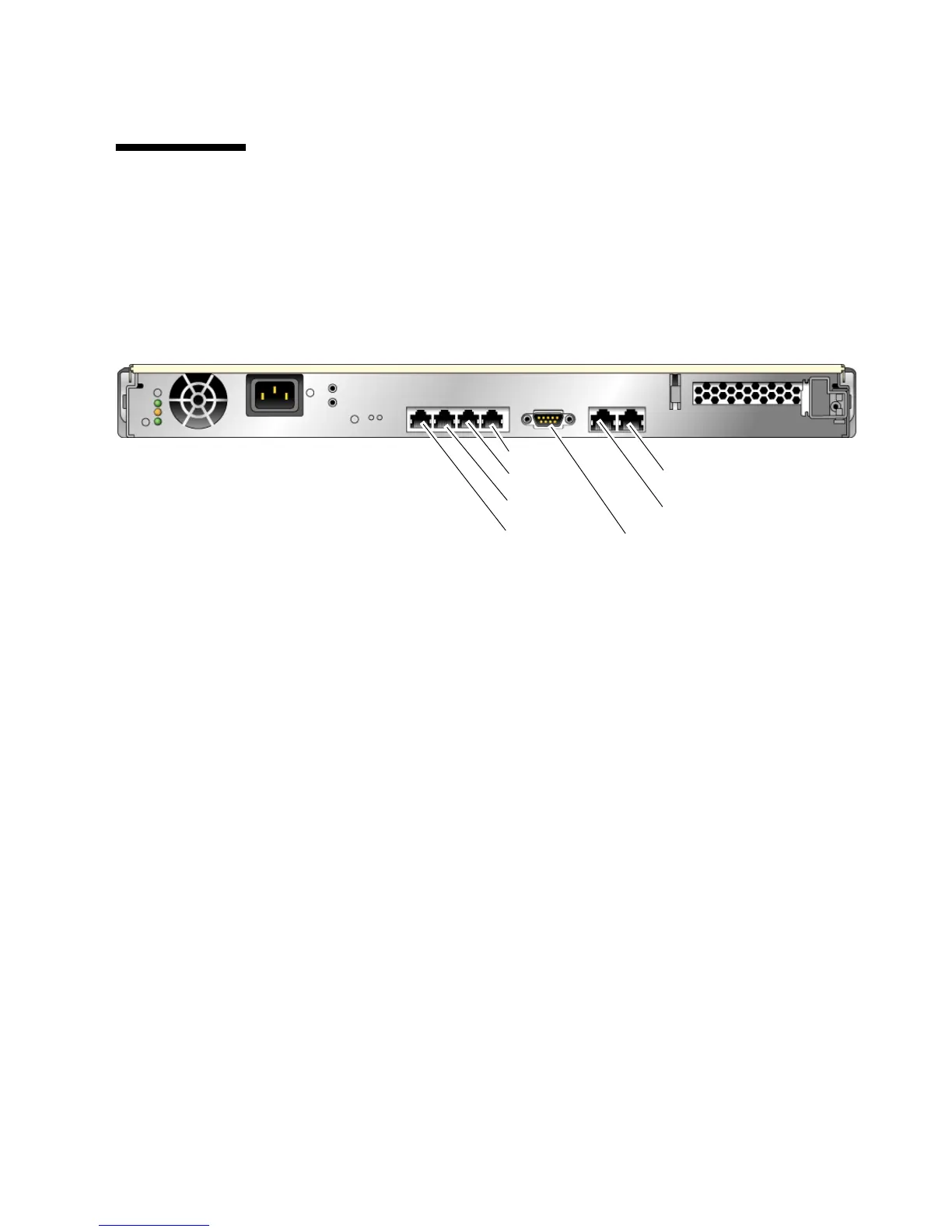
Port Locations
FIGURE 1-5 shows the ports on the Sun Fire T1000 server.
FIGURE 1-5 Locations of Ports and Connectors on the Back Panel
Cabling Notes
■ Minimum cable connections for the Sun Fire T1000 system:
■ At least one system on-board Ethernet network connection (NET port)
■ System controller serial management port (SERIAL MGT port)
■ System controller network management port (NET MGT port)
■ Power cable
■ System controller (SC) management ports. There are two SC management ports
for use with the ALOM-CMT system controller.
■ The SC serial management port (labeled SERIAL MGT) uses an RJ-45 cable and
is always available. This is the default connection to the ALOM-CMT system
controller.
■ The SC network management port (labeled NET MGT) is the optional
connection to the ALOM-CMT system controller. This port is not available
until you have configured network settings for the system controller (through
the SC serial management port). See “To Configure the System Controller
Network Management Port” on page 28. The SC network management port
uses an RJ-45 cable for a 10/100 BASE-T connection. This port does not
support connections to Gigabit networks.
See the Sun Fire T1000 Server Overview for more information.
SC network management port
SC serial management port
NET3
NET2
NET1
NET0
Serial port













 To Next Page