16 Sun Fire T1000 Server Installation Guide • January 2006
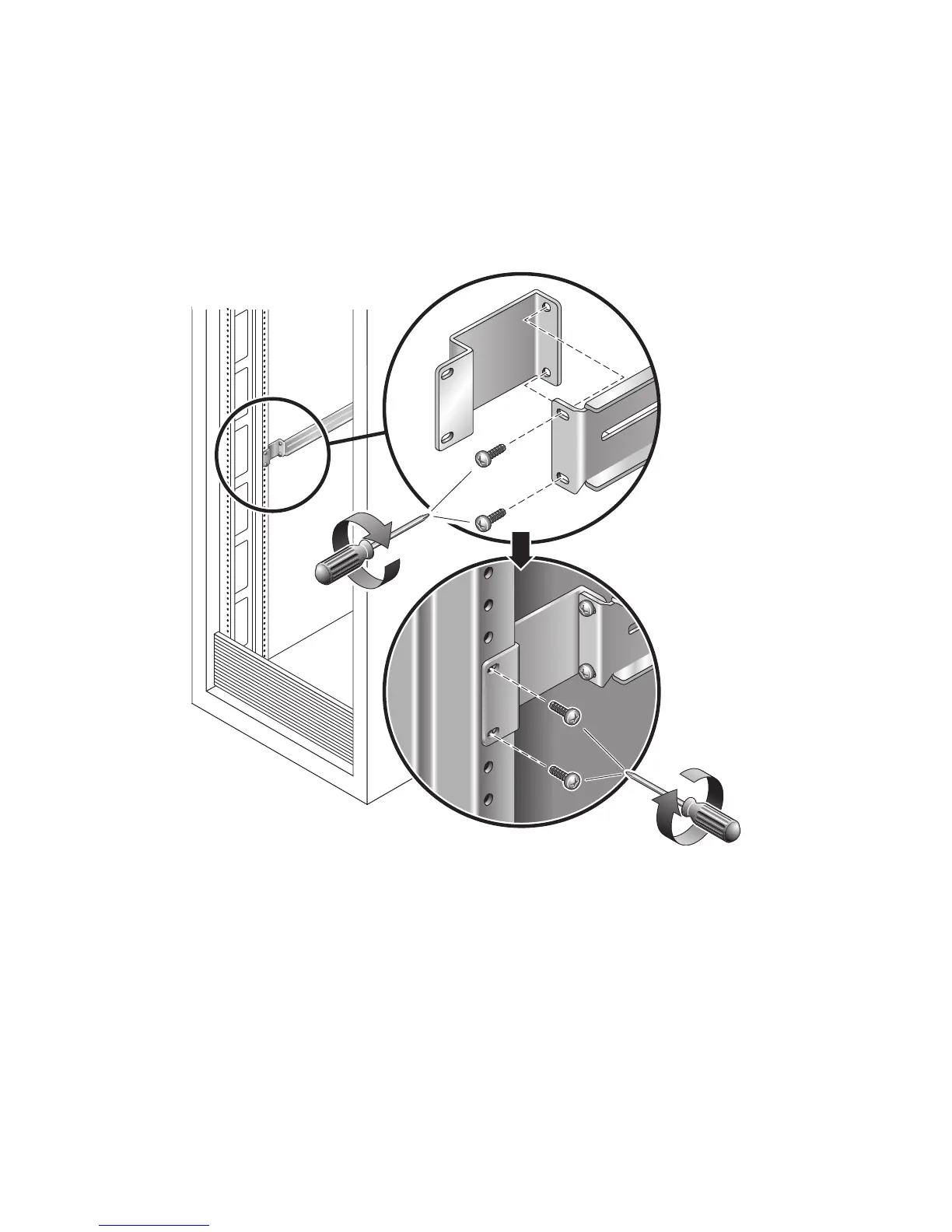
■ If the rack is deeper than 29.0 in (737 mm), use M6 screws to attach an extension
bracket to the rear of each slide rail. See the upper detail in
FIGURE 2-5.
■ If the slide rails are long enough, you might not need the extension brackets. You
can use the extension brackets if your rack requires the ends of the slide rails to be
side-mounted, as shown in the lower detail in
FIGURE 2-5.
FIGURE 2-5 Using the Extension Bracket
5. Attach a slide rail to the right front rack post (FIGURE 2-6).
a. Loosely attach the front of a slide rail to the right front rack post using two
screws (M5 or M6, as appropriate to the size of the screw holes on the rack
post). Do not tighten the screws yet.
Rear












 To Next Page