12 Sun Fire T1000 Server Installation Guide • January 2006
Installing the Server in a Rack
▼ To Install the Mounting Brackets
1. Pull both mounting brackets completely out of their respective slide rails.
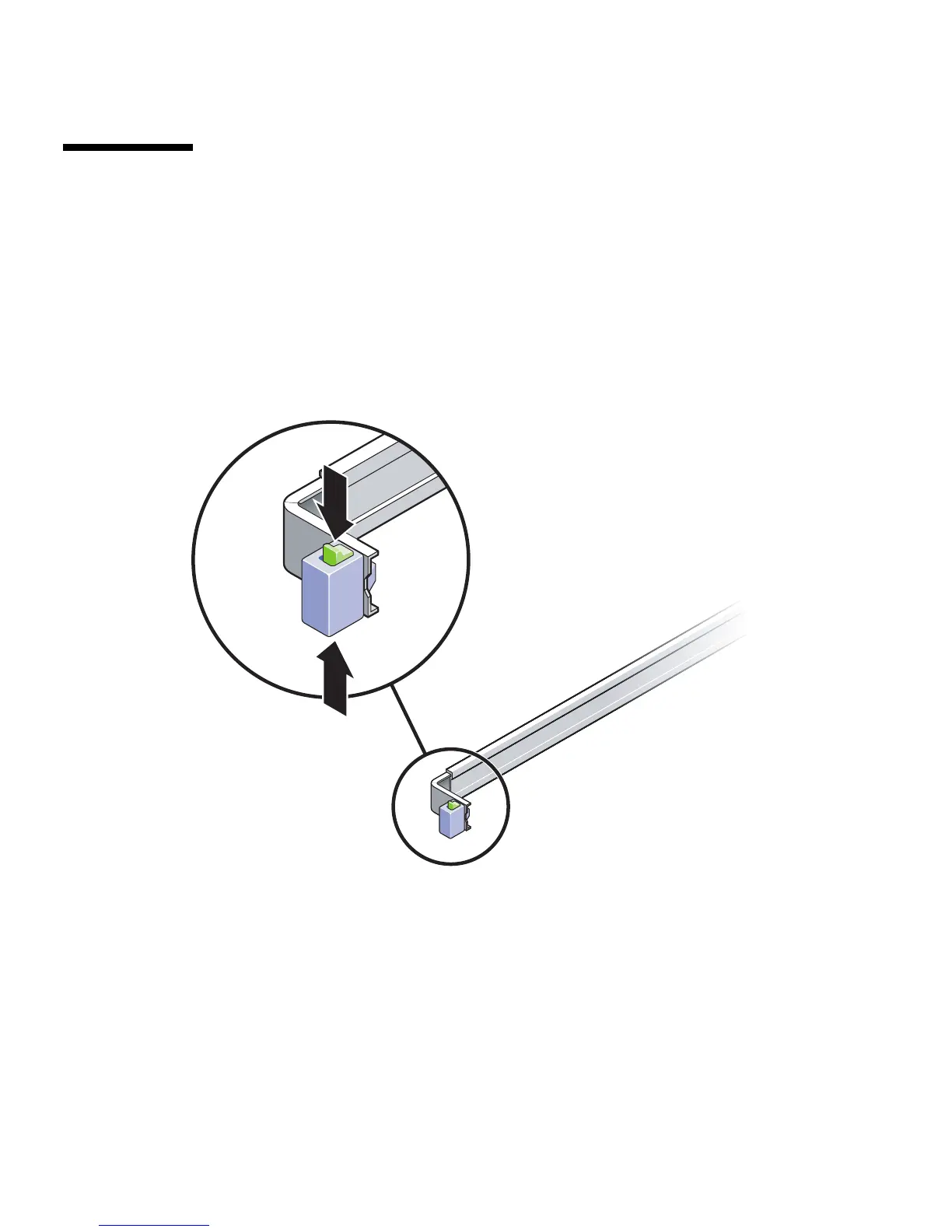
a. Simultaneously press and hold the upper and lower lock buttons of the slide
rail lock (
FIGURE 2-1).
FIGURE 2-1 Unlocking the Slide Rail Assembly
b. Pull the mounting bracket out until it stops.
c. Slide the mounting bracket release button to the left (
FIGURE 2-2), then slide the
mounting bracket completely out of the slide rail.













 To Next Page