12 Sun Fire V890 Server Rackmounting Guide • May 2004
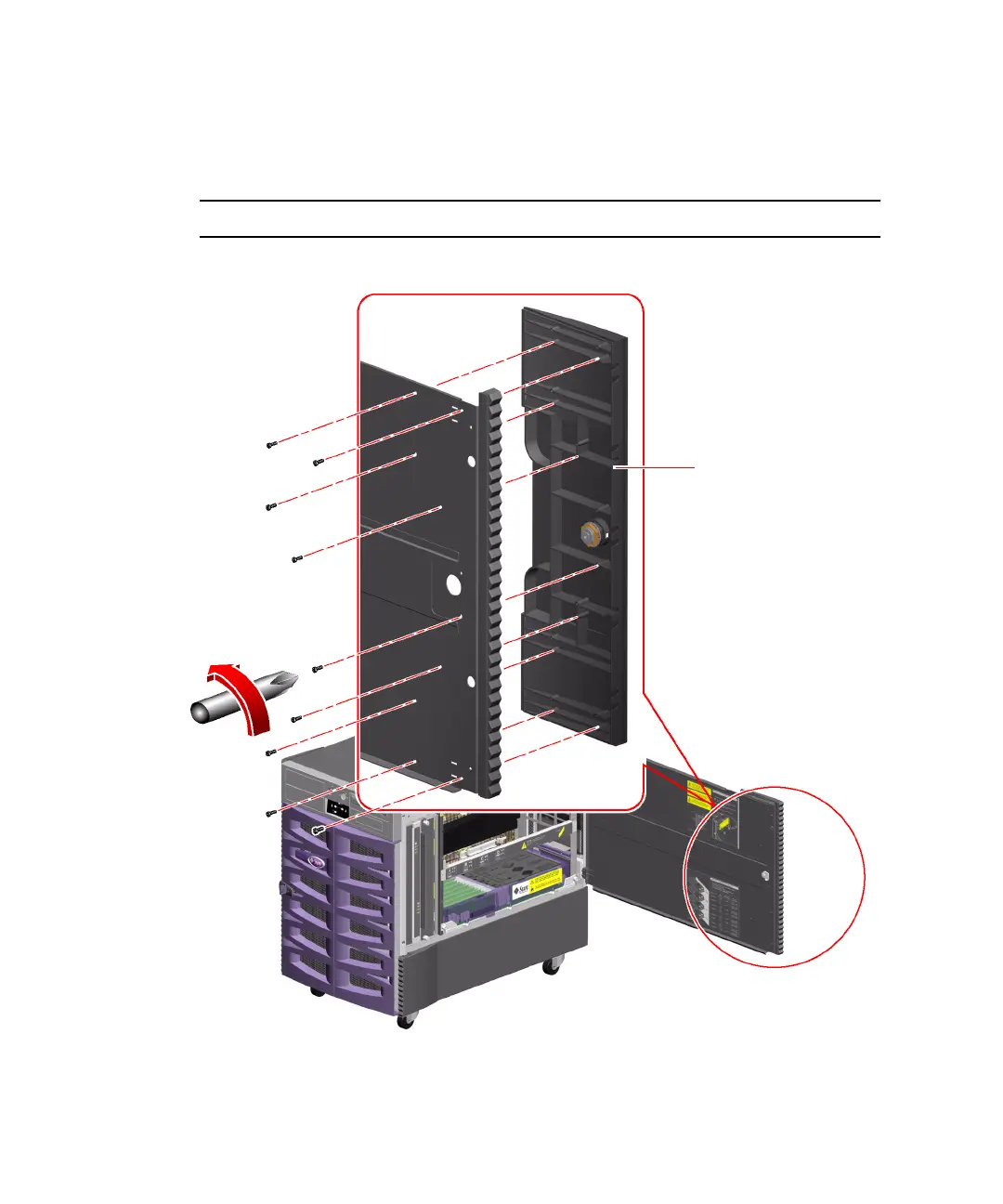
3. Remove the side door handle.
Remove the nine screws from the inside of the door.
From the outside of the door, pull the handle straight out to remove it.
Note – The lock remains in the handle.
4. Repeat Steps 1 through 3 for the other side door.
Side door handle











 To Next Page