Chapter 4 Installing the Server Into a 31.5-Inch Cabinet 87
Securing the Server in the Cabinet
To secure the tray assembly and server in the cabinet, attach the tray handle to the
front rails of the cabinet.
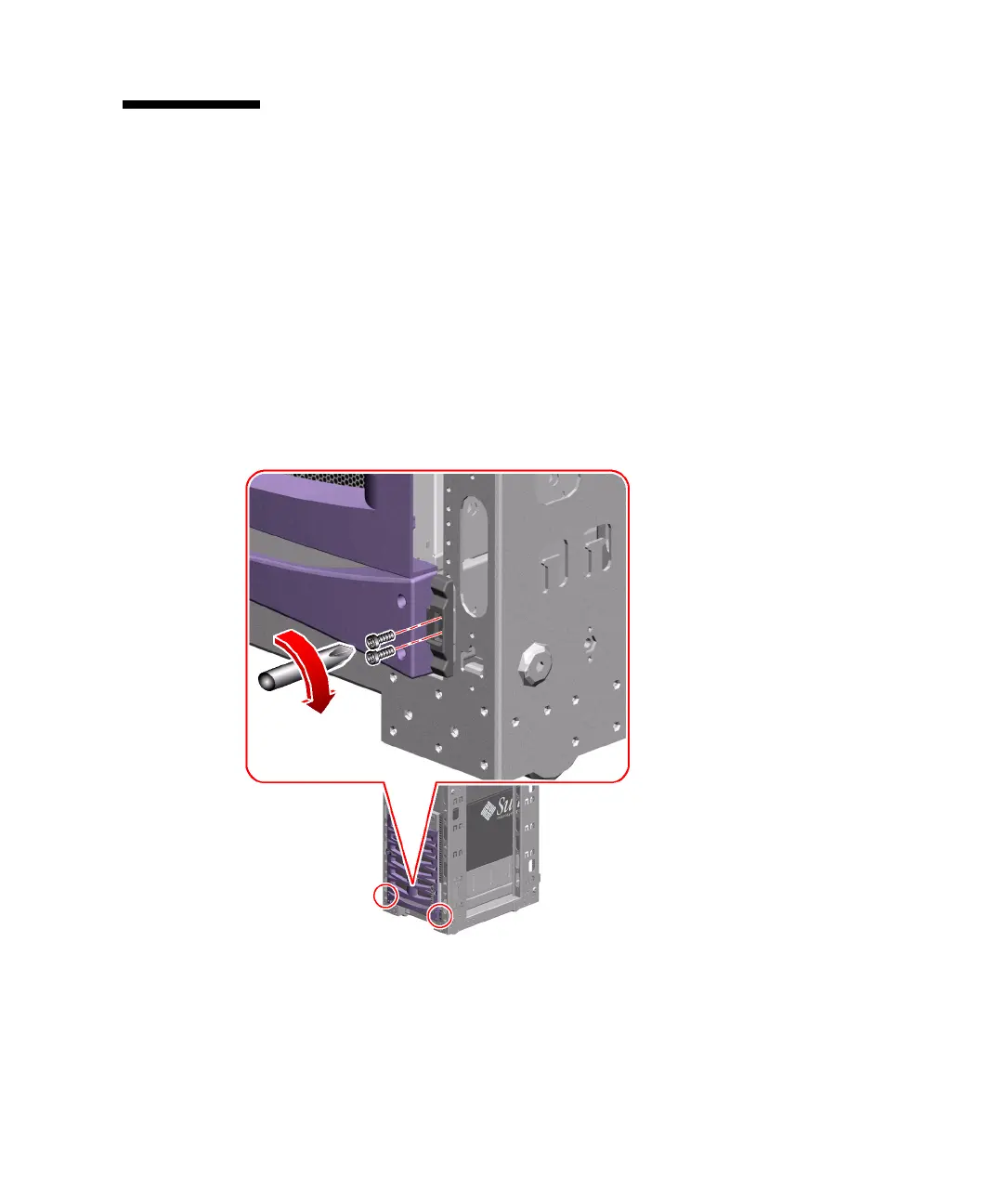
1. Attach the tray handle to the front rails of the cabinet.
Use one or two 10-32 screws to attach the tray handle to the front rails.
If each of the two screw holes on each side of the handle aligns with a rail hole, use
two 10-32 screws to attach each side of the tray handle to each front rail as shown in
the following figure.
If only one screw hole on each side of the handle aligns with a rail hole, use one
10-32 screw to attach each side of the tray handle to each front rail.
2. Locate the Sun Fire V890 server key.











 To Next Page