3 Product Introduction User Manual
8
3.2 Appearance
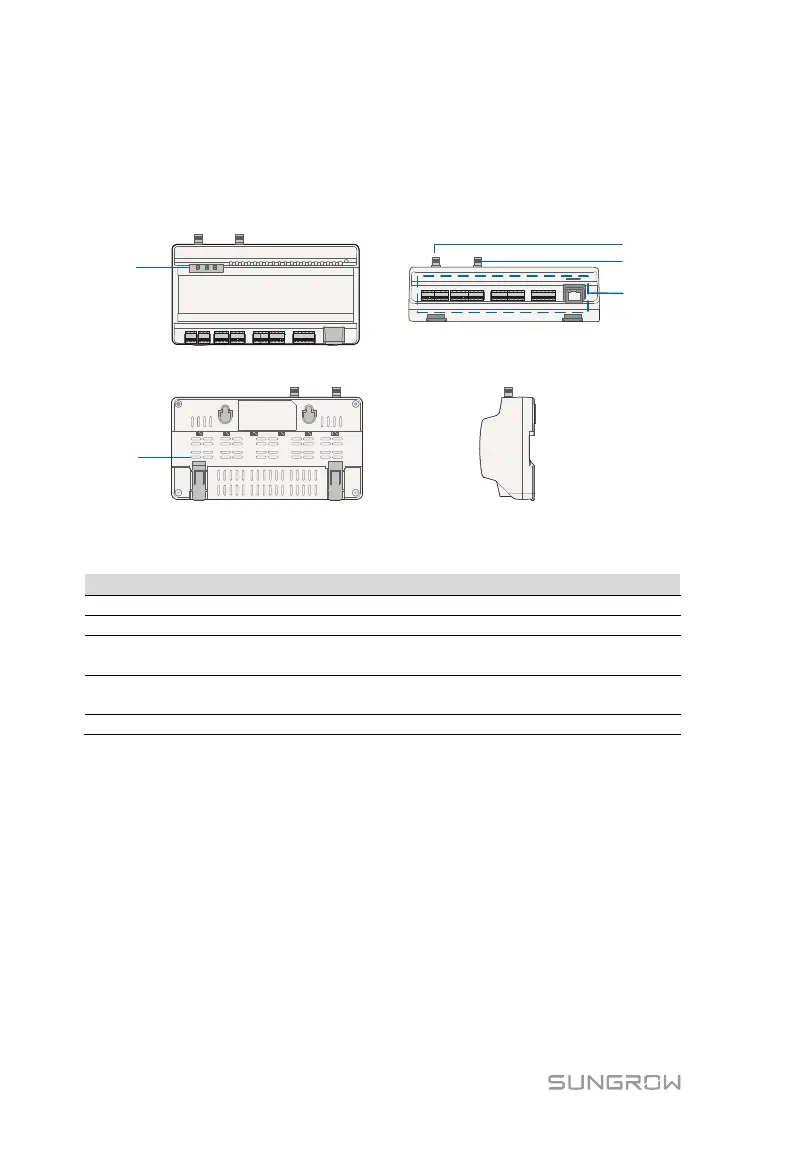
Views of the Logger1000 are shown in the following figure.
Front view
Rear view
Bottom view
Side view
A
B
C
D
E
Fig. 3-1 Appearance
Indicate the running state of the Logger1000
C
WLAN antenna mounting
hole
-
D*
-
Refer to "Tab. 6-1Port description"
Note: D* is 4G antenna mounting hole. The Logger1000A is provided with the hole
while the Logger1000B is not. Specifically, refer to the actual product received. In
the following, description is given by using the Logger1000A as an example.



 To Next Page