8 Web Interface User Manual
36
After all devices have been added, configure the forwarding service of the
Logger1000, to ensure that the Logger1000 can forward the data to upstream
devices. Refer to the chapter "8.10.6 Forwarding Configuration".
8.6 Overview
8.6.1 General Information
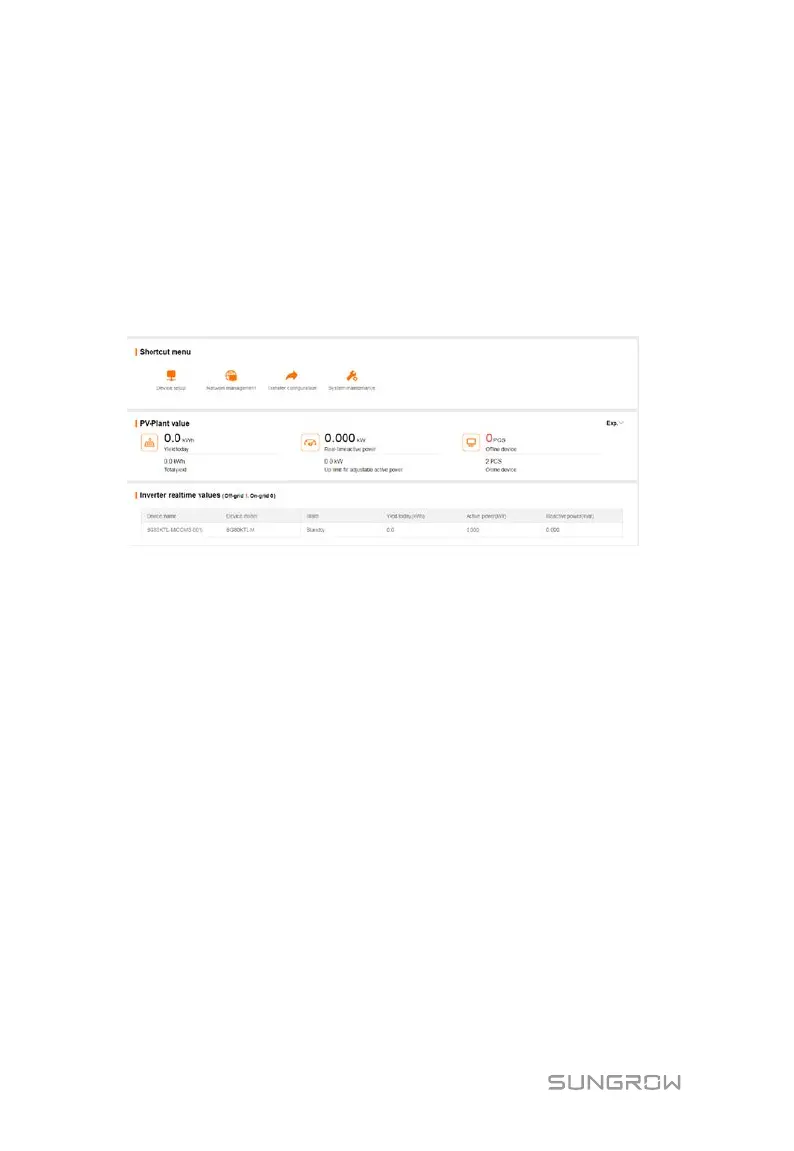
Click "Overview" -> "General information" to enter the corresponding interface.
Shortcut menu
Device setup: support of auto search and add device functions. Click the menu to
add, delete, modify, and view the device or perform auto search operation to search
the device to which address will be automatically allocated. Refer to the chapter
“8.8.1 Device List”.
Network management: set Ethernet parameters. Refer to the chapter “8.10.7
Interface”.
Transfer configuration: transfer the data connected by the system to the
background. Refer to the chapter "8.10.6 Forwarding Configuration".
System maintenance: support of operations such as system upgrade, log export,
and rebooting. Refer to the chapter "8.10.2 System Maintenance”.
PV-plant value
Information such as today yield, total yield, real-time active power, and number of
offline devices can be viewed.
Click the button "Exp." to view more information.



 To Next Page