User Manual 5 Mechanical Installation
15
Operation personnel should wear goggles and dust mask throughout the
drilling process to avoid dust inhalation or contact with eyes.
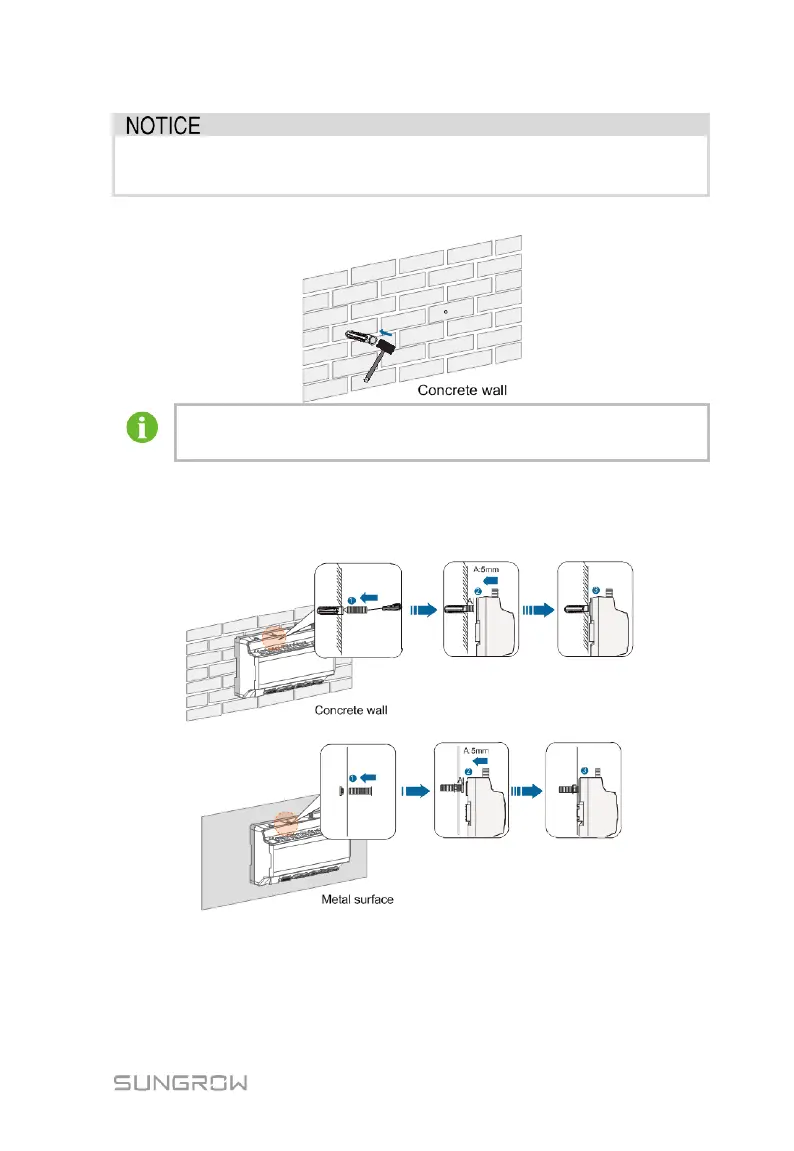
Step 4 Secure the expansion bolts into the holes with a rubber mallet.
If the Logger1000 is installed onto the metal surface, skip performing
this step.
Step 5 Fix the screw or bolt on the installation surface, where the screw protrudes
from the wall surface by about 5mm.Hang the Logger1000 onto the screws
on the concrete wall or metal surface via the wall-mounting holes on the
back of Logger1000.
Check and ensure that the Logger1000 is firmly installed.
5.4.2 Guide Rail-Mounted Installation
Secure the Logger1000 via the rail buckles (as shown in the figure below) on the
back of it.



 To Next Page