User Manual 8 Web Interface
35
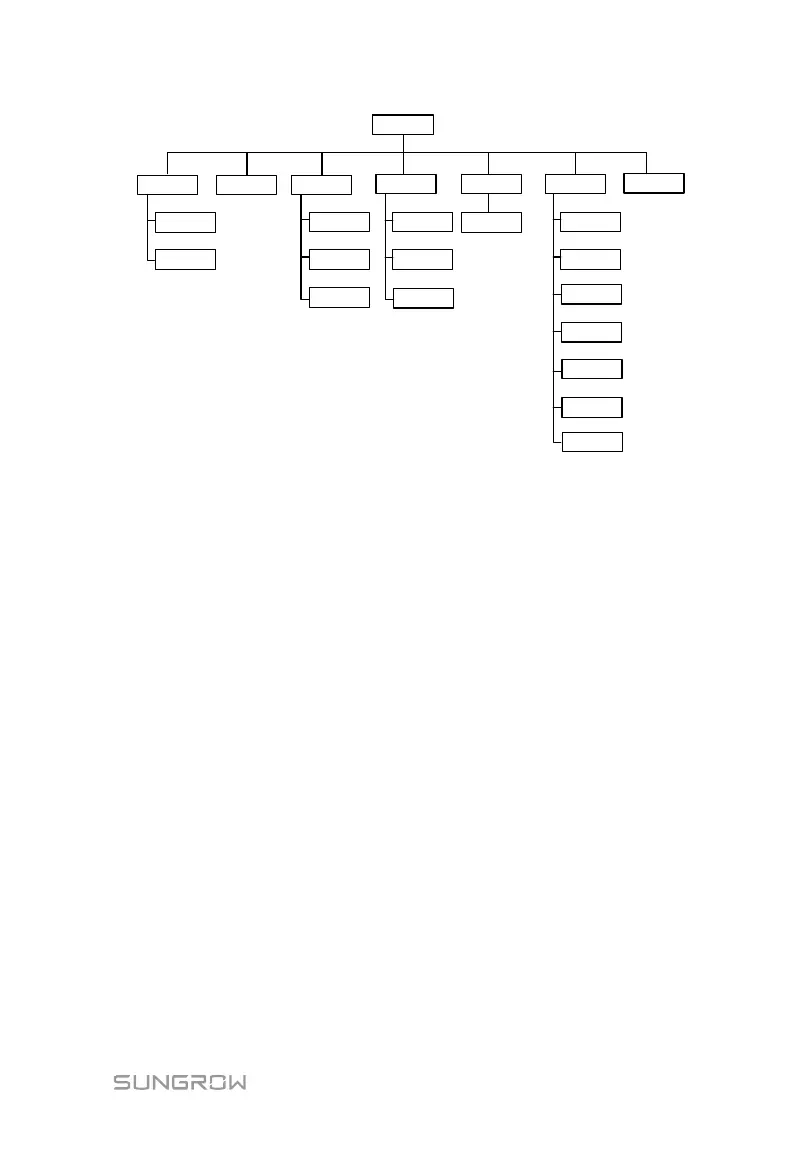
Main menu
Overview
Device
monitoring
Device
Power control
General
information
Active power
Reactive power
Device list
Firmware update
Inverter log
Transfer
configuration
Emergency
button
Interface
Current alarms
History data
Operation
logbook
System
Run-info
System
maintenance
System time
About
Remote
maintenance
Message export
8.5 Operation Procedure
Perform the following operations before logging into the Logger1000 Web for the
first time.
Step 1 Complete the electrical connections.
Ensure that the Logger1000 has been correctly connected to other devices. Refer to
the chapter "6 Electrical Connection".
Step 2 Configure serial ports of the Logger1000.
After logging into the Web, first configure the serial ports of the Logger1000, to
ensure that the Logger1000 can normally communicate with upstream devices.
Refer to the chapter “8.10.7 Interface”.
Step 3 Calibrate the system time.
Check whether the current system time is correct, and perform manual time
synchronization or automatic time synchronization when necessary. Refer to the
chapter "8.10.5 System Time".
Step 4 Automatically search the device.
Devices that can be automatically searched, such as SUNGROW string inverter, can
be added via the auto search function with addresses allocated automatically. Refer
to the chapter “8.8.1 Device List”.
Step 5 Add the device. Refer to the chapter “8.8.1 Device List”.
Step 6 Configure forwarding service.



 To Next Page