4
3 Web Main Interface
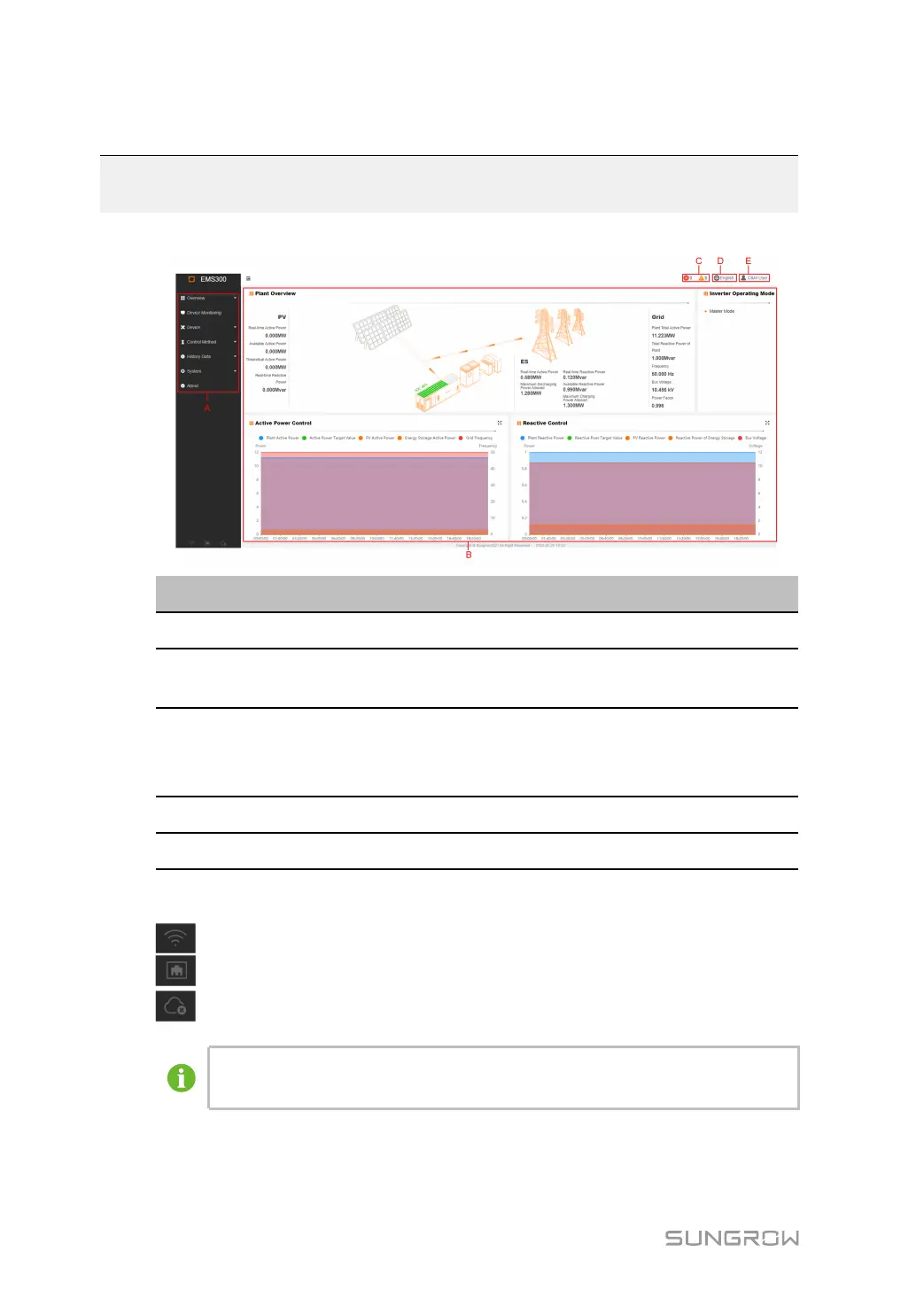
The Web main interface is as follows:
IItteemm DDeessiiggnnaattiioonn DDeessccrriippttiioonn
A Navigation menu
Display main function modules of the Web
B Function display
area
Display the current interface
C
Alarm icon Display the current alarm level and alarm
number. Users can click the icons to enter the
corresponding alarm interface
D Language menu Click the button to select the desired language
E User Display the current login user
indicates the connection status of WLAN.
indicates the connection status of Ethernet port.
indicates the connection status of iSolarCloud.
The figure is for reference only. The actual interface may be different and shall
prevail.



 To Next Page