32
-- -- EEnndd
Restoring the factory settings refers to restoring all modified settings to the
factory state and will not clear the data.
8.3 Remote Maintenance
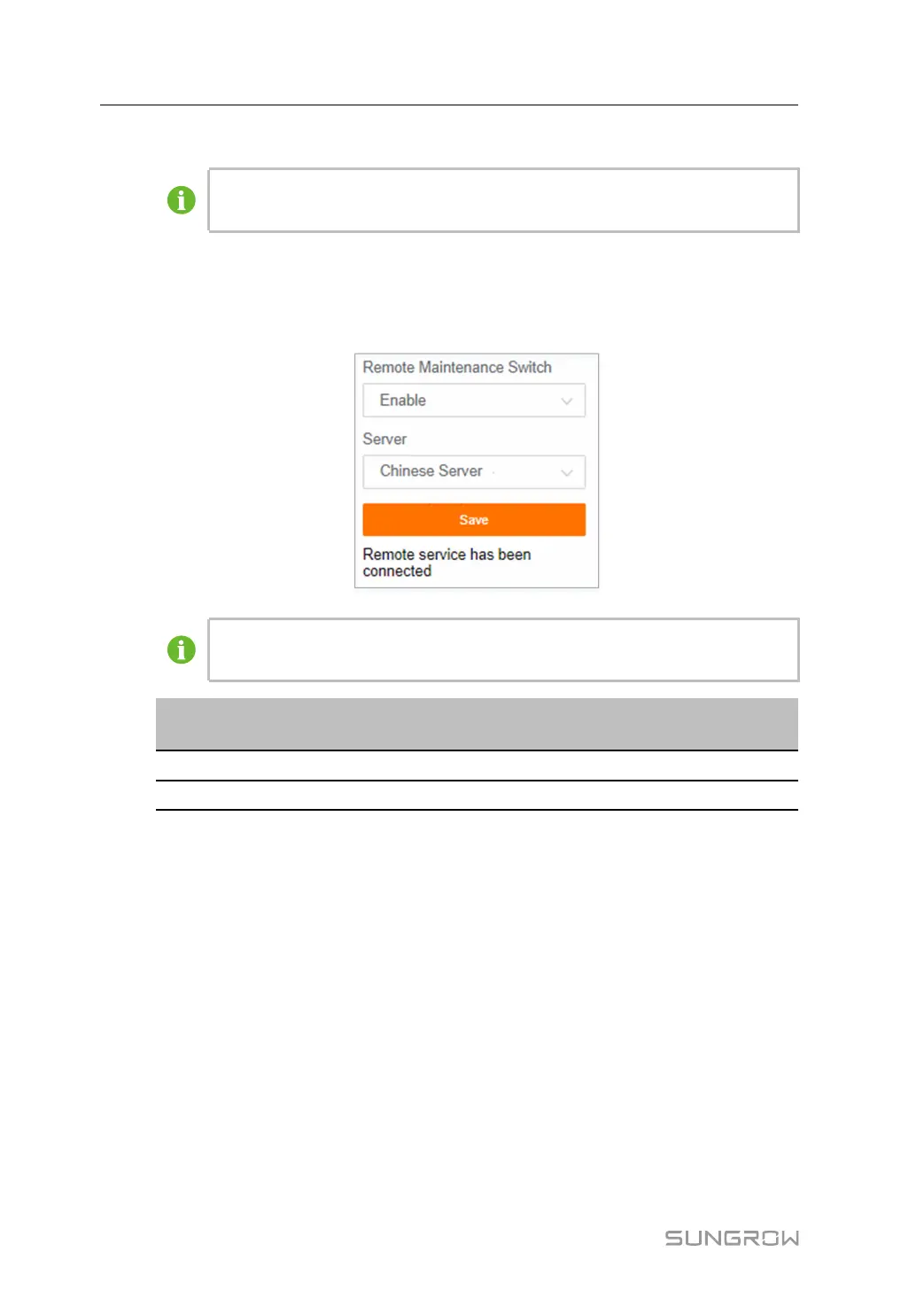
Click SSyysstteemm→→RReemmoottee MMaaiinntteennaannccee to enter the corresponding interface.
The figure is for reference only. The actual interface may be different and shall
prevail.
RReemmoottee mmaaiinntteennaannccee
sswwiittcchh ssttaattee
DDeessccrriippttiioonn
EEnnaabbllee
Allow for remote maintenance on the system
DDiissaabbllee
Not allow for remote maintenance on the system
In case the remote maintenance switch is in the EEnnaabbllee state, the remote service
address needs to be set.
• Users in mainland China select CChhiinneessee SSeerrvveerr.
• Users in Europe select EEuurrooppeeaann SSeerrvveerr.
• Users in Australia select AAuussttrraalliiaann SSeerrvveerr.
• Users in other regions select the IInntteerrnnaattiioonnaall SSeerrvveerr.
8.4 Message Export
step 1 Click SSyysstteemm→→MMeessssaaggee EExxppoorrtt to enter the corresponding interface.
8 System User Manual



 To Next Page