38
8.8 System Mode
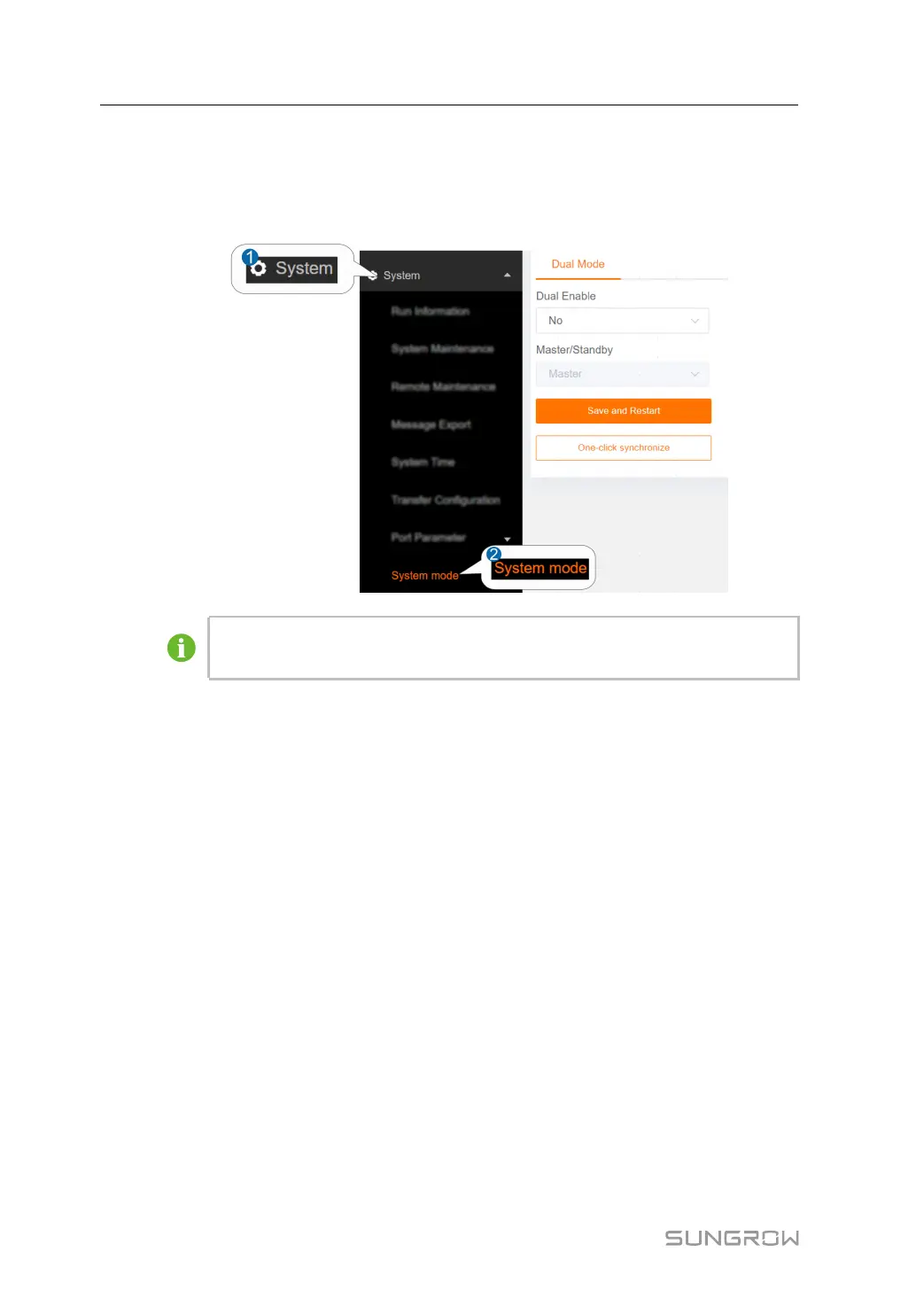
Set the system to stand-alone/dual mode in this interface.
step 1 Click SSyysstteemm→→SSyysstteemm MMooddee to enter the corresponding interface.
The figure is for reference only. The actual interface may be different and shall
prevail.
step 2 Click on the DDuuaall EEnnaabbllee drop-down button to select whether the system is in dual
mode.
step 3 If the system is in dual mode, user need to click on the MMaasstteerr//SSttaannddbbyy drop-down
button and select this controller as master/standby.
step 4 Click SSaavvee aanndd RReessttaarrtt, a prompt window will pop up, and click CCoonnffiirrmm to save the
settings and restart the system.
step 5 Click OOnnee--cclliicckk ssyynncchhrroonniizzee, a prompt window will pop up, confirm the CCuurrrreenntt
MMaasstteerr//SSttaannddbbyy SSttaattee ooff tthhee LLooccaall MMaacchhiinnee, IIPP AAddddrreessss ooff tthhee LLooccaall MMaacchhiinnee and
PPeeeerr IIPP AAddddrreessss. Click CCoonnffiirrmm to one-click synchronize and restart of the counterpart.
-- -- EEnndd
8.9 license
View licence information on this interface.
step 1 Click SSyysstteemm→→lliicceennssee to enter the corresponding interface. Users can view basic
product information, licence status and other information.
step 2 Click SSeelleecctt FFiillee to import the licence file.
step 3 Click CClleeaarr to clear the licence file.
8 System User Manual



 To Next Page