30
8
System
8.1 Run Information
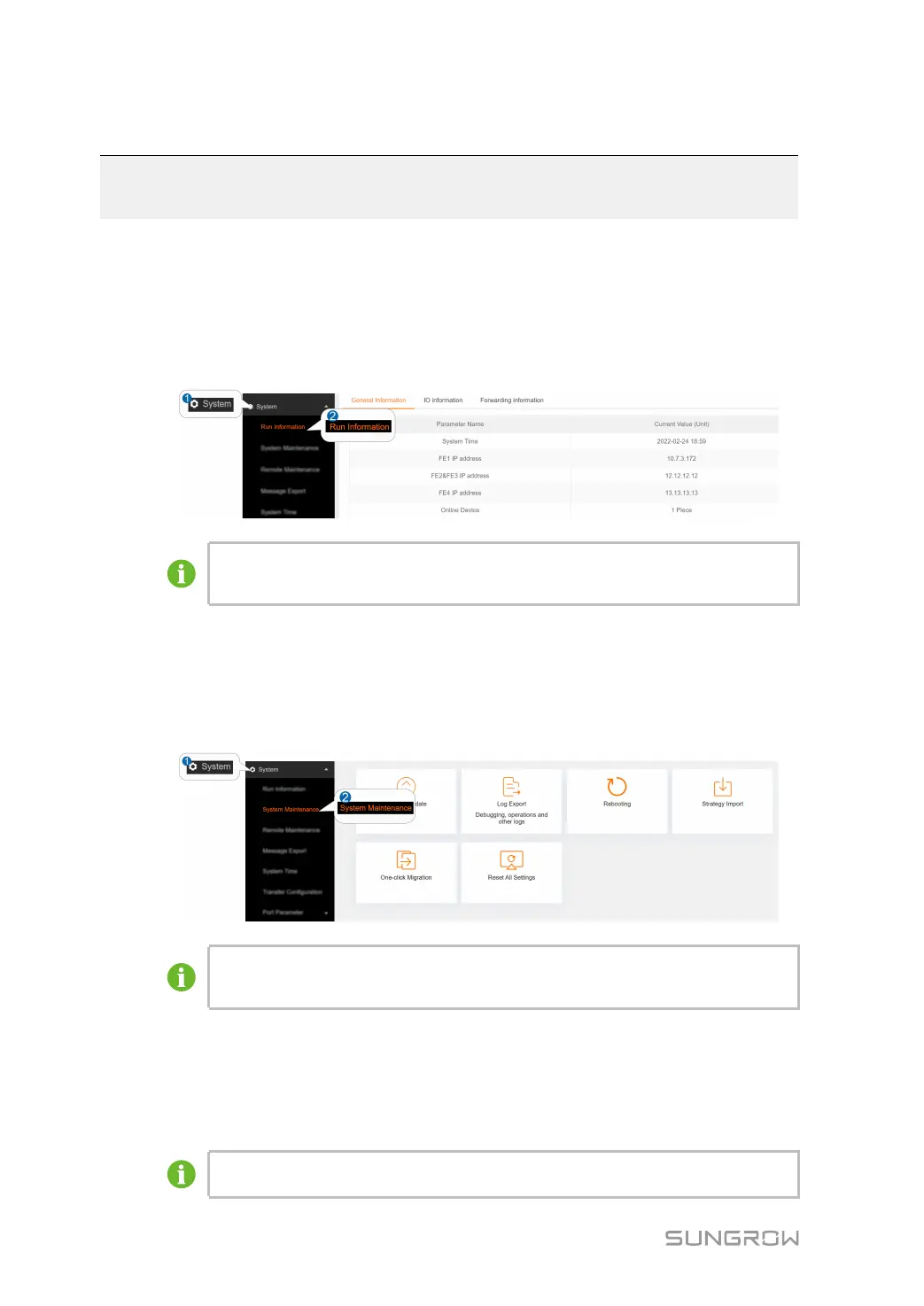
Click SSyysstteemm→→RRuunn IInnffoorrmmaattiioonn to enter the corresponding interface.
Information such as general information, IO information, forwarding information can be
viewed.
The figure is for reference only. The actual interface may be different and shall
prevail.
8.2 System Maintenance
8.2.1 System Update
step 1 Click SSyysstteemm→→SSyysstteemm MMaaiinntteennaannccee to enter the corresponding interface.
The figure is for reference only. The actual interface may be different and shall
prevail.
step 2 Click SSyysstteemm UUppddaattee, LLooccaall UUppddaattee PPaacckkaaggee or OOnnlliinnee UUppddaattee PPaacckkaaggee, select the
upgrade file, and export it to the system.
step 3 Click UUppggrraaddee on the pop-up version information window. The system enters upgrade
state.
The upgrade file should be in the ".zip" format.



 To Next Page