19
PPaarraammeetteerrss
DDeessccrriippttiioonn
Falling
Gradient (%Qn/
min)
Default value
10.000
Control the gradient of power
falling
Ceasing
—
When setting the llooccaall//rreemmoottee status, it must be consistent with the llooccaall//
rreemmoottee status of the plant lumped parameter, otherwise the policy will not be
executed.
step 3 Click SSaavvee to complete the setting of the fixed value parameters for reactive control.
-- -- EEnndd
6.5.2 Planning Curve
Reactive power curve control: Control the PV/energy storage devices or SVG to output
reactive power according to the power curve.
FFuunnccttiioonn CCoommmmiissssiioonniinngg//CCeeaassiinngg on the PPllaannnniinngg CCuurrvvee and the FFiixxeedd
VVaalluuee interfaces can not be set toCCoommmmiissssiioonniinngg at the same time.
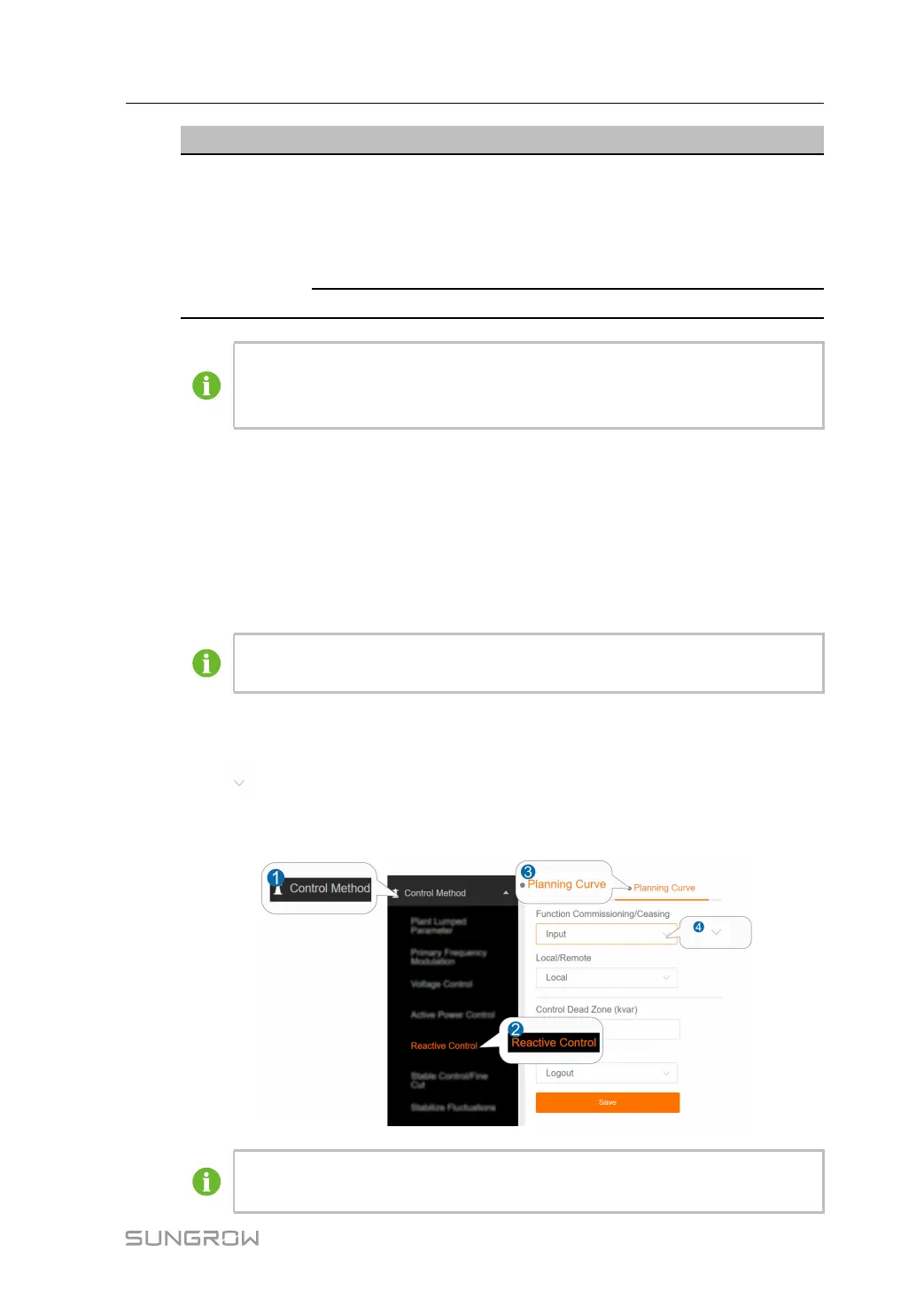
step 1 Click CCoonnttrrooll MMeetthhoodd→→RReeaaccttiivvee CCoonnttrrooll→→PPllaannnniinngg CCuurrvvee to enter the
corresponding interface.
step 2 Click
to set the status of the FFuunnccttiioonn CCoommmmiissssiioonniinngg//CCeeaassiinngg, LLooccaall//RReemmoottee,
SSllooppee CCoonnttrrooll and to set the parameter values for "CCoonnttrrooll DDeeaadd ZZoonnee, RRiissiinngg
GGrraaddiieenntt and FFaalllliinngg GGrraaddiieenntt .
The figure is for reference only. The actual interface may be different and shall
prevail.
User Manual 6 Control Method



 To Next Page