33
The figure is for reference only. The actual interface may be different and shall
prevail.
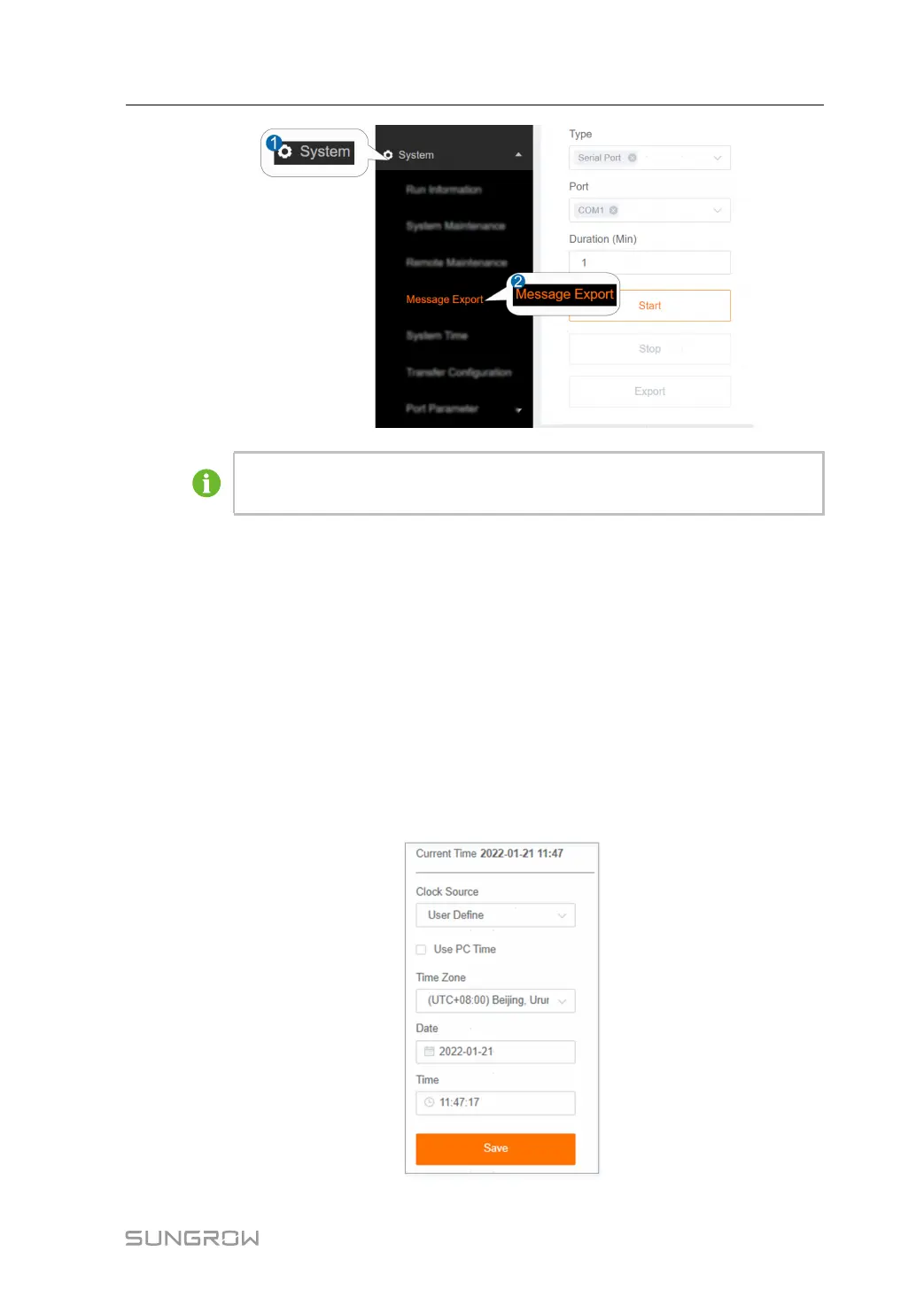
step 2 Set parameters, including type, port and duration, and click SSttaarrtt to start recording
message. The recording automatically stops when the set time reaches, or the user may
manually click the button SSttoopp to stop recoding message.
step 3 Click EExxppoorrtt to export the message.
-- -- EEnndd
8.5 System Time
Click the SSyysstteemm TTiimmee to check whether the current system time is correct,
synchronize the system time.
Click SSyysstteemm→→SSyysstteemm TTiimmee to enter the corresponding interface.
User Manual 8 System



 To Next Page