28
7
History Data
Users can view information such as operation log, history curve, fault records, and
dispatch records in this function module.
7.1 Operation Log
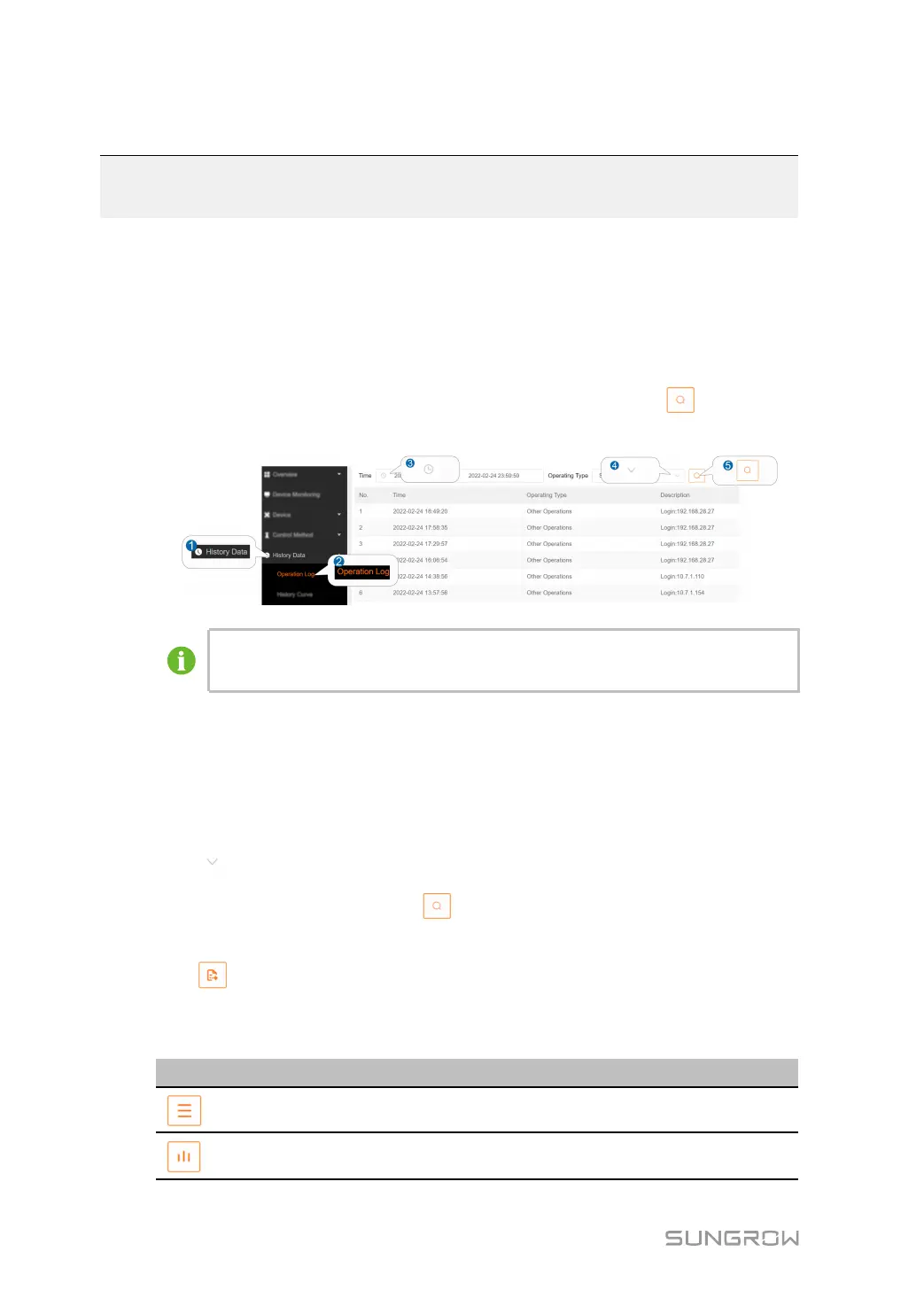
step 1 Click HHiissttoorryy DDaattaa→→OOppeerraattiioonn LLoogg to enter the corresponding interface.
step 2 Set the start and end time and select the operating type. Click
to view the
operation log information for that time period.
The figure is for reference only. The actual interface may be different and shall
prevail.
-- -- EEnndd
7.2 History Curve
step 1 Click HHiissttoorryy DDaattaa→→HHiissttoorryy CCuurrvvee to enter the corresponding interface.
step 2 Click
to select the parameter to be viewed.
step 3 Set the start and end time and click
to view the history curve of the parameters for
that time period.
step 4 Click
to export your query to a local computer for viewing.
step 5 Historical information on the parameters can be presented in the form of tables or
curves.
IIccoonnss
DDeessccrriippttiioonnss
Indicates switching to a tabular presentation
Indicates switching to a curved presentation



 To Next Page