61
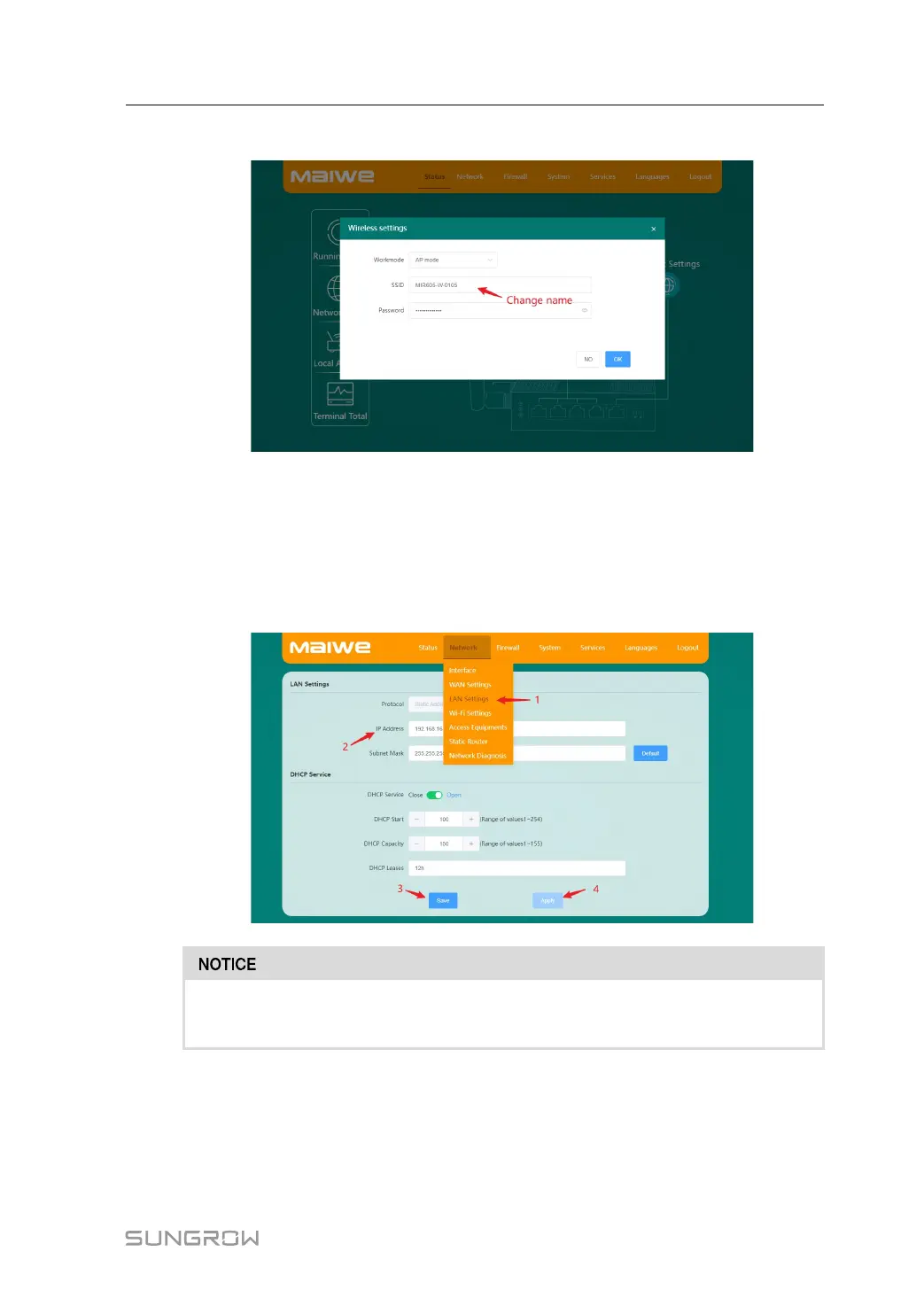
2 Modify the SSID.
step 6 Set the IP address of the wireless router to the same network segment as the LC200.
1 Tap Network→LAN Settings.
2 Modify the IP address to the same network segment as the LC200.
3 Tap Save to save the settings.
4 Tap Apply for the settings to take effect.
The IP address of the wireless router cannot conflict with the IP address of other
devices in the network. Otherwise, the network connection will fail!
step 7 Search for a WiFi connection via your mobile phone or other mobile device, and once
connected. Open the mobile phone browser and enter the IP address 192.168.13.100 to
access the LC200 interface.
System Manual 8 Accessing LC200 WEB via WiFi(Optional)







 To Next Page