2-18
X10DRT-B+ Motherboard User’s Manual
IPMI CODE
BIOS
LICENSE
BAR CODE
X10DRT-B+
Rev. 1.01
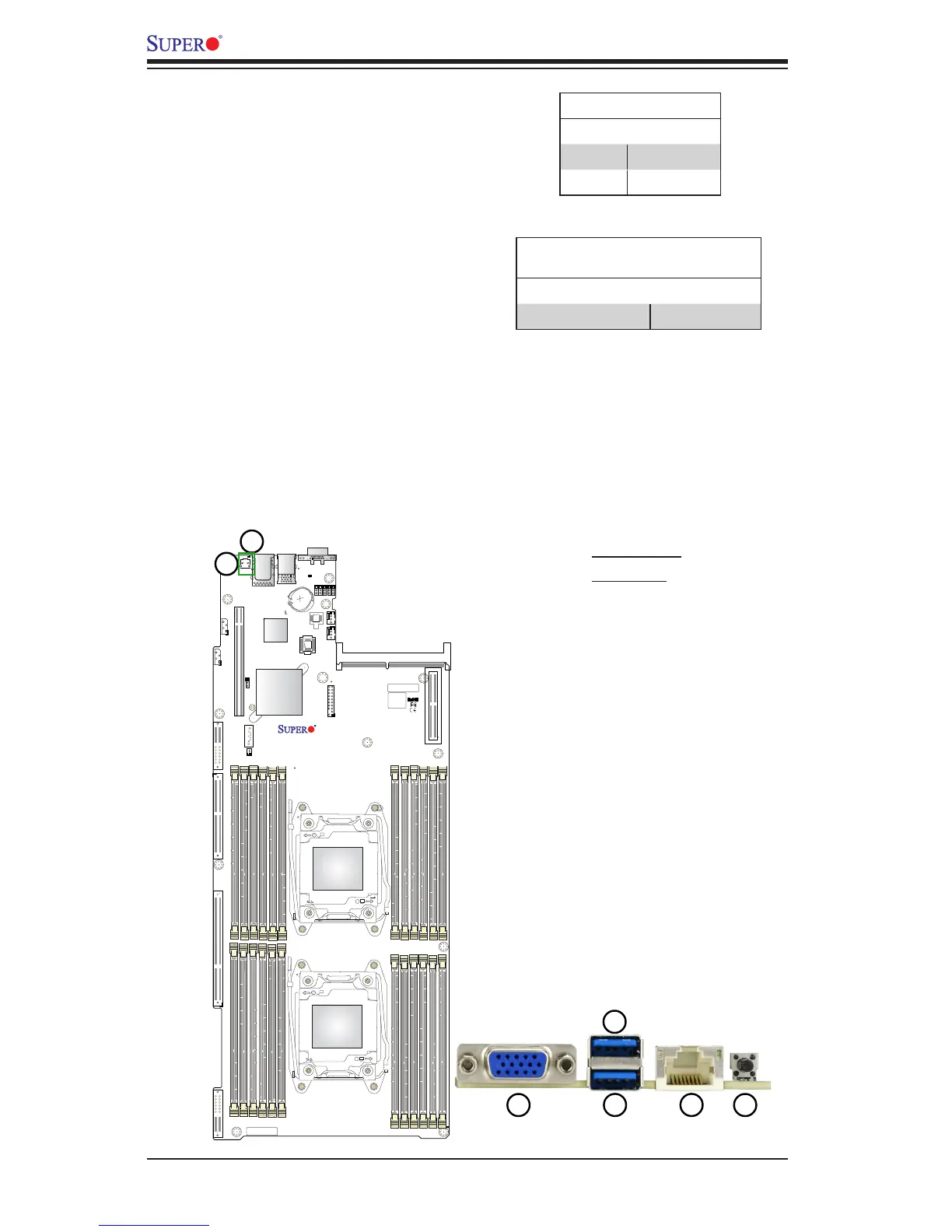
UID Switch/UID LED
A Unit Identier switch (UID SW) and a
UID LED (UID_LED1) indicator are lo-
cated on the back panel of your system.
When the user presses the UID switch,
the UID LED Indicator will be turned on.
Press the UID switch again to turn off
the UID LED. The UID indicator provides
easy identication of a system unit that
may be in need of service. See the tables
on the right for pin denitions.
UID Switch
Pin# Denition
G1, G2 Ground
Pins 1-2 Button in
1. UID Switch
2. UID LED




 To Next Page