BIOS
FLASH
P2-DIMMH1
P2-DIMMG2
USB0/1
(3.0)
P2-DIMMH2
P2-DIMMF1
P2-DIMMF2
P2-DIMME2
P2-DIMME1
SIOM: CPU1 PCI-E 3.0 X16
P1-DIMMD1
P1-DIMMD2
P1-DIMMC1
P1-DIMMC2
CPU2 SLOT2
PCI-E 3.0 X16
C612
P2-DIMMG1
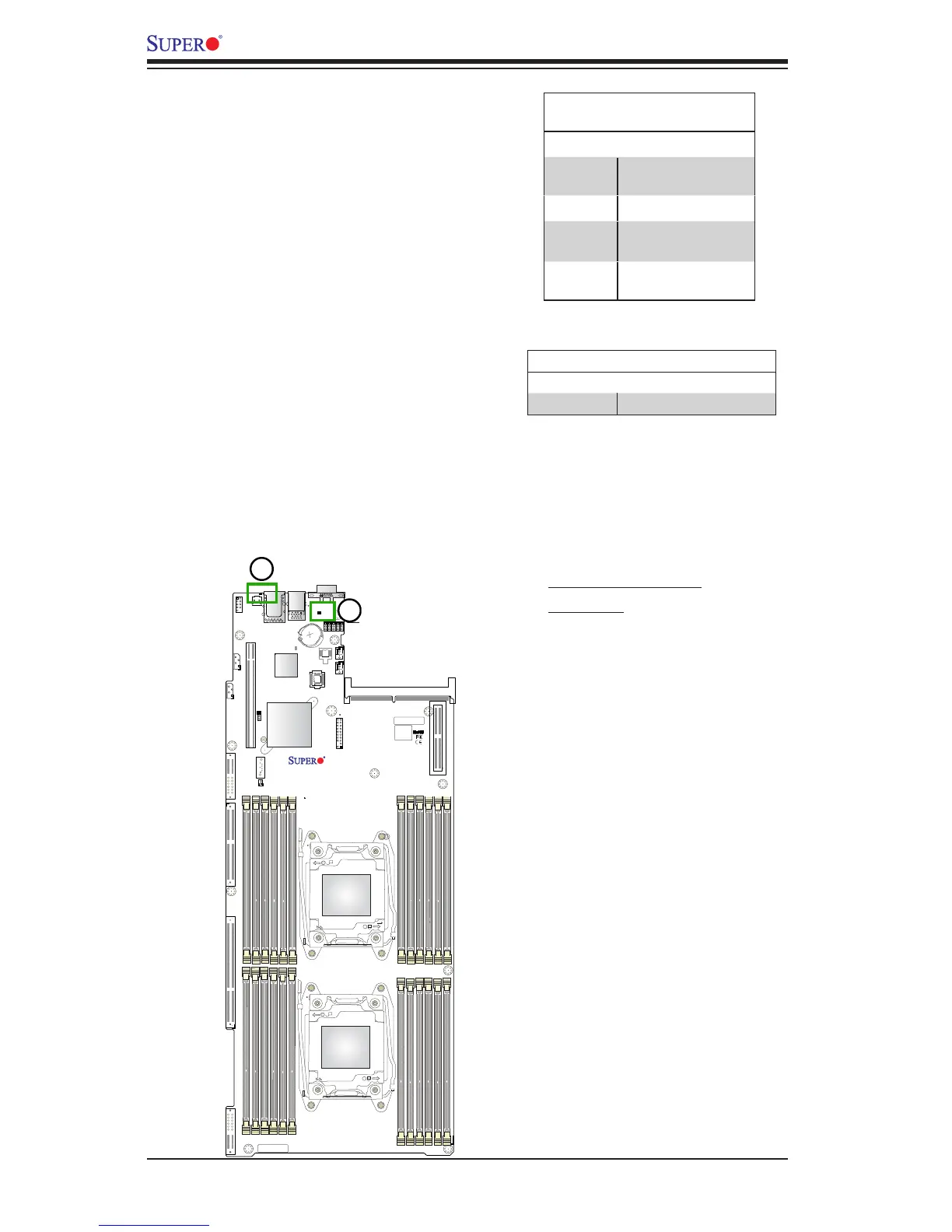
Onboard Power LED
The Onboard Power LED is located at
LE6 on the motherboard. When this
LED is on, the system is on. Be sure
to turn off the system and unplug the
power cord before removing or installing
components. See the table at right for
more information.
Onboard PWR LED Indicator
LED States
Color/State Denition
Off
System PWR Off (PWR
cable not connected)
Orange Standby PWR Ready
Green All PWR RAMP
Normal
Red One or more PWR
Regulators: Failed
1. Onboard Power LED
2. UID LED
Unit Identier LED
A rear UID LED indicator at UID_LED1 is
located next to the I/O back panel. The
UID indicator provides easy identiication
of a system unit that may be in need of
service. Refer to the table for the LED
status.
UID LED Indicator
LED Color Denition
Blue: On Unit Identied




 To Next Page