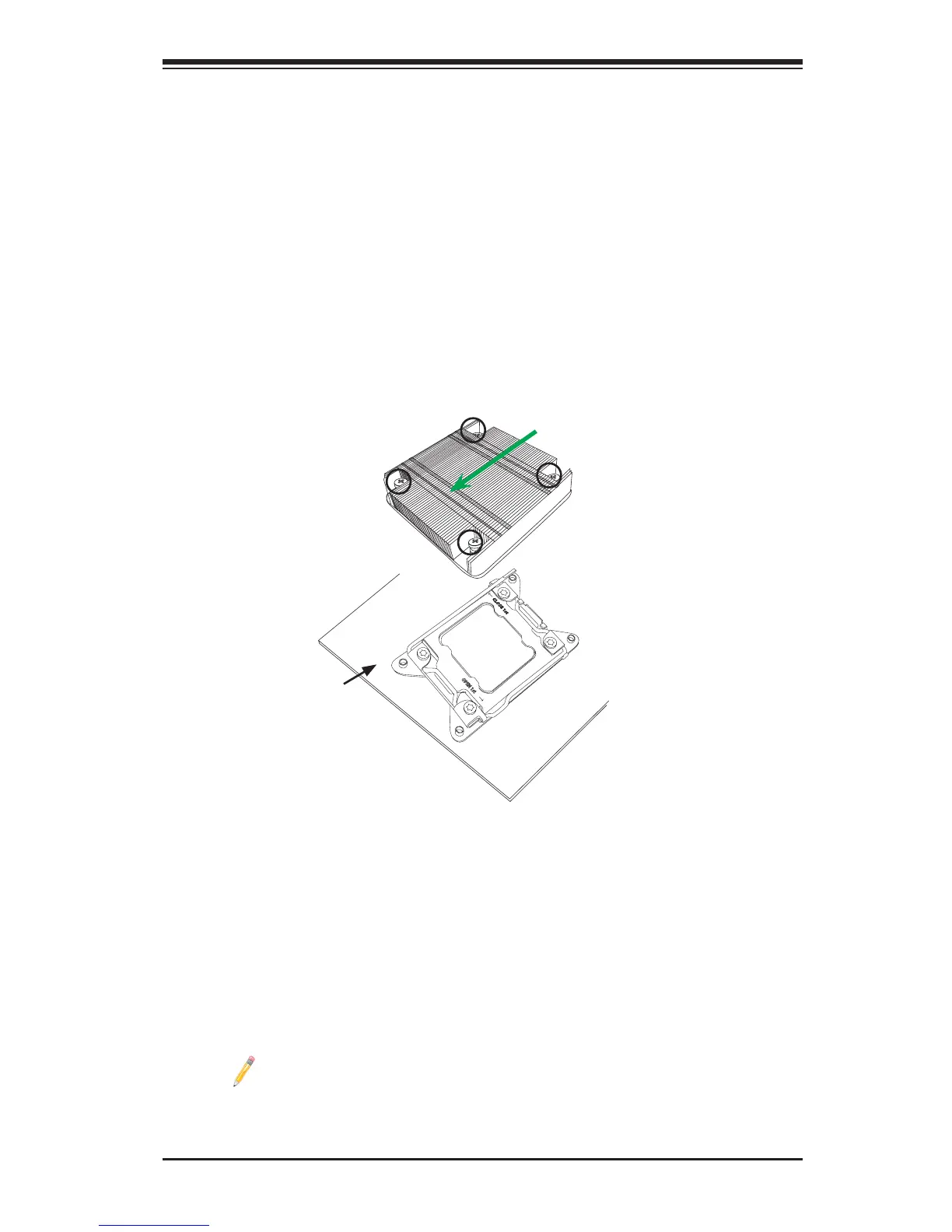
Note: For optimized airow, please follow your chassis airow direction
to properly install the CPU heatsink. Graphic drawings included in this
manual are for reference only. They might look different from the compo-
nents installed in your system.
Installing a Passive CPU Heatsink
1. Apply the proper amount of thermal grease to the heatsink if needed.
2. Place the heatsink on top of the CPU so that the two mounting holes on the
heatsink are aligned with those on the retention mechanism.
3. Using a screw driver, install four screws on the sides of the heatsink through
the mounting holes on the motherboard in the sequence as shown below,
and turn the screws clockwise to lock them.
Screw#3
Direction of Airow
Motherboard
Screw#4
Screw#1
Screw#2









 To Next Page