2-8
X10DRT-B+ Motherboard User’s Manual
OPEN 1st
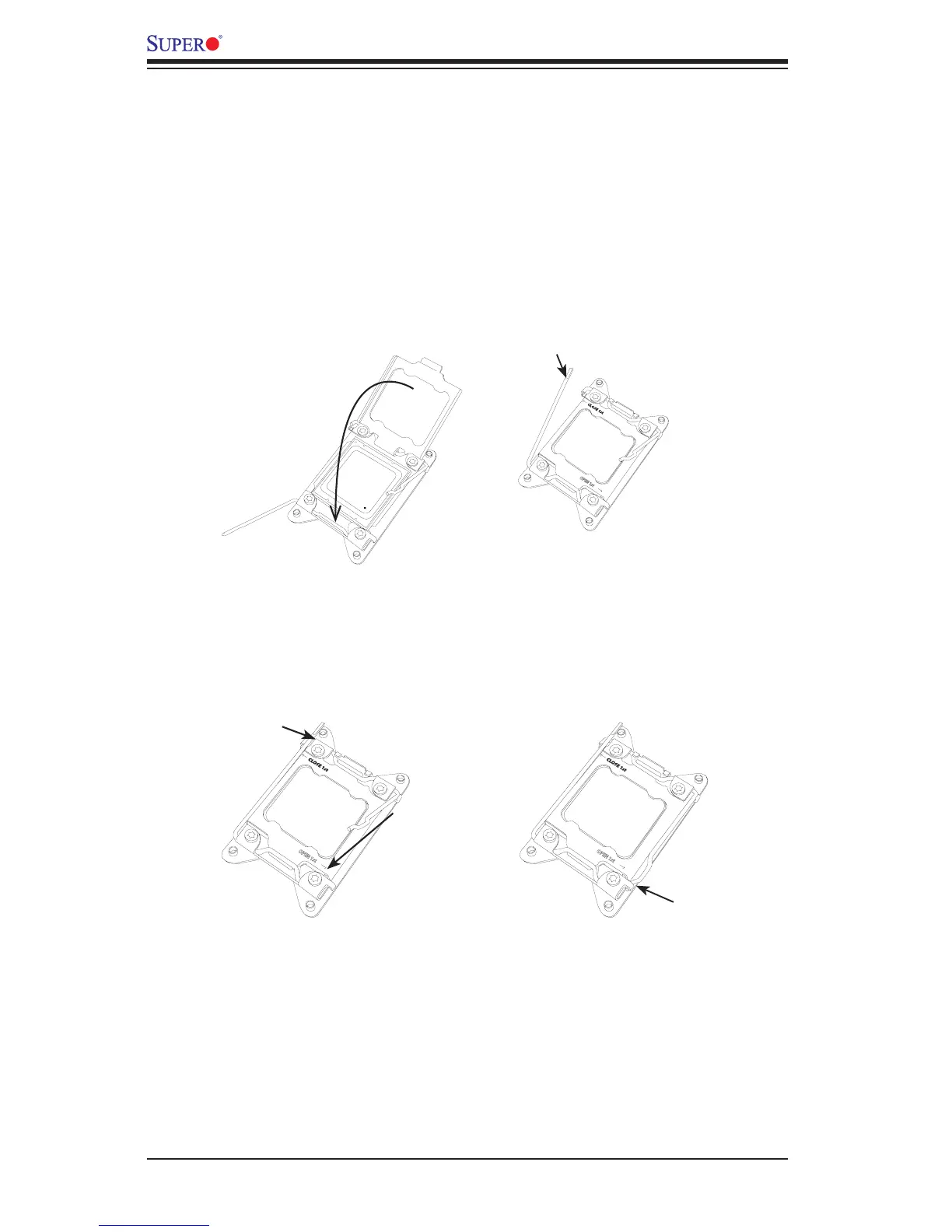
7. With the CPU inside the socket, inspect the four corners of the CPU to make
sure that the CPU is properly installed.
8. Close the load plate with the CPU inside the socket. Lock the 'Close 1st' lever
rst, then lock the 'Open 1st' lever second. Use your thumb to gently push the
load levers down to the lever locks.
Push down and lock
'Close 1st' lever.
Gently close
the load plate.
1
2
3 4
OPEN 1st
Lever Lock
Lever Lock
Push down
and lock
the lever
labelled
'Open 1st'.
OPEN 1st




 To Next Page