Chapter 2: Installation
2-5
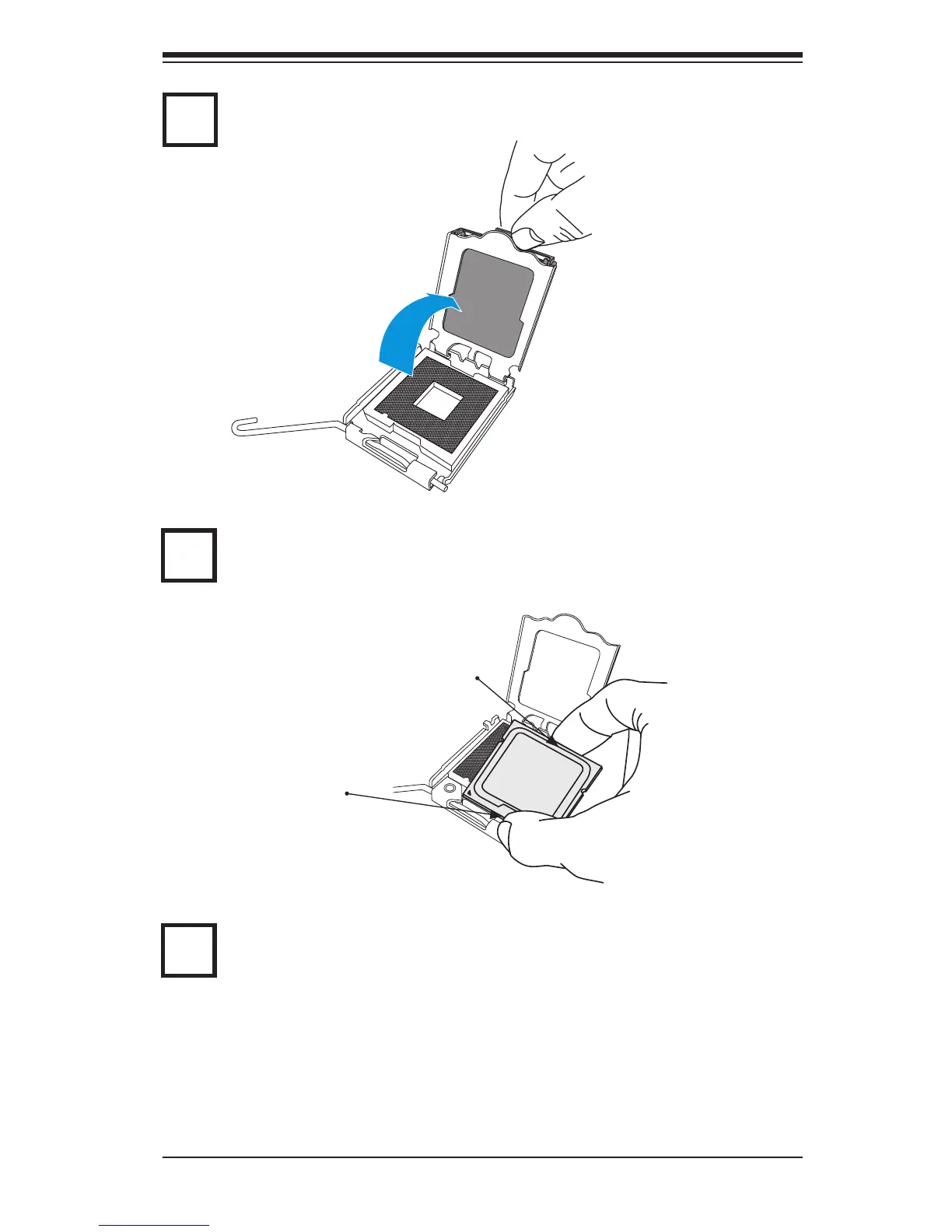
Align CPU Pin1 (the CPU corner marked with a triangle) against the socket
corner that is marked with a triangle cutout.
Align the CPU key that is the semi-circle cutout below a golden dot against the
socket key, the Notch on the same side of the triangle cutout on the socket.
Once aligned, carefully lower the CPU straight down to the socket. (Do not
drop the CPU on the socket. Do not move the CPU horizontally or vertically.
South Center Edge
North
Center
Use your thumb and your index nger to hold the CPU at the top center edge
and the bottom center edge of the CPU.
3
4
Gently lift the load lever to open the load plate.
2
4



 To Next Page